
Feb 24, 2026 7:44 AM UTC
Acknowledged

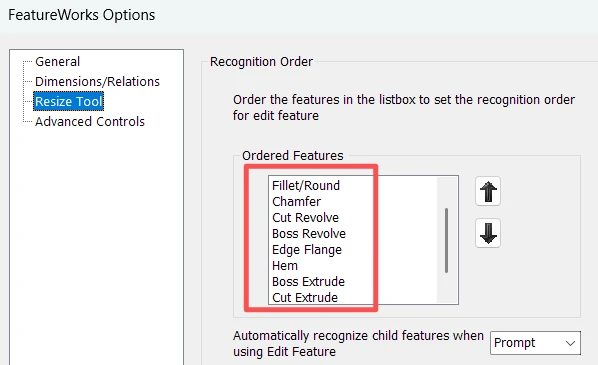
Hope to get the function "Recognize Features" as "FeatureWorks Options Resize Tool" in Solidworks

Related products:Creo Parametric

1. Describe the Problem

After import external geometry ( for example, STEP or IGES file) into Solidworks, click menu Insert > FeatureWorks > Recognize Features, it can directly identify hole, fillet/round, chamfer, boss/cut revolve and boss/cut extrude, but in Creo Parametric use Flexible Modeling only can recognize round, chamfer and hole.
Solidworks_Recognize_Features.png


2. Are you using a workaround?
No workaround

3. What is the use case for your organization?
Import 3rd CAD model data and recognize the features

4. What impact does this problem currently have on your organization?
Customer cannot get the 3rd model with reusing the model quickly.

3 replies

Community Manager
Feb 24, 2026 2:17 PM UTC
Status changed to: Acknowledged

Thank you @Patton_Mi for your idea. Based on the information you provided, we are acknowledging it as the Community management team. This is not a commitment from the Product team. Other users may comment and vote your idea up.

Feb 24, 2026 11:55 PM UTC

I never used that capability, but on the Creo help there is a module or capability called "Feature Recognition Tool", which I think there is a need to activate it on the config.pro file, that would allow  more or less the same capabilities that you mentioned that Solidworks has.


Namely:


"About Feature Recognition
Feature Recognition is a process that semiautomatically identifies features imported from any Boundary Representation model (IGES, STEP, etc). You can select multiple geometry entities to replace simultaneously. The following feature types are supported:
•Hole
•Extrusion
•Chamfer
•Fillet
•Round
•Slot—A cut on the external contour of a surface.
•Pattern"
 
Also, I confirmed that there is an option that has to be activated first for the menus to appear:
 
"To Access the Feature Recognition Tool
1.Set the frt_enabled configuration option to yes in the config.pro configuration file that is located in the working directory.
You can also start Creo Parametric and click File > 


 Options and use the Creo Parametric Options dialog box to set the frt_enabled configuration option.
2.Start Creo Parametric.
3.Click File > 


 Open. The File Open dialog box opens.
4.Select a part containing import features.
5.Click Open. The part opens in the graphics window.
6.Click Model > Get Data > Feature Recognition to access the Feature Recognition user interface."


See online help:


https://support.ptc.com/help/creo/creo_pma/r12/usascii/#page/part_modeling/feature_recognition_tool/About_Feature_Recognition.html


I don't know if that option is available on the basic license or if it's an additional module that has to be licensed. Same for Solidworks. Regarding for speed or effectiveness of the recognition process, it's also a mystery. But it seems that the capability already exists, it's a matter of licensing or testing and requesting eventual small enhancements.

Feb 24, 2026 11:58 PM UTC

To @Catalina ,


Hello Catalina. You should check this issue with product management team to confirm this, but I think this request can be considered as already implemented and classified as such.