Archived
Highlight the Snapping References of Drawing Sketch
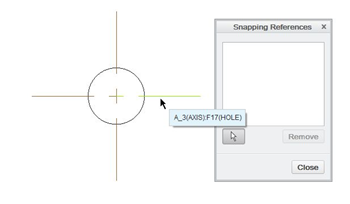
There are 2 axis in the drawing which are displayed by model annotation. One is parallel to the screen and another is normal direction with respect to the screen.
When user select the parallel axis as Sketch's Snapping Reference, it is fully highlighted but can not add to the reference. The other hand, when user select the normal axis, it is partially highlighted and possible to add to the reference. This make us confuse. Parallel axis should not highlight and normal axis should fully highlighted.