Archived
Fix Useless Grayed Out Menu - Copy Geom
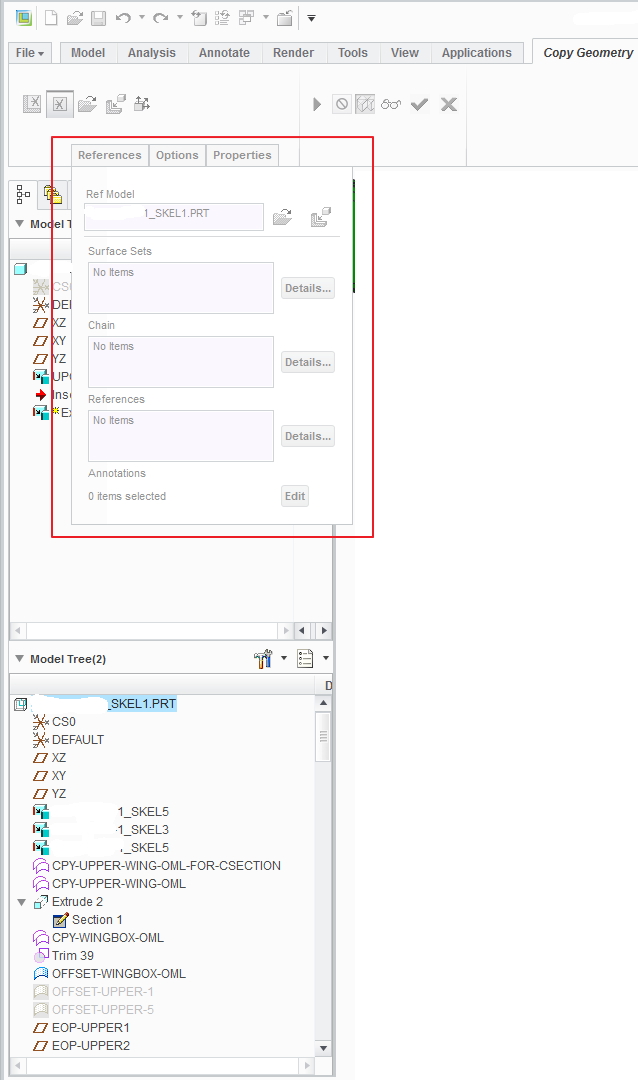
When creating a copy geometry and selecting features of a referenced model the "References" tab turns grayed out but stays in the way of the model tree, making it aggravating to negotiate and reference the model tree. Most aggravating. Can't the menu just disappear or collapse if the entire thing is grayed out anyway?? If I need to access the tree controls I have to drag the tree width out from underneath the menu just so I can get to the layer controls. Surely this can be easily fixed.