
Fix Resource Browser links for each version of Creo Parametric
When you startup Creo you get the Resource Browser (PTC - Creo Parametric - Start) page by default.
This page may be helpful for new users or those wanting to keep up to date on information from PTC and it provides links to tutorials and other information such as Liveworx.
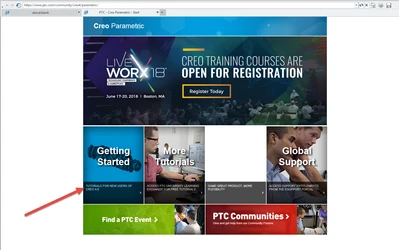
(https://www.ptc.com/community/creo4/parametric/)
However, we are on still on Creo Parametric 4.0. When you click the Getting started link (which even in text says "Tutorials for new users of Creo 4.0". The link goes to the latest help center. Which is now Creo 5.0.
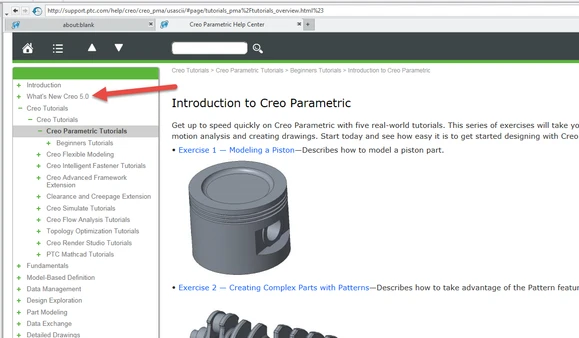
This is confusing for our users and already got a support request from one asking that we fix it.
If you go to the Creo 3 page: https://www.ptc.com/community/creo3/parametric/
it says tutorials for Creo 4.0 and links to the Creo 5.0 help center.
All I'm asking is that the older versions of the page be updated to point to the correct help center (https://support.ptc.com/help/archive/creo40/creo_pma/usascii/). This is a site hosted by PTC so other than turning it off (set hidden config.pro option enable_resource_browser_tab to no) and making our own there isn't much we can do with this until we're on the latest, which probably won't happen anytime soon.
I already tried filing a case (14748802) which was promptly closed explaining "This is working as expected".
This is NOT working as expected. This is PTC defaulting to the latest hoping everyone is on the latest.
Why have separate URL's if you're just going to show all the same information? At least take the "4.0" and put "latest version" or something generic.