Jan 17, 2013 8:41 AM UTC
Archived

Extrude non-adjacent to base sketch using blind option

Related products:Creo Parametric

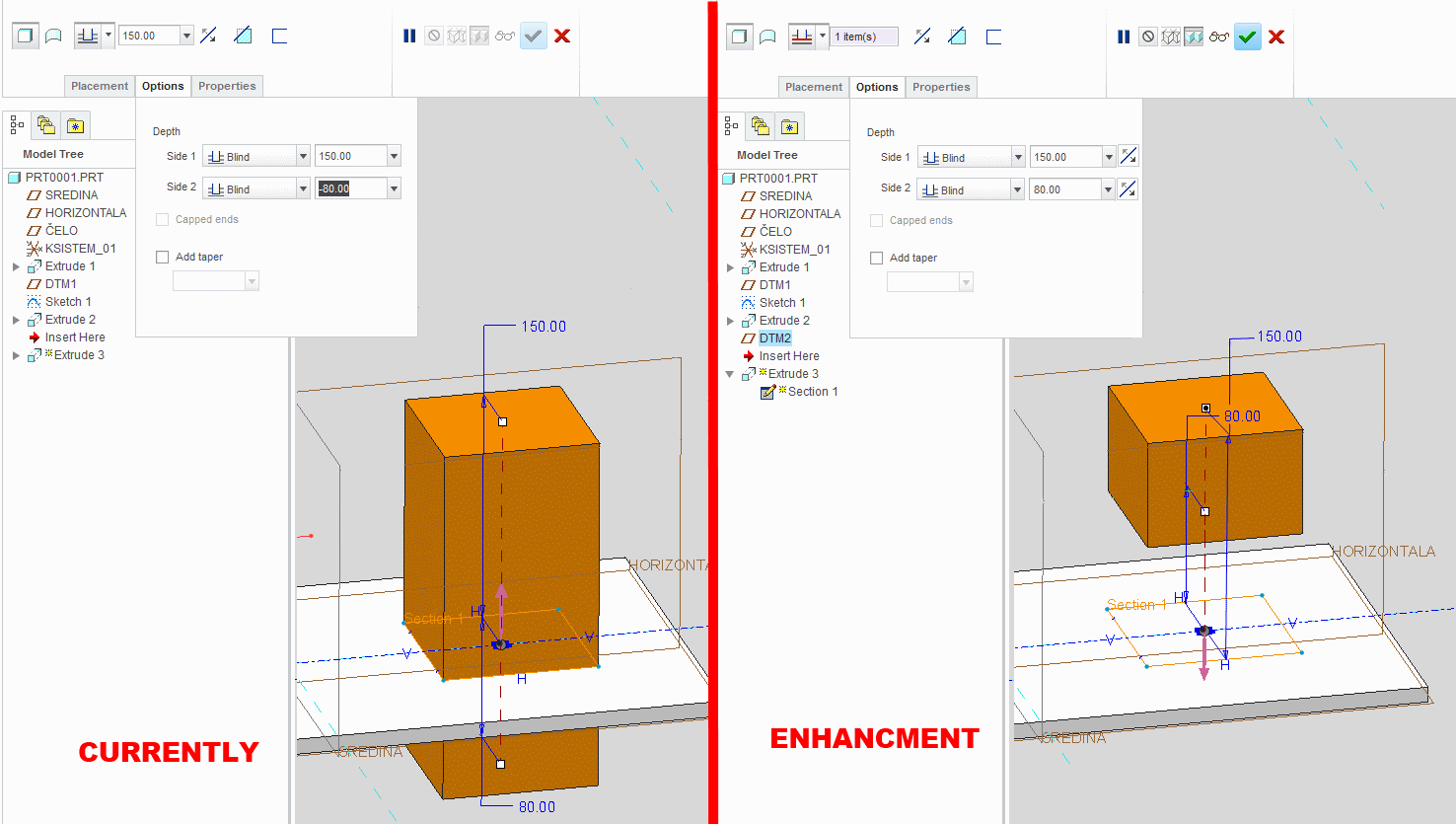
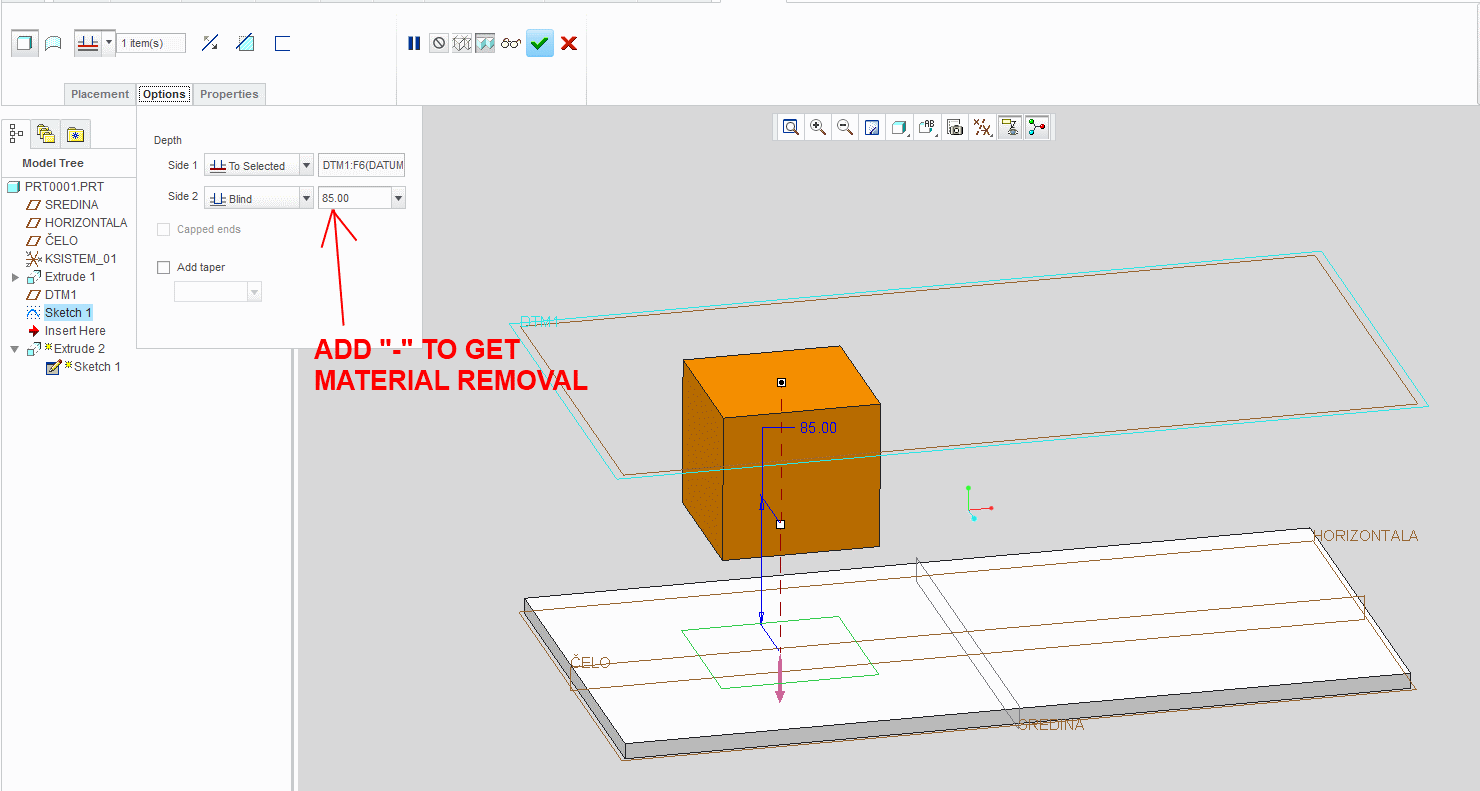
Currently in Creo 2 you can make extrude that is not adjacent to base sketch like in pic1 by adding "-" infront of blind distance. Unfortunatly you can`t do same thing if you use "blind" for both sides it only works if one side is defined by "to selected". If you add "-" when "blind" is set to both sides of extrude they just switch places.

Enhancment: Allow extrude not to be adjacent to base sketch when using "blind" on both sides of extrude by ading switch icons or keeping the "-" infront of number like in pic 2.
1.png

Picture 1.

2.png

Picture 2.

3 replies

Jan 17, 2013 5:27 PM UTC

Almost seems like a no-brainer doesn't it. 

I did do something similar with a sweep where the sketch projected onto the target plane or surface and the extrude distance was specified from that plane or surface.

But then again, why not make the basic feature like this more robust.  I agree that this capability is long overdue.

edit: I went back to look... it is an "offset feature" with the "with draft feature" found in the editing dialog of all places.  You have to highlight a surface to build the object from and the option becomes active.  The sketch can be on a plane but not the offset.  The draft can be defined as zero.  It is really criptic.  I found this  by accident.

offset_sample.JPG

Jan 18, 2013 8:30 AM UTC

Well it like they say "Evrything can be done in ProE"..the hard way.

Mar 16, 2019 2:47 AM UTC
Status changed to: Archived