Easy way to make a layer status of a drawaing view dependent to rest of the drawing
Current Situation:
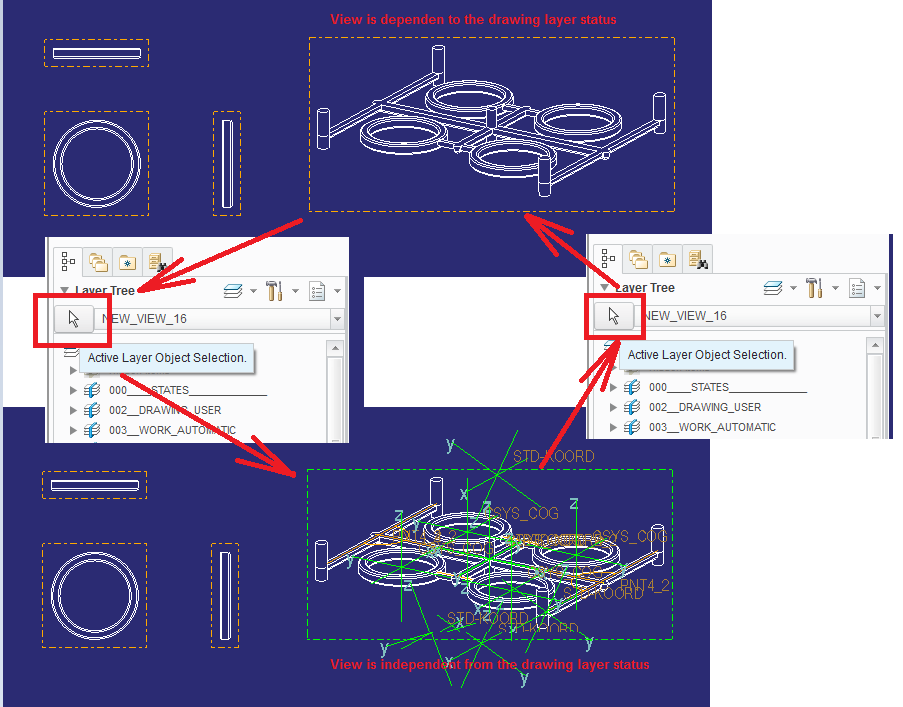
In a drawing it is pretty easy to make a drawing view independent from the layer status of the drawing. Just by clicking on the arrow above the layer tree and selecting the drawing view it changes to the independent status. Sometimes this happens by mistake and the user does not know the reason for the different display situations inside the drawing. To be aware of that it would be a good solution to have a confirmation message box like it is when it should be switched to dependent (see the description below).
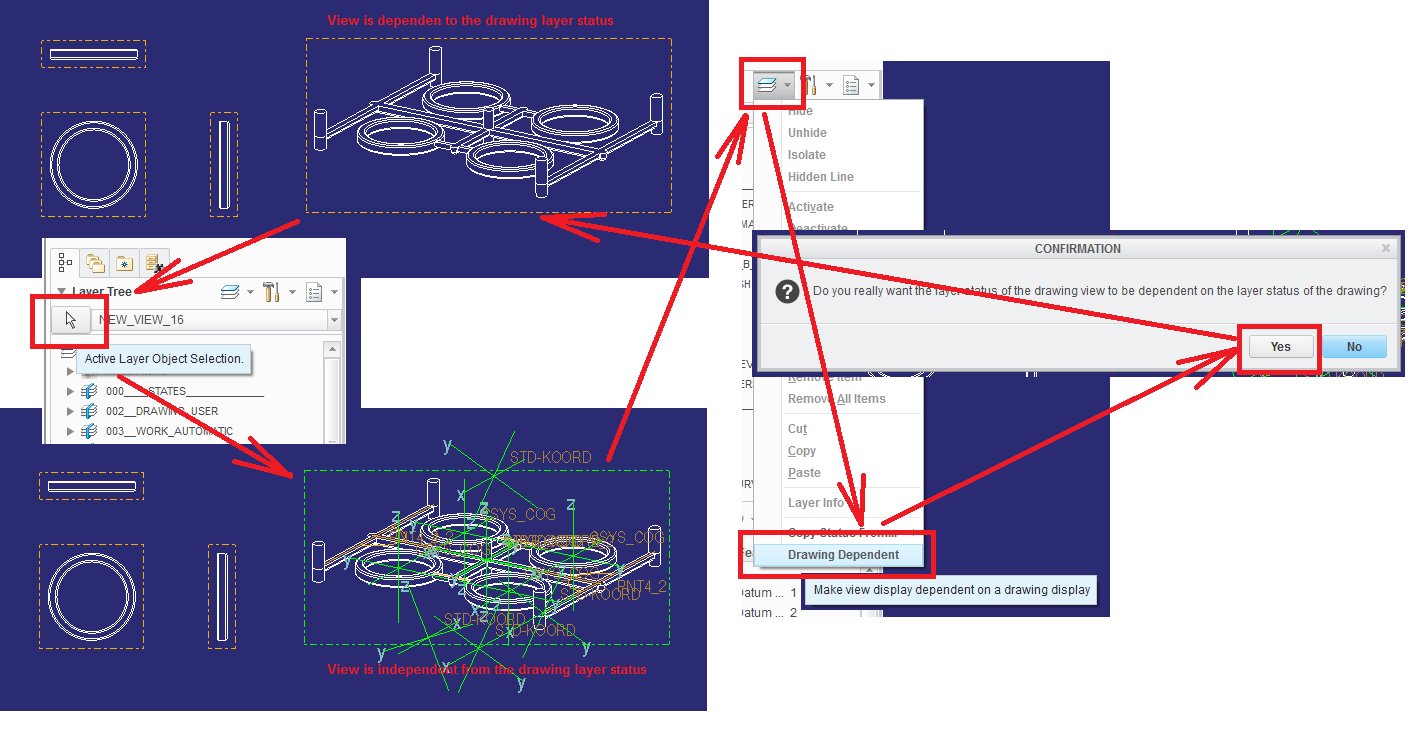
The other way around is more complicated. First the view needs to be selected than the user has to find the correct menu and move down to the last option in the list "Drawing Dependent". Inside the upcoming message box the user needs to confirm that he really want to make the view dependent to the drawing.
(Click on the picture to get a full-size view)
Improvement:
An improvement would be to be able to switch the drawing view back to the dependent status the same way as he made it independent before. Just click on the arrow above the layer tree, select the drawing view and it will be switched to dependent. (In both direction there should show up a confirmation message box to avoid status change by mistake)
(Click on the picture to get a full-size view)