Archived
Dual Dimension snap to space between primary and secondary
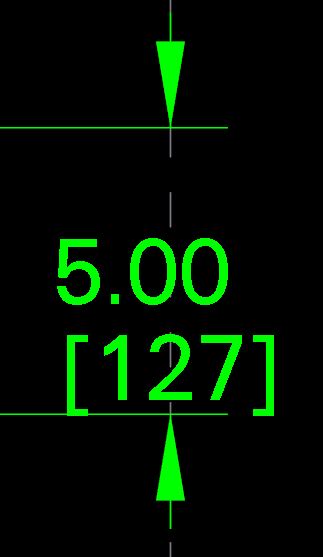
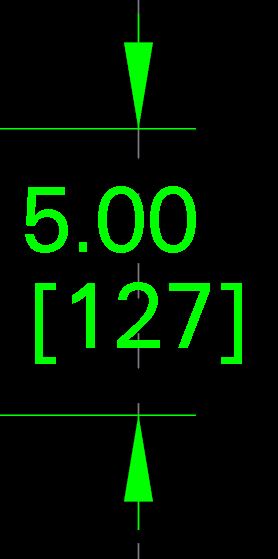
When creating a dimension in a drawing with dual units, the default snap is in the center of the primary dimension so the secondary is always closer to the bottom of the dimension. With small dims it makes the drawing look unbalanced and sometimes the secondary dimension will overlap the witness line. If the snap was moved to be in the center of the 2 dimensions it would look much better. Below left is an example of where Creo wants snap to center this dimension in a drawing. To the right is where it should actually snap to. This would eliminate extra time to center dims after creation. On large drawings I could see this saving a decent amount of time for something trivial.