
Drawing View Combination State - Does not show style with both shaded and wireframe components
1. Describe your environment: What is your industry? What is your role in your organization? Describe your stakeholders. Suspension Manufacturing, Lead Sr. Designer, Class 9 Truck OE's
2. What version of Creo Parametric are you currently running? 8.0.4.0
3. Describe the problem you are trying to solve. Please include detailed documentation such as screenshots, images or video.
In an assembly I can create a Style showing a combination of shaded and wireframe components. See image
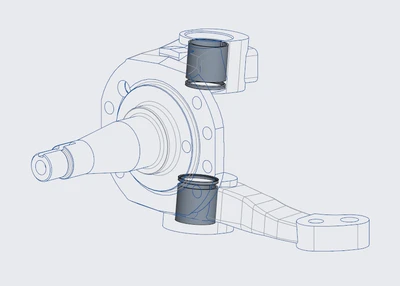
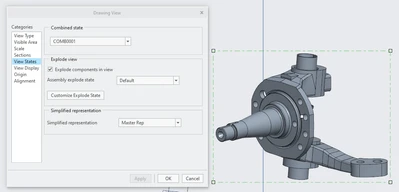
This view is not available in drawing/detail mode. It can show the combination state, but does not give that option to display with that style.
4. What is the use case for your organization?
This would be very useful in assembly drawing, documentation literature, etc. We also manufacture welded assemblies. If we could show the solid weld as "shaded", and the fabricated parts as "no hidden" in the drawing it would be very useful for our welders to see where the weld is located.
5. What business value would your suggestion represent for your organization?
It would save a lot of time for manufacturing, and make things much clearer, preventing costly mistakes.