
May 17, 2013 12:49 PM UTC
Clarification Needed

Double-click on features in model tree to show dimensions

Related products:Creo Parametric

Make double-click action possible on features in model tree to show dimensions.

Features are not always visible for double-clicking modification in graphic environment (hidden curves for example).

Right mouse button action is not as straight forward as double-clicking.
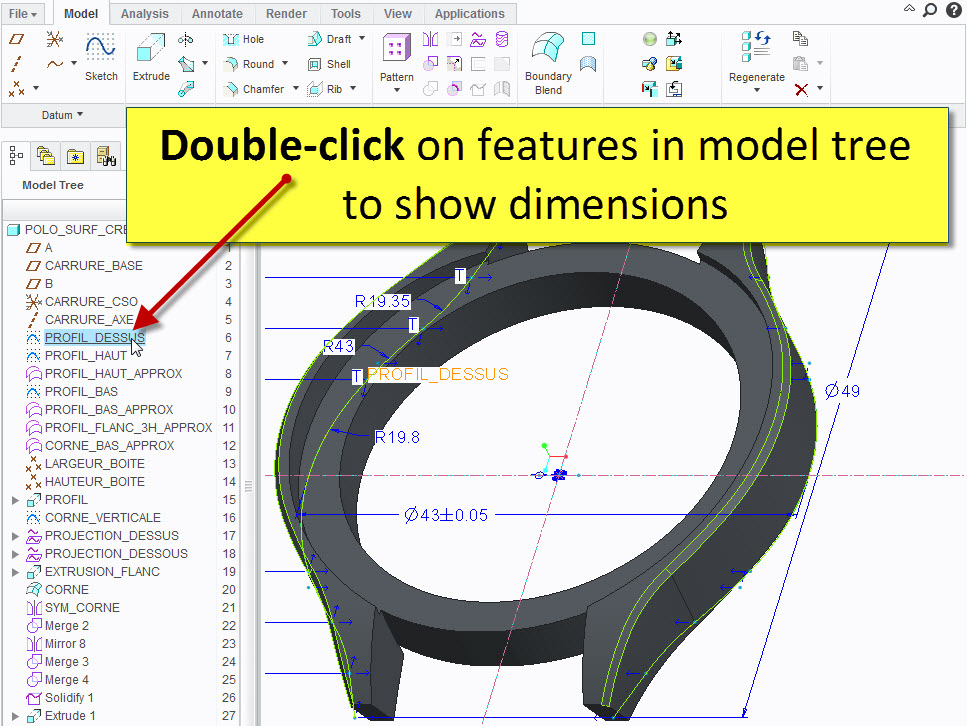
double-clic on feautures in model tree.jpg

7 replies

May 17, 2013 1:11 PM UTC

Features are not always visible for double-clicking modification in graphic environment (hidden curves for example).

May 17, 2013 2:19 PM UTC

In fact, there are many features that do not work

May 17, 2013 8:04 PM UTC

« unless the Hide feature has been applied to that feature » or is hidden in a layer.

If you think the idea is not bad … vote up

May 25, 2013 7:13 PM UTC

well, double click in Model Tree is reserved for collapse / expand action ... making system "over smart" to behave differentely for non-expaqndable nodes would make no real good imo.

Patterns can have dimensions and can expand. Sane components etc - so if you add Show Dims action you get clear ambiguity.

May 21, 2015 2:05 PM UTC

Hello Vladimir,

You can expand or collapse the group with a simple click on the arrow beside the collapsed function.

Double clicking is then redundant.

Double clicking on a sketch or any dimensioned feature would be useful to show dimensions.

Jun 14, 2018 6:07 PM UTC
Status changed to: Acknowledged
Aug 13, 2020 2:14 PM UTC
Status changed to: Clarification Needed

If you are intending to quickly enter "Edit-Dimensions", then this is accessible much faster in the more recent Creo versions as it is the first action in the mini toolbar. That workflow is nearly as fast as a double-click and doesn't interfere with current double-click actions.

Can you re-confirm in a more recent Creo version?

edit_dims.jpg