
dimension text height change in Eztol
1. Describe your environment: What is your industry? What is your role in your organization? Describe your stakeholders.
Chassis designer:use sheetmetal and solid in Creo Parametric & EZTol
2. What version of Creo Parametric are you currently running?
Creo 7.0.3 upgrade to Creo 7.0.8
3. Describe the problem you are trying to solve. Please include detailed documentation such as screenshots, images or video.
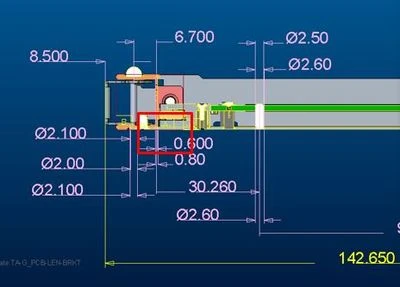
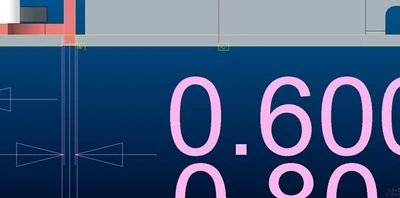
We find the dimension text height in EZTol is too big and want to change the text size.
But EZTol only provide default text and arrow style.
This makes the dimension loop view is difficult to review.
4. What is the use case for your organization?
We use Eztol to build TA stackup and generate TA report. But TA report is not only recorded and reviewed by designer, QA and Customers also have to check TA report. So how the TA generate report viewed impacts user experience.
5. What business value would your suggestion represent for your organization?
We can push digital transformation on TA related easily to improve RD efficiency.