Jul 12, 2013 7:57 PM UTC
Archived

Creo Paramtric 2.0 - "note line spacing"

Related products:Creo Parametric

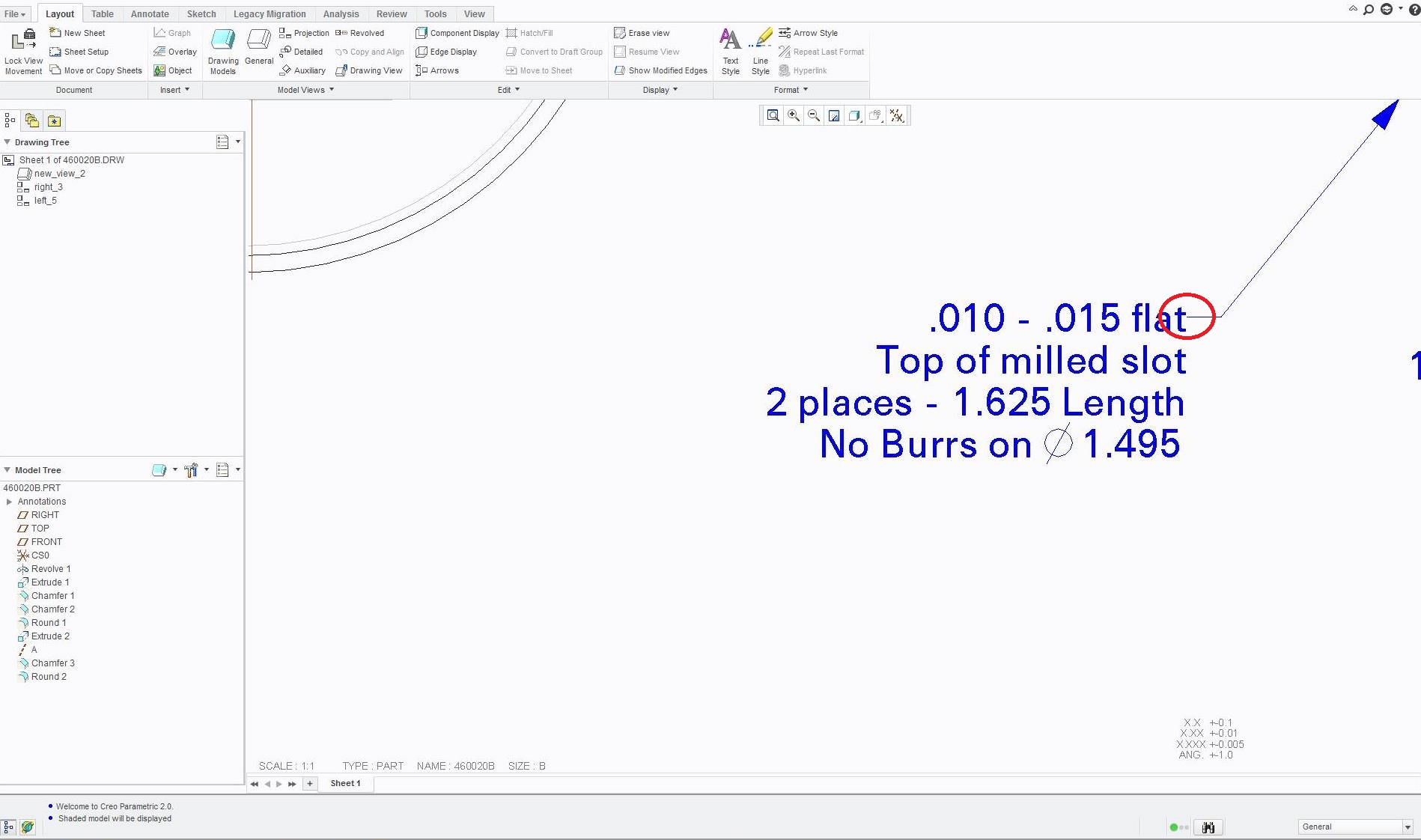
I can't seem to figure out how to adjust the note default line spacing in .DRW files. bbghyj.jpg
7 replies

Jul 12, 2013 8:08 PM UTC

You may wish to vote for you own idea. 

And for this one: http://communities.ptc.com/ideas/2713

Thanks, Dale

Jul 13, 2013 2:35 PM UTC

Can't you control that in FILE>PREPARE>DRAWING PROPERTIES>DETAIL OPTIONS?

Jul 13, 2013 5:06 PM UTC

Link error:  here you go Dale: When creating a new product idea, it automatically adds a positive vote for the creator.

Remember, you have to use the viewing history for links inside the Community.

Jul 13, 2013 5:11 PM UTC

This is certainly something I noticed coming from Pro|E into Creo.  All too often the leader is too close to the 1st/last character.  There should be a half-character space between the node and the end of the leader line.

This must be a completely revamped algorithm from The old Pro|E to Creo (maybe initiated in WF somewhere).  I find the text locations to be unstable (when adding or removing leaders) and I already have an SPR in place for not properly snapping to grids.  This was just a very poorly vetted "upgrade".

Jul 15, 2013 1:49 PM UTC

I usually test them and edit them to make sure they work. This one slipped by me.

(Late Friday afternoon, but that's no excuse )

Jul 16, 2013 12:15 PM UTC

Thanks for informing me of that!  I was told to do this, so I didnt know.

Mar 17, 2019 2:38 PM UTC
Status changed to: Archived
