Jan 8, 2016 2:13 PM UTC
Archived

Creo Drawing table editor using Excel sheet

Related products:Creo Parametric

Proposal:


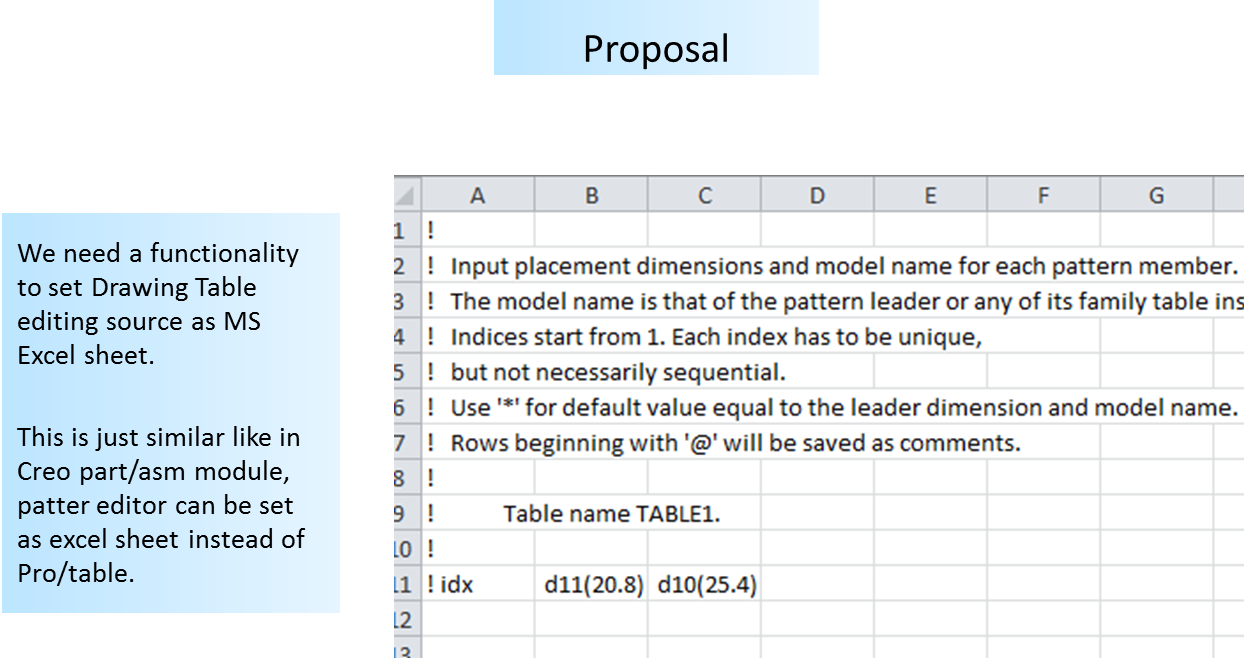
We need a functionality to set Creo Drawing Table editing source as MS Excel sheet.

This is just similar like in Creo part/asm module, pattern feature editor can be set as excel sheet instead of Pro/table.


Reason:

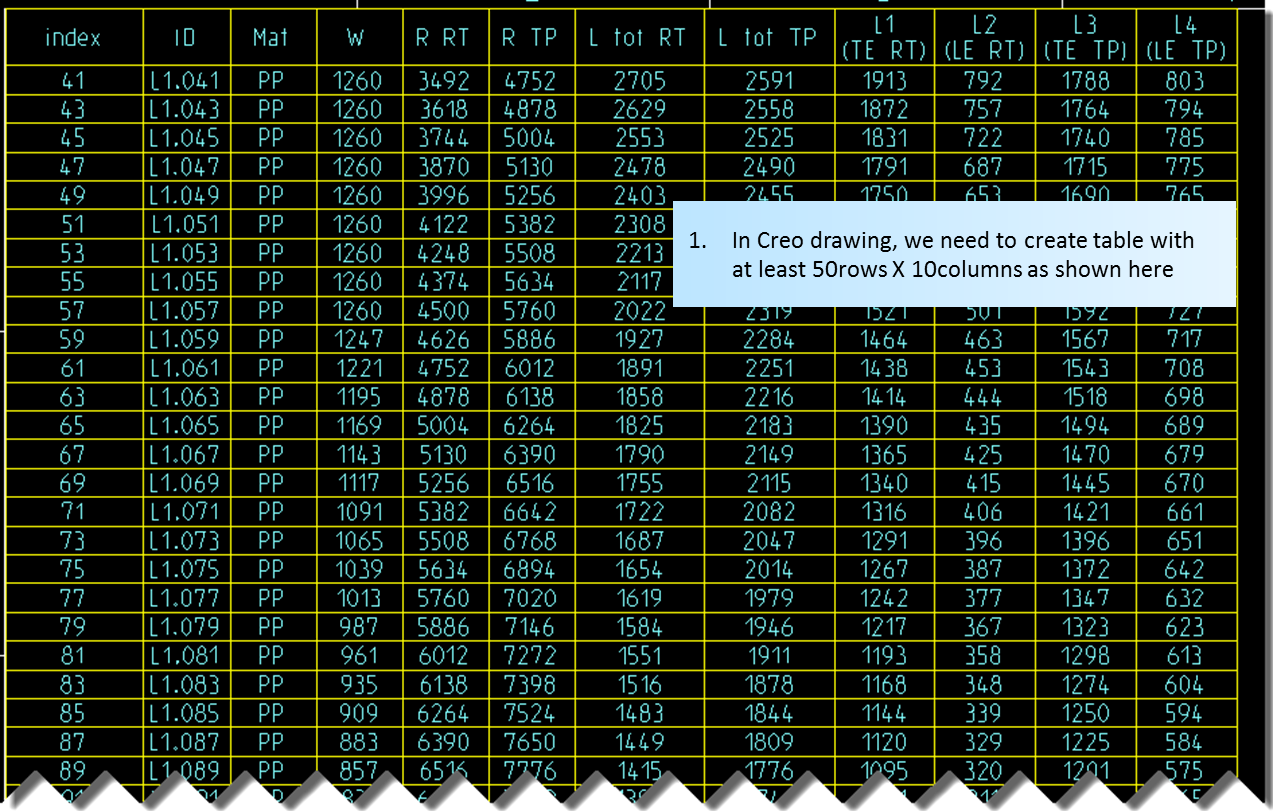
  1. In Creo drawing, we need to create table with at least 50rows X 10columns as shown in figure manually.
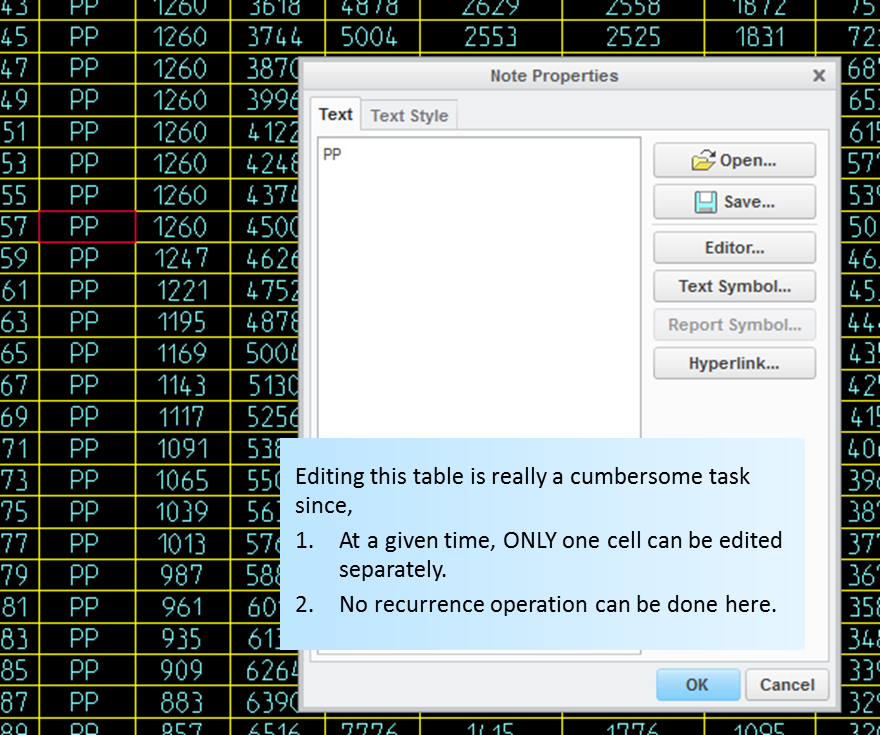
  2. Editing this table is really a cumbersome task since, ONLY one cell can be edited separately.
  3. No recurrence operation can be done here.
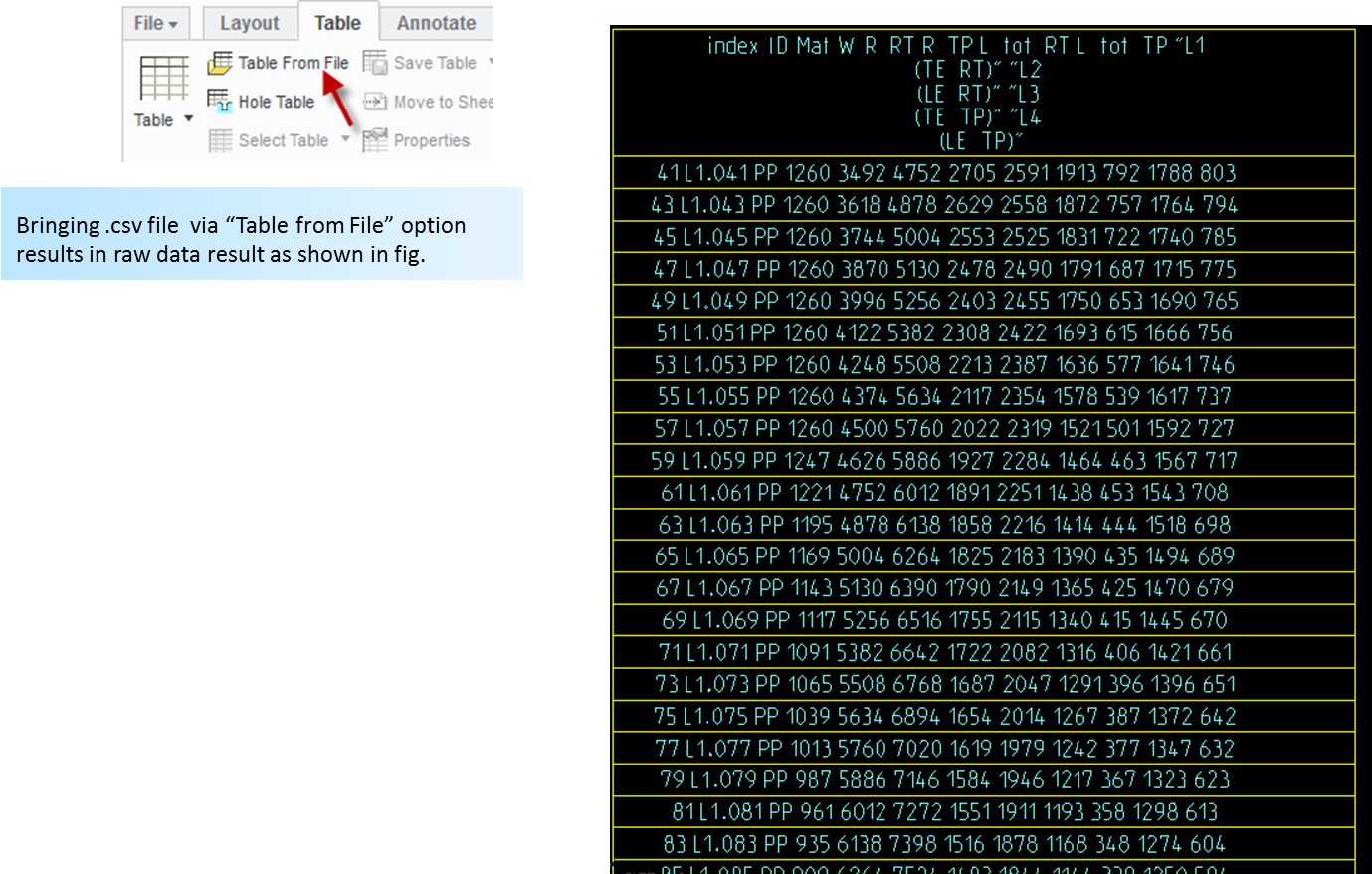
  4. Bringing .csv file  via “Table from File” option also results in raw data result as shown in fig.

Regards,

Siva.A

Picture1.pngPicture2.pngPicture3.pngPicture4.png

6 replies

Jan 8, 2016 3:31 PM UTC

Just a note. I tested csv format.

When I saved drawing table to csv I got comma separated csv format.

If you produce semicolon separated csv format from Excel, you have to edit it in Notepad and replace semicolons with commas.

Jan 9, 2016 5:32 PM UTC

Hi Martin,

Here we are talking about two different cases,

  1. Save creo drawing table as csv and then do some manipulation on csv file using notepad or excel to make necessary rows and columns as we we want. Now just save that csv file in excel.
  2. After above task, Bring back that csv file into creo drawing as table. You can notice all rows will become just one row and it's a mess.

I believe you tested case 1 only. Would you test case 2 as well and see how the final table looks like in creo drawing?.

Jan 10, 2016 10:53 AM UTC

Hi,

i tested cas 2, too.

  • I created table in Excel and exported it in csv file
  • I opened csv file in Notepad++ and replaced all semicolons (;) by colon (,) and saved it
  • I imported csv file into CR2 M070 drawing and got real table

Martin Hanak

Jan 17, 2017 2:36 PM UTC

Not sure, but in US,

semicolon (;)

colon (:)

comma (,)

Sep 21, 2021 8:32 AM UTC

It is funny we can export table from Creo to Excel (csv_format_delimeter) but unable to setup reverse method when importing Excel CSV table to Creo.

We must manually change semicolons to commas and what is the most tragic for "euro users" all numbers as well. Values with commas are ignored and have to be replaced by decimal points.

5,25 => 5.25

ABC;DEF => ABC,DEF


When it is gonna be fixed PTC? We need more config options to manage Excel CSV <=> Creo import/export according to national formats.

olivierlp
Community Manager
Jan 4, 2022 4:03 PM UTC
Status changed to: Archived

Hello,

We are archiving your idea as part of a general review. This action is based on the age of your idea and the total number of votes received, as per this announcement.

You can always post a new idea with all the details required in the form.

Thank you for your participation.

Olivier