
Create Curves from Extrudes/Sweeps
What if we had the ability to create curves or sketched lines using extrudes as the basis, or convert a solid to just edges.
So if you make a standard cube you wouldn't have a solid, or surfaces, but curves for all the edges.
The biggest example I have is we make a lot of frames in AFX. To get all the sketches to build the outside of the frame you often have to make multiple planes, multiple sketches just for a simple box. Though if you could make it in extrudes to define the space claim first it would be easier to create.
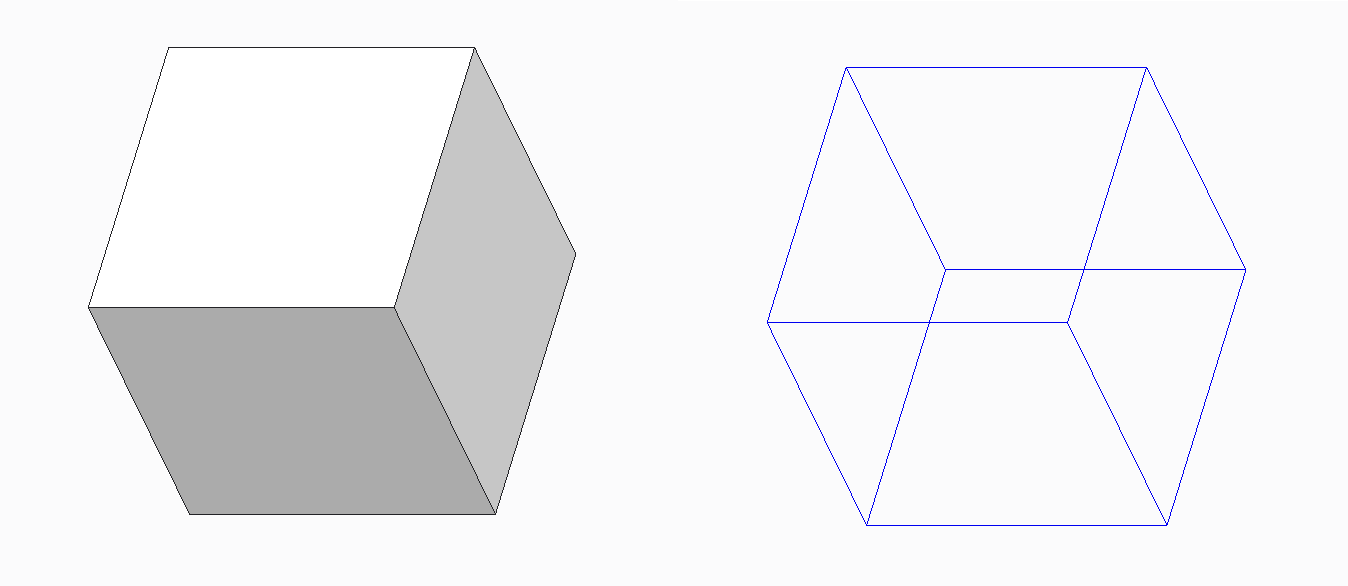
A box is the simplest example, but any extruded shape could be done this way. In theory even spheres could be cut into quads and given sketch lines.
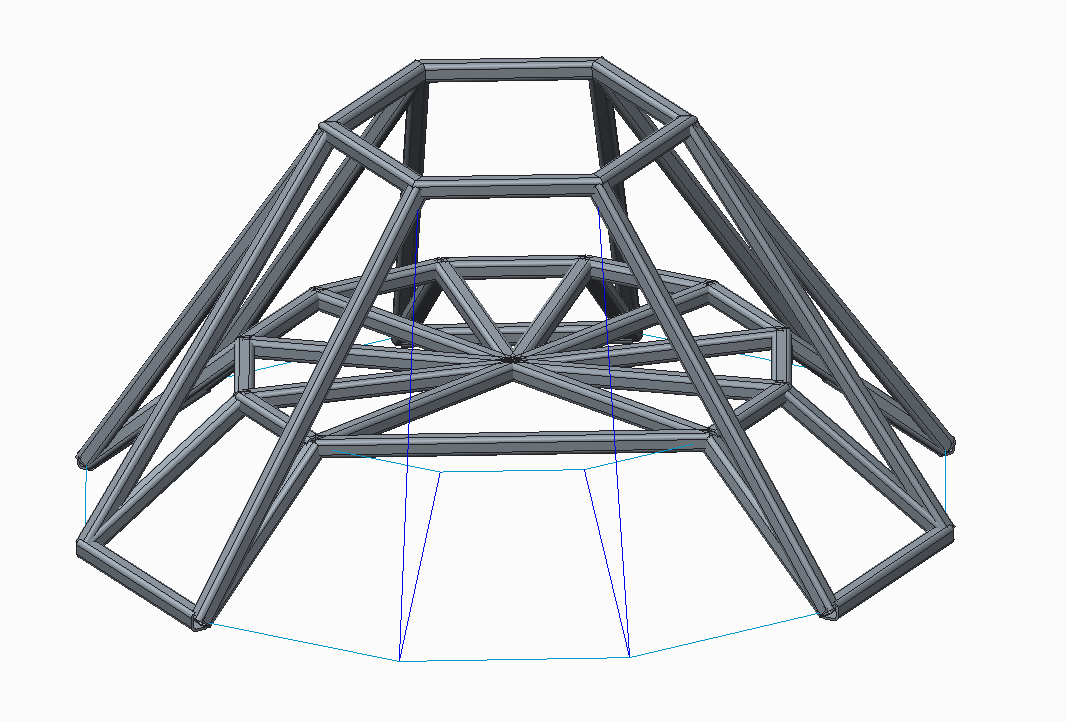
If sweeps are also able to do this, here's an example of a model I created as a mock up for a presentation that took way too long to create each edge and each sketch. It was done with 3 sketches and many curves based on points. It could have probably been done with 2 sweeps, not counting the star pattern in the middle.
This is partially related to:
If I'm completely missing something feel free to comment. I imagine there are other ways to get to this, just a concept I thought might be an interesting capability.