Under Consideration
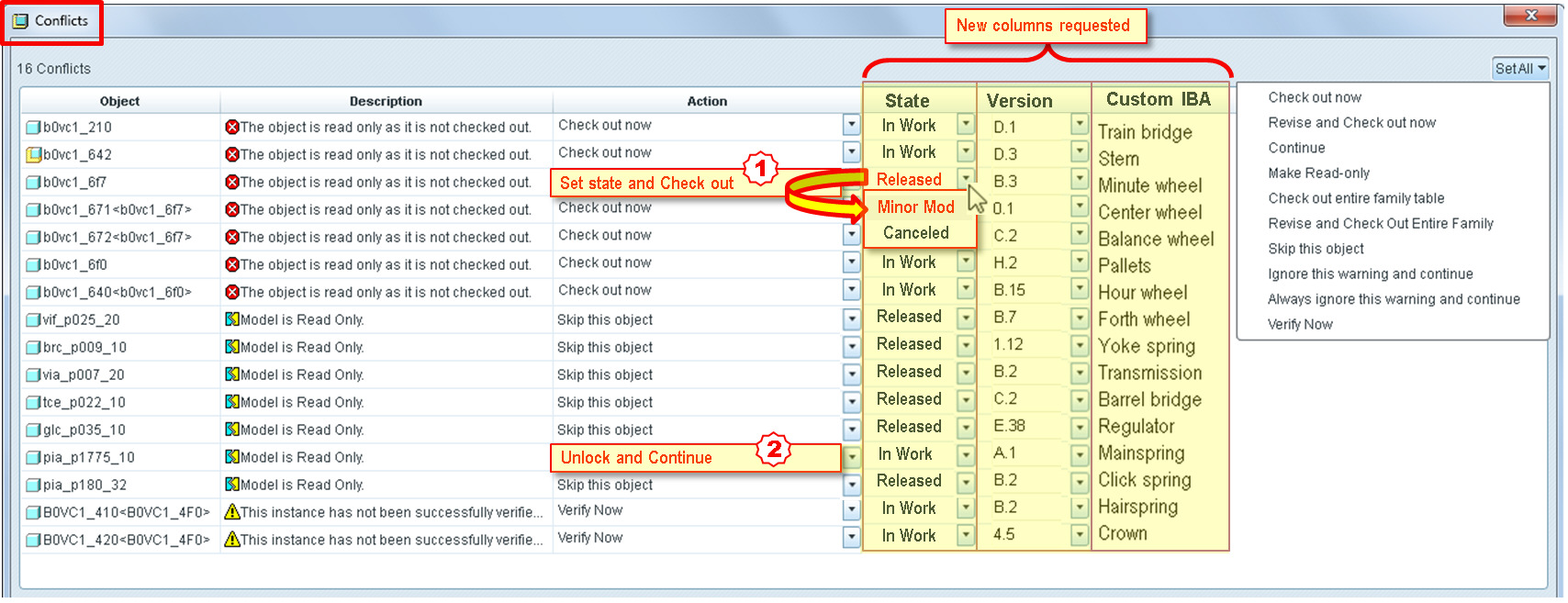
Conflicts Window in Creo - Display “State” column
Display “State” column in conflicts window to assist the user in making the right choice.
Whe need to have more columns in the window -> Version, Description, or custom IBA.
Actions on State column in conflicts window:
Different cascade actions are often necessary. Actions like :
1. For «Released» objects that we need to modify (example: move dim in drw), being able to do a Set state “Minor modification” and “Check out”.
2. For a read only object being able to do an “Unlock and Continue”