
Archived
Color blindness issues with the directional Up and Front arrows used in Annotator.
When first creating a drawing in Annotator the 3D Aux viewport opens providing the user with a view of the part or assembly, an line image of a drawing border and the two directional arrows used to describe the Up and Front direction of the part in regards to the border orientation.
The colors of these arrows are bright yellow and bright green and for most of us this is not an issue however if a user has blue/yellow color blindness and then it changes the scope of the colors.
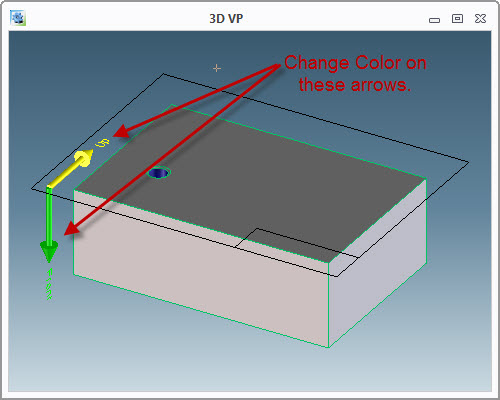
We need to have the ability to change the color settings of these arrows to something other than yellow and green for future use of the tool by users whom suffer from certain types of color blindness.
Cheers,
Thom