
Jan 16, 2013 9:25 AM UTC
Archived

change name of sheet in annotation

Related products:Creo Parametric

in annotation it is possible to change the number of a sheet, but you can not add a name to it.

when you have a drawing containing several sheets, each containing a different part of your assembly, it would be much easier to find a specific sheet if you could at the name of the part to it.
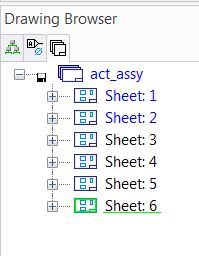
drawing_browser_sheets.jpg

2 replies

Jan 26, 2013 1:35 AM UTC

It is possible to have sheets with names instead of numbers in version 17. Here is an example.

sheet_names.JPG

You can't do it by setting the sheet number to a name when you create the sheet, or if you use the "Rename" command on the sheet. But you can if you go to the Sheet Properties dialog.

However, it looks like they considered that a bug and removed that ability in 18.1.

Mar 16, 2019 2:47 AM UTC
Status changed to: Archived