Oct 3, 2012 2:02 PM UTC
Delivered

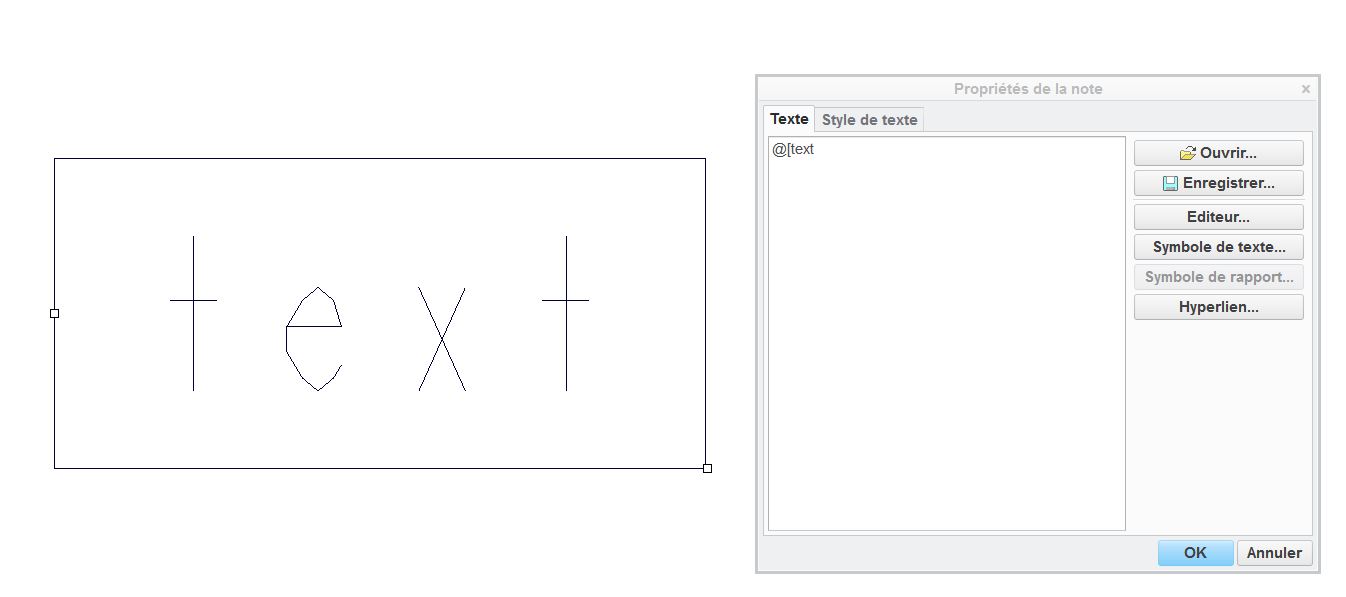
Boxed Text area in drawing.

Related products:Creo Parametric

Today it's works with the tips @[  ]@

Why is it so hard ???

Add a easy solution to create a boxed text.

It exist in every soft but not in Creo !text.JPG
3 replies

Oct 3, 2012 6:36 PM UTC

One thing that is nice about the @[ @]  for putting the box around a portion of the text. This works when using notes on a drawing, and you want to designate special instruction for a particular note or you want to flag it on a drawing.

boxed_text.jpg

Jun 14, 2018 6:48 PM UTC
Status changed to: Acknowledged
Feb 15, 2021 1:33 PM UTC
Status changed to: Delivered

Hi there,

It is already possible to start the box formatting for a note text by picking the "Box" command from the note ribbon:

box.jpg


In addition, you can start and end the box formatting with the new shortcut of "Ctrl+[" as instructed in the command tooltip
