
Be able to customize the "bend note" to show the value in reference to another plane or planar surface.
Itt is possible to create a bend and then change how the bend angle is referenced/dimensioned. For example, when creating a flange wall, the bend angle reference could be changed via the Shape tab > Sketch option. Or when defining a bend feature, one can set from where the bend should be measured from (inside, outside).
However; this information cannot be communicated via the bend notes of the flat state as these are automatically created when generating a flat state (flat pattern, unbend).
The problem is, that sometimes it is desired to be able to modify the bend note to show the bend refernced from the other side/reference, and currently this is not possible or part of Creo functionality - See https://support.ptc.com/appserver/cs/view/solution.jsp?n=CS147104
See example below:
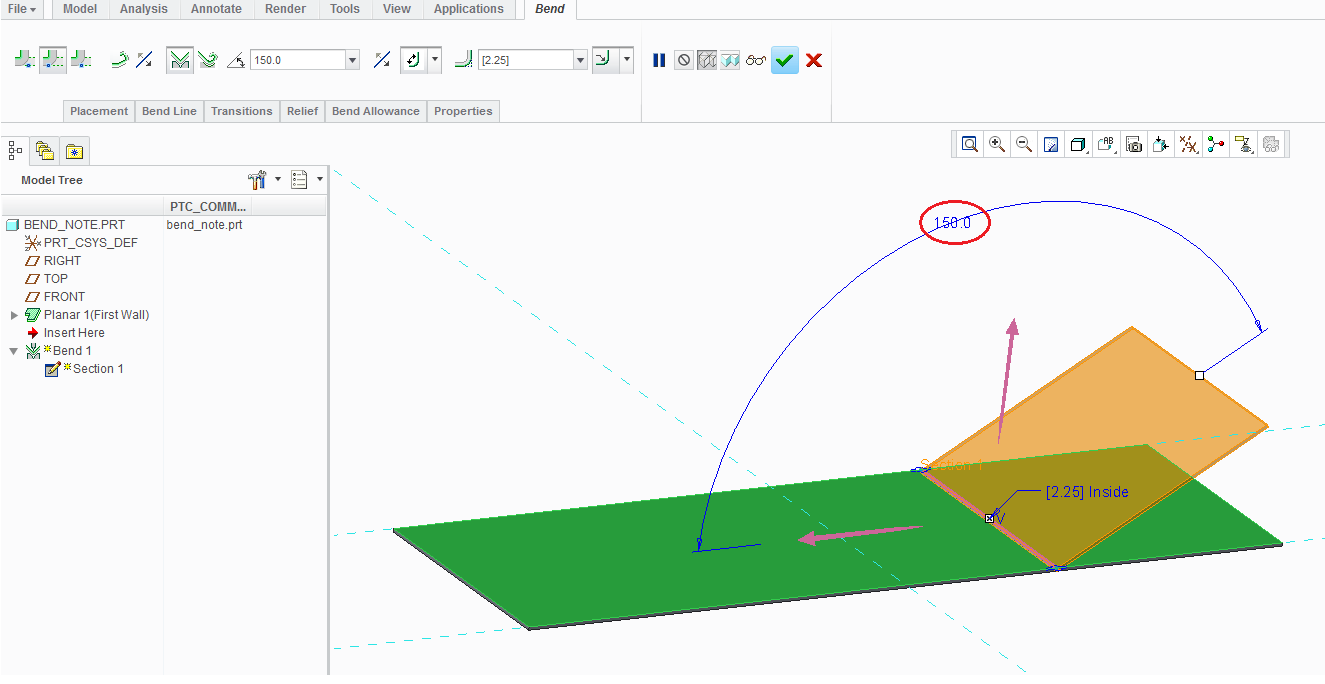
It is desired to indicate the 150 degrees (instead of 30 degress) on the drawing for manufacturing purposes:
:
The bend line created on the drawing cannot be modified, unfortunately:
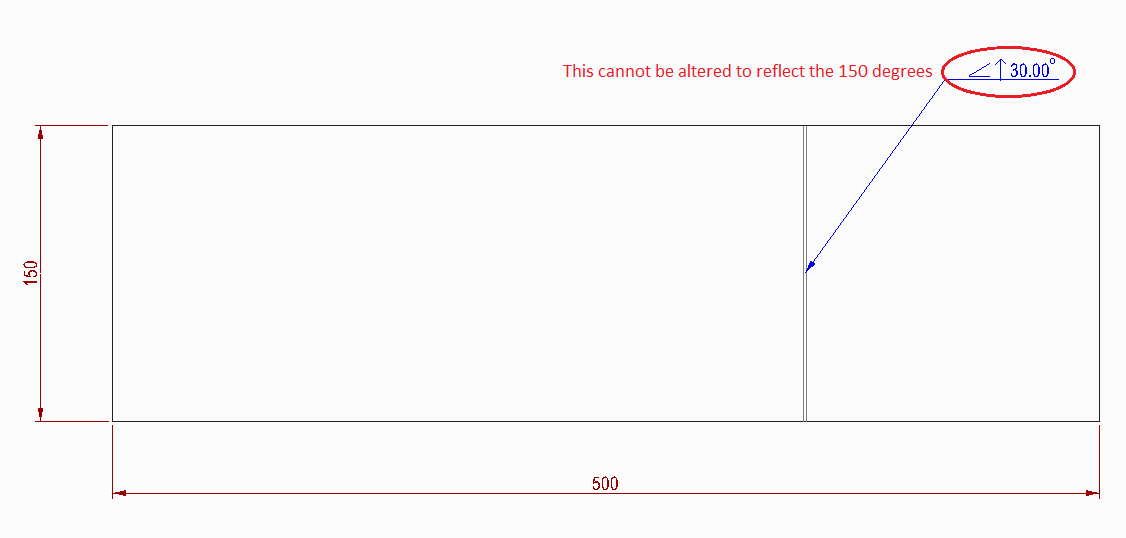
The only way to show this is to create a normal note and enter the information required, but this is a timely process, and could result in user error, both of which is costly.
I would therefore be great if it was possible to modify the bend note reference to be able to document accurately, without the need for manual work.