Archived
Auto Advance to next Reference
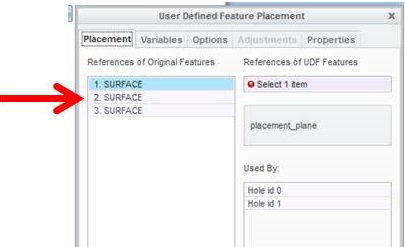
When placing a UDF (User Defined Feature) you must manually move to the next required reference in the pop up window. This causes you to move your mouse back and forth from selecting the reference on your model back to the pop up to select the next requirement. This is not only a time killer but forces you to take your eyes off of your work.
Modify the functionality so once a reference is selected on your model and the requirement is fulfilled, the pop up automatically advances to the next reference required. Or make it so clicking the right mouse button will advance to the next requirement.
This could potentially work on features other than UDF's.