
Archived
Allowing two lines of text in a balloon note
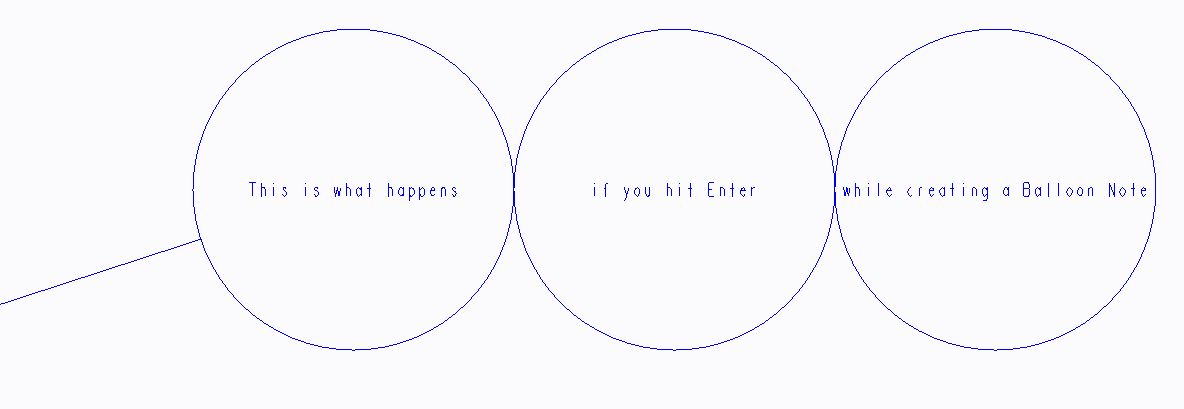
Creating a balloon note with 2 lines of text is impossible at the moment. When you enter multiple lines of text for the balloon note, Creo Parametric encloses each line within a balloon, stacking them horizontally or vertically next to each other, depending upon whether you choose Horizontal or Vertical on the NOTE TYPES menu. The size of these related balloons is equal to the largest one necessary to enclose the longest text.
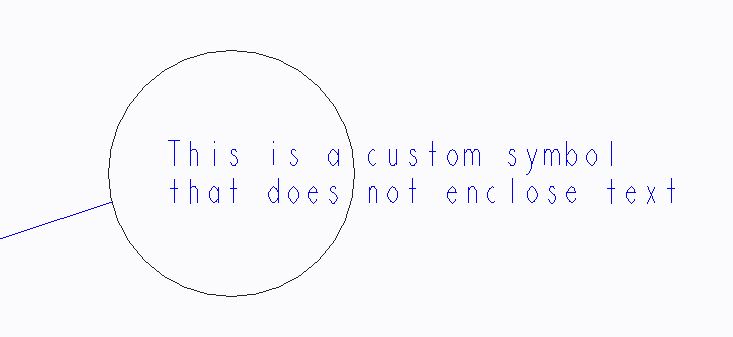
For a custom balloon symbol it's possible to add a second line; however, it does not scale to enclose the text.
Product idea:
Automatic scaling of the balloon based on the text/line length for a customized balloon and/or
Allowing two lines of text in a balloon note