
Jan 8, 2013 8:14 PM UTC
Archived

Allow Vertical Note Justification

Related products:Creo Parametric

Today, only On Item notes can be vertically justified.

Allow -any- note annotation to be vertically justified.

This is useful when placing a note in the lower left hand corner of a drawing.  When adding lines of text, the note would grow upward.

The same dialog could be used as currently available; only the functionality need be added.  Top (default), Center, and Bottom should be enabled.
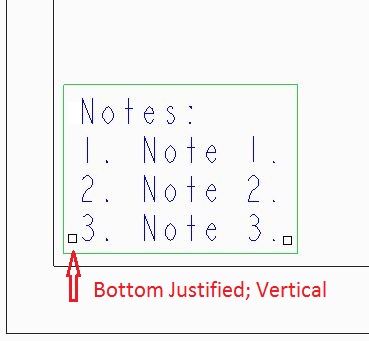
Vertical_text_align_ii.JPG(<= this is a modified illustration for visualization purposes)
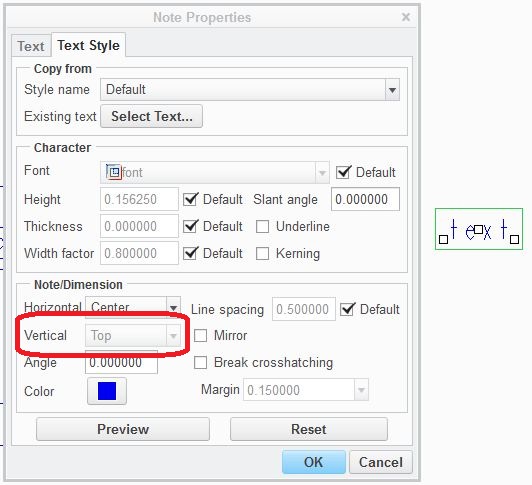
Vertical_text_align.JPG

4 replies

Oct 18, 2016 1:55 PM UTC

I can't believe this is intended functionality.

Oct 18, 2016 2:16 PM UTC

We have vertical justification in table cells, where there is the cell border to justify against.

For freely-placed notes, a bit of insight into why this hasn't bubbled to the top of the prioritization, because you could achieve most of the result with @O (origin line), and having a vertical justification would conflict with and need to be resolved against that origin line concept.

It's something that could be done, we've just had other work to spend our limited resources on.

Jun 14, 2018 8:14 PM UTC
Status changed to: Acknowledged
olivierlp
Community Manager
Jan 4, 2022 2:18 PM UTC
Status changed to: Archived

Hello,

We are archiving your idea as part of a general review. This action is based on the age of your idea and the total number of votes received, as per this announcement.

You can always post a new idea with all the details required in the form.

Thank you for your participation.

Olivier