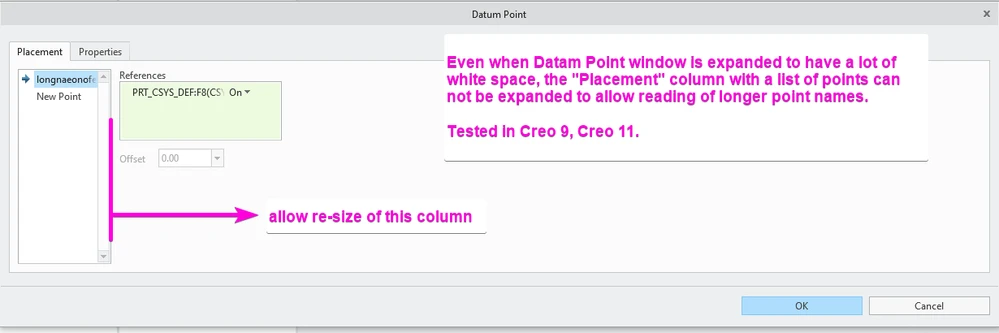
Allow Resizing of Point Naming Window in UI
1. Describe the Problem
In some of my workflows I need to create specifically named points. The names can be fairly long and the default window size in the point creation UI does not allow visibility of the full name. It would be helpful to be able to re-size the name column in the UI to see the entire name without having to hover over the name and/or click into a point name and scroll with keyboard arrows.
2. Are you using a workaround?
Yes, it is possible to hover over the point name to see the full text but this has to be done one by one for each point. You can also double click into the edit mode and scroll through the text with keyboard arrows, again this needs to be done one by one.
3. What is the use case for your organization?
Allow for quick reading of full list of points and their complete names, making checking for typos and consistent format easier.
4. What impact does this problem currently have on your organization?
Minor impact, just an annoyance that seems fairly straightforward to address with small UI update.