Archived
Allow resizing elements in Modelcheck results and fix the default sizes
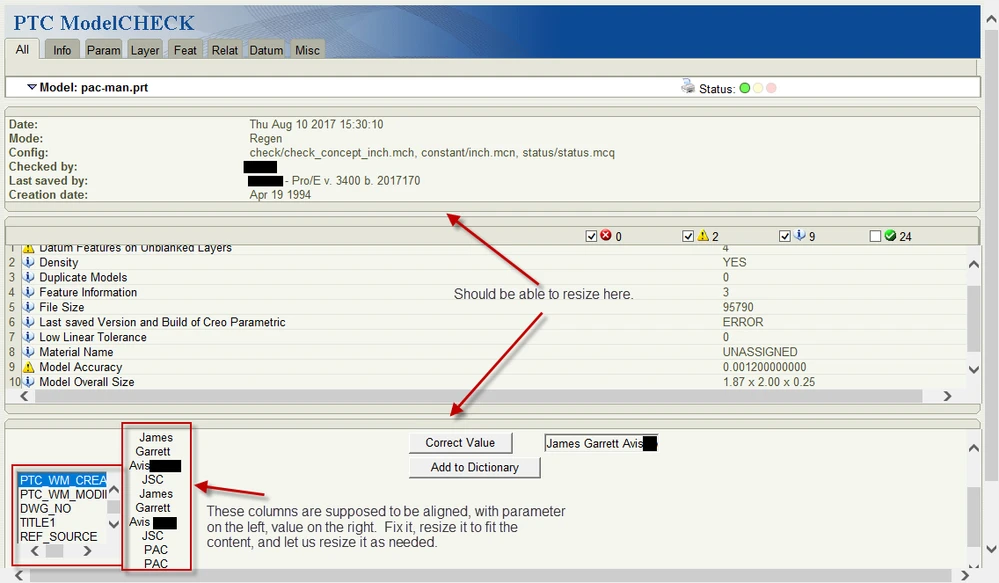
- The model check results page has three sections, divided horizontally. Let us resize those sections by dragging the dividers! (See attached image)
- The parameter spell checker (shown in the attached image) uses such a small size for the parameter list, you have to scroll to see more than 11 characters. Resize it to fit, and let us resize it if we want to!
- The parameter spell checker narrows the value column so far that the word wrap causes the parameter and value to be misaligned. Resize it to fit, align it, and let us resize it if we want to!
- I'm sure I could find plenty of other places where this problem occurs in modelcheck, so make the change across the board.