
May 5, 2015 8:14 PM UTC
Archived

Allow double click edit of dimension or tolerance value in drawing

Related products:Creo Parametric

Please add back the ability to double click edit a dimension or it's tolerance while in drawing model using Creo Parametric 3.
Currently in Creo 2 you can double click on a dimension (parametrically driven) and edit the value of the dimension.

Using Creo Parameteric 2 you have to use 4 mouse clicks to edit the tolerance value.

Using Creo 3 you have to use 4 mouse picks to edit the dimension value or the dimension tolerance value.

Please change it so when you double click on the dimension main value or the tolerance value you can enter a new value for the value you double clicked on.

Creo Parametric 2  ( 2 clicks )
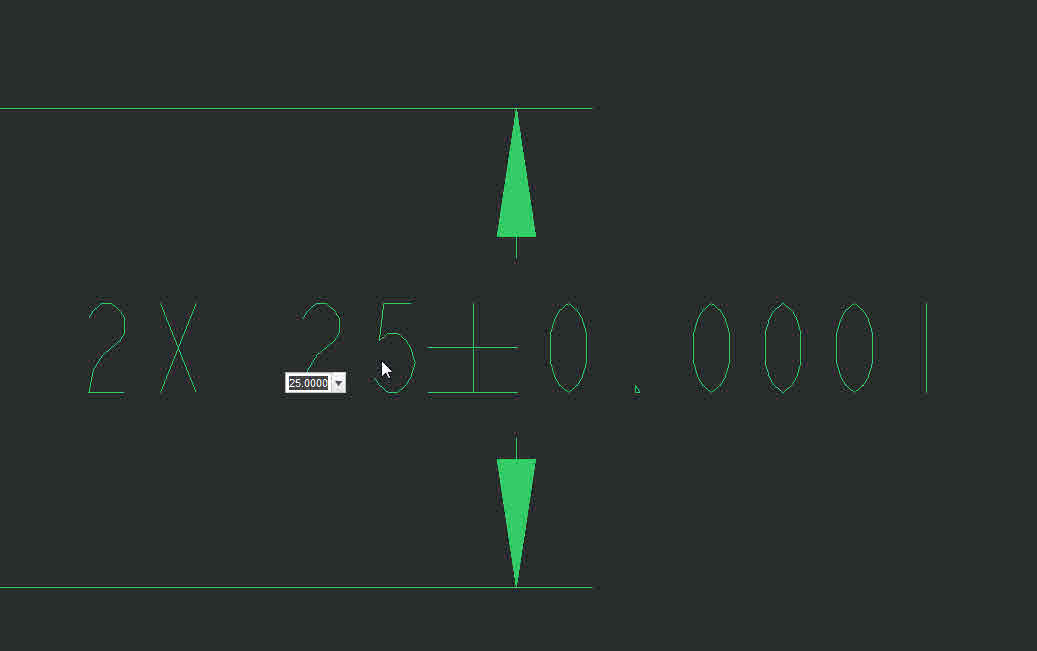
DOUBLECLICK.jpg

Creo Parametric 3  ( 4 clicks )

4clicks 5-5-2015 2-56-25 PM.jpg

Note: this ideas has been marked as duplicate, please see Edit the tolerance of a dimension in drawing by using double click‌

14 replies

May 5, 2015 8:28 PM UTC
May 5, 2015 8:48 PM UTC

Thanks, Dale. I've marked this idea as 'Duplicate'.

Anyone who's interested in helping shape this idea should provide their votes and feedback (comments) here: Edit the tolerance of a dimension in drawing by using double click‌

May 5, 2015 9:23 PM UTC

This works as requested in Creo 3.0 M030.  See video below.

Video Link : 6030

(Not sure what's up with this video.  I've attached MP4 and AVI and neither one appears to be showing up...)

1-Visitor
May 6, 2015 6:29 AM UTC

Tom,

I see your video without any problem.

May 6, 2015 11:25 AM UTC

He needs to modify his idea discription to include double clicking the main dimension value.
We have lost that fuctionality going from Creo 2 to Creo 3.

May 6, 2015 11:35 AM UTC

Tom,

When I left double click click (only left button) on the dimension I get the format text tab. This is using Creo with no config settings, straight out of the box.
What are you exactly doing to get it to edit the value?  Are you using pre-highlight, what tab do you have enabled?
Creo 3  M030

doubleclick2.jpg

Thanks
Don

Jan 22, 2016 1:46 PM UTC

How to remove the flag that this is a duplicate idea as it's been confirmed it's not a duplicate idea. Those that go to Creo 3 will soon find out it's not!

Jan 22, 2016 6:30 PM UTC

You should tag Ryan Kelley‌ for help on getting it changed.  You'll likely need to make your case as to why it is not a duplicate.

Jan 22, 2016 7:38 PM UTC

Ryan,

Attila Tempfli agrees with me in that my idea's not a duplicate idea.  could you please remove the duplicate tag? Both are trying to address 2 different issues.

Thanks

Don Anderson

Jan 25, 2016 6:32 PM UTC

Video is displaying just fine.