Archived
Add Layer Control to Secondary Model Tree
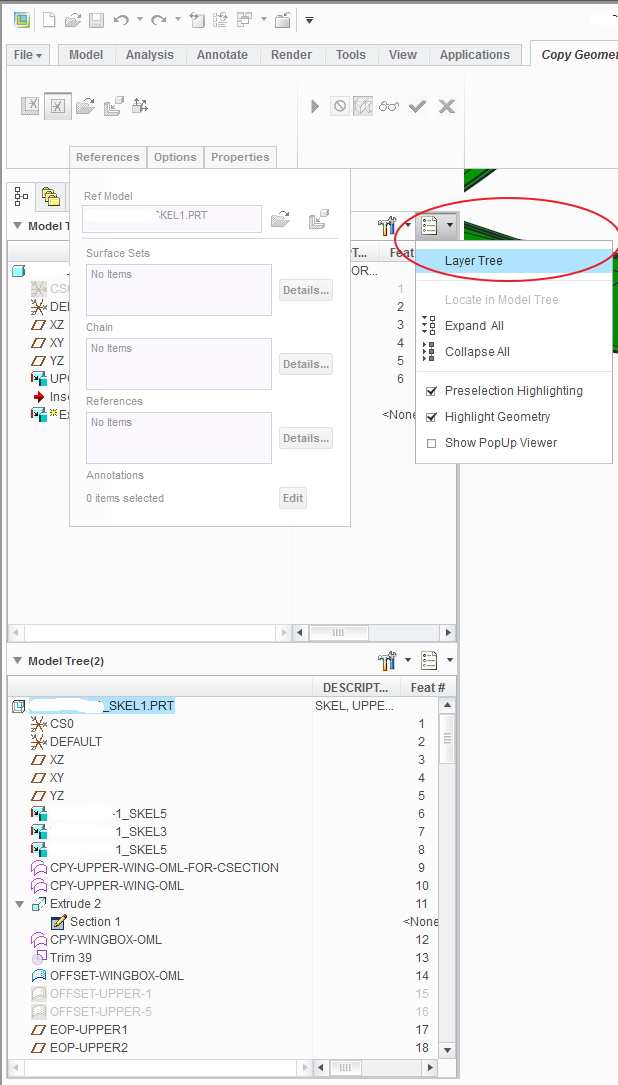
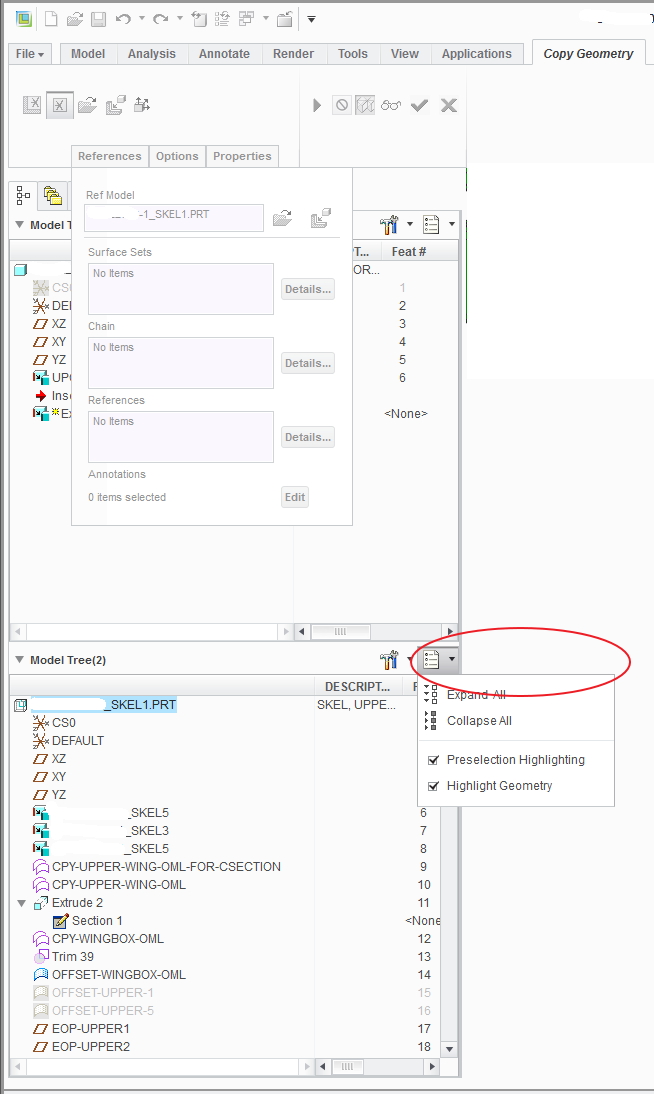
When creating a copy geometry (and probably other features that pull up another model tree) a secondary model tree pops up and allows access to the features within the other model. The problem is that the second model tree doesn't allow you to change to the layer tree. This has to be done with the first model tree (see images below). This is a problem because (as I noted in another product idea: Fix Useless Grayed Out Menu - Copy Geom) there are menus in the way of the tree so the tree has to be dragged out from under the menu. If the secondary tree controlled the layer menu as well then this wouldn't be an issue.