
Add capability to open parent models directly from a CAD model or the workspace
Please include detailed documentation such as screenshots, images or video.
1. What version of the software are you running? Creo 7.0.5.0 connected to Windchill 12.1
2. What is the problem? When making changes to a model (.prt or .asm) Creo users do not always know what parent models to open and validate when making changes. This leads to unintended changes to parent designs and rework required to fix the changes. Many times the changes don't mess up the designs, but do cause regeneration issues due to failed constraints in the parent models.
- Creo user is tasked with making a change to a component and adds it to the workspace.
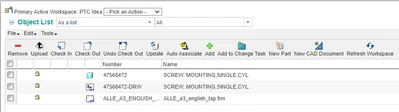
- Creo user makes the change and checks in the model. Unknown to them the change made negatively impacts another assembly. (diameter size is incorrect)
3. Are you using a workaround? If yes, please describe it. There is a partial workaround that requires knowledge of Windchill and Multiple steps, but Creo users are not always familiar with Windchill except for the 'Add to Workspace' and 'Check In' process.
- User has to navigate to the Windchill information page of the model they are working on.
- User has to make sure they are looking at the Worksapce view of the model.
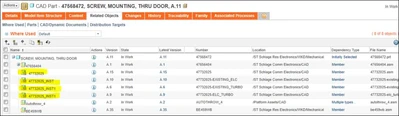
- User can then select all the first level parent models and use 'Add to Worksapce'
- However, even if the Creo users are able to add the parent models to the Workspace, two issues remain.
- It is not clear which of the objects added are the parent level assemblies. There are now 783 objects in the workspace... which 3 need to be opened?
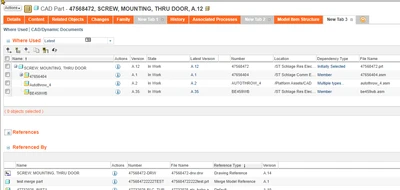
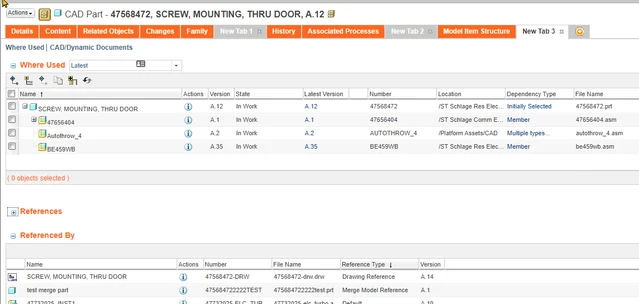
- This Part is used as a merge model in 1 part, that Part was not added to the workspace. Users must remember to look at Referenced By, navigate to each Merge Model reference and add them to the workspace manually. (changing collector settings does not solve this issue)
- It is not clear which of the objects added are the parent level assemblies. There are now 783 objects in the workspace... which 3 need to be opened?
4. What is the use case for your organization? Describe how your idea would work in context or how it would apply to a practical situation. Creo users need the ability to quickly access impact of design changes on all models which use it as a dependent. When a Creo user is in a workspace, my idea would allow them to select a CAD model, then run an action which provides the list of models dependent on the selected model. The action would present the user a table with all models dependent on it and allow them to select specific models to open in Creo.
5. What impact does this problem currently have on your organization? (Number of users affected, hours of lost productivity, etc.) This impacts our entire organization and the potential to impact the integrity of every model. The number of assemblies that have failures and the rework hours in development is not easily measurable but impacts a lot of work hours every day throughout the org.