Jan 29, 2020 4:25 AM UTC
Archived

Ability to hide parts of a model on a drawing

Related products:Creo Parametric

I want to add a function that can hide part of the model on the drawing.
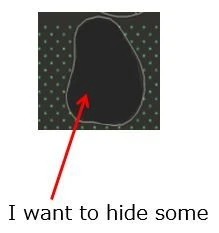
01.JPG

8 replies

Jan 29, 2020 12:53 PM UTC

I have used a cross-section to do this. I made a cross section that was past the other side of the model and then in the drawing properties of that view, use the local option for the cross section and sketched the spline boundary as required to "hide" what I didn't want shown.

Jan 30, 2020 11:18 AM UTC
How about Edge visibility?
nkmrAuthor
Jan 31, 2020 5:23 AM UTC

I also use cross sections to do this.

Creating a cross section is troublesome, so I want to easily hide the background with a new function.


What is edge visibility?
How do you operate?

Jan 31, 2020 6:47 AM UTC

1st.png2nd.png3rd.png


In the drawing:Layout>Edge Display

- Erase lines what you dont need for particular projection.

nkmrAuthor
Feb 4, 2020 6:47 AM UTC

Thanks for teaching me how to do it.

I ’ll consider if I can use it.

Feb 4, 2020 10:19 AM UTC

Ok, but in any case it is a workaround. A new function would be better in my opinion.

Mar 6, 2020 1:04 PM UTC
One can also create a piece of surface which blocks some visibility from particular direction. Then just hide the surface with layers for other views. Still manual workaround, I know.
olivierlp
Community Manager
Apr 2, 2024 5:04 PM UTC
Status changed to: Archived

Hello,

We are archiving your idea as part of a general review. This action is based on the age of your idea and the total number of votes received, as per this announcement.

You can always post a new idea with all the details required in the form.

Thank you for your participation.

Olivier
