Jul 7, 2016 9:07 AM UTC
Question

enabling model tree seperate dialog box

can anyone let me how to enable the model tree seperate dialog box creo 2.0 ,earlier i use to get this ,now it is disabled.

it  willbe in view-->show-->model tree
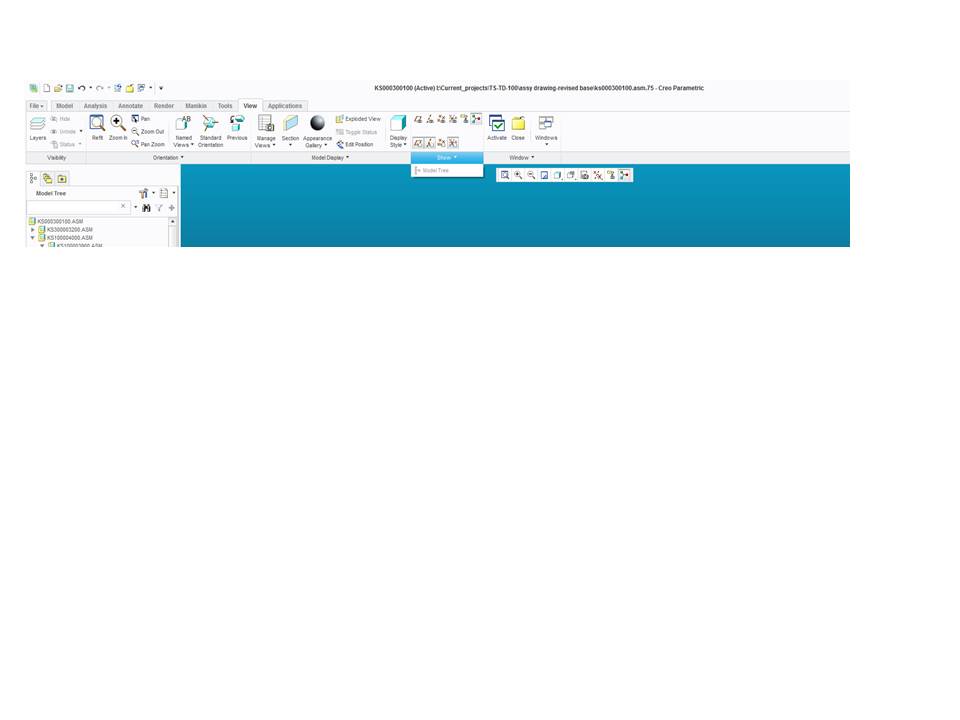
model tree issue.jpg

    7 replies

    Jul 7, 2016 10:54 AM UTC

    There is a way, but it will close as soon as you make a new feature. Right click the part and click View Changes, and undock Model Tree appears.

    mrdAuthor
    Jul 7, 2016 11:08 AM UTC

    thanks for your reply but i m more concern about how to activate the view-->show-->model tree

    Jul 7, 2016 12:10 PM UTC

    I misunderstood your question, use this button then.

    Jul 7, 2016 12:18 PM UTC

    maybe Model Tree Won't go back into browser

    Silver

    it's very confusing. hopefully I recall this correctly, add these 2 configs..

    www_tree_location=out

    enable_tree_indep =yes

    restart Creo and goto windows settings and then you can set which side, etc

    I'm not sure why I couldn't get it back in, I've done it from time to time if I need a lot of columns. i wouldn't recommend it.


    i would recommend floating the layer tree with.......

    floating_layer_tree=yes

    i've never had a problem reverting that, it requires a restart too.

    mrdAuthor
    Jul 8, 2016 3:02 AM UTC

    hi

    i have added  floating_layer_tree=yes in my config.pro,but still it's not working out

    Jul 8, 2016 12:55 PM UTC

    Set these 3 options in the config.pro

    www_tree_location out

    enable_tree_indep yes

    floating_layer_tree yes

    save your config.pro

    in the file options windows settings, click the box DISPLAY AS SEPARATE WINDOW

    make sure you save those settings also

    close and restart creo

    Jul 11, 2016 3:17 PM UTC

    I have a treetool txt file in my start in directory that seems to affect my modeltree window on my secondary display. I thought I created notes on how to set this up but I can't find them today.
