Dec 1, 2020 2:18 PM UTC
Acknowledged

ModelManager 20.2 upwards: Old Look and Feel

Related products:Creo Elements/Direct
Until ModelManager 20.1 we had an option to switch to windows-like look and feel.

In run.bat:

set JVM_ARGS=%JVM_ARGS% -Dswing.defaultlaf=com.osm.ui.laf.ptc.PtcLaf

With 20.2 this switch no longer works.
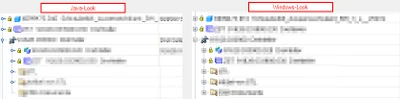
 
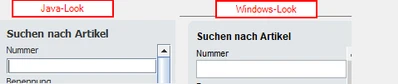
Input fields MM 20-3.pngStructure Tree MM 20-3.png

Please modify Look and Feel like in previous versions.

2 replies

Jun 21, 2022 12:40 PM UTC

Note: Java look and feel also causes changes in the behavior of operation.
For example:
When searching (Ctrl+F) in PTC LAF up to 20.1, I can enter the search term and then press Enter as many times as I want to jump to the next element. When the last element is reached, a message appears that no element was found. I can press Enter again to push this away and the search starts again at the first element.
With the Java LAF from 20.2 up, I have to press the space bar instead of the Enter key from the second element on. So I have to switch between keys, which is annoying and not known to many users.

Community Manager
Dec 19, 2024 11:36 AM UTC
Status changed to: Acknowledged

Hello,

Thank you for your idea. Based on the details and popularity of your idea, we are acknowledging it as the Community management team. This is not a commitment from the Product team.