
Delivered
Icon for the context of a Selective Instance
When we use "Sel unshare" command to create a Selective instance the panel asks 3 field:
1) Source
2) Name
3) Context
It would be useful an Icon to see the choosen context in the model tree to undestand in Which level the change was made.
For example:
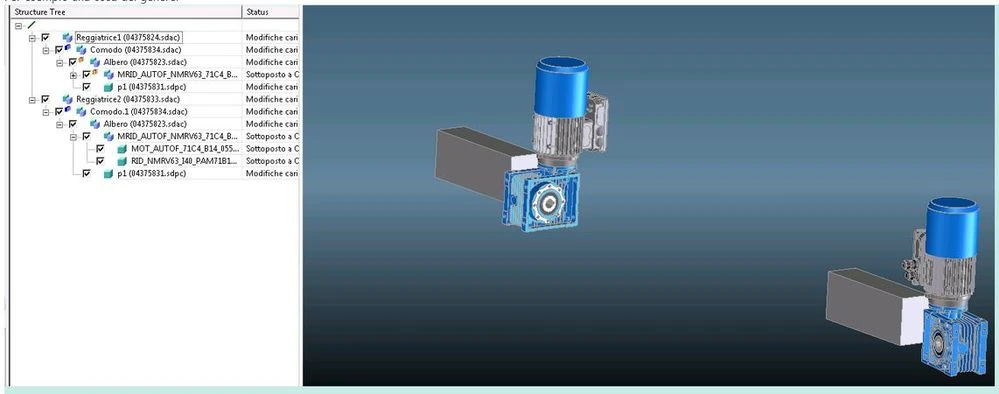
we used "MRID..." for source and "Comodo" for context but we can't see it. I can see the "unshare" icon for source and parents of source that are childrens of context (then "MRID..." and "Albero") .
Windchill saves the change on the first parent of the context ("Reggiatrice").
We have to know that the "context" is the first level parent of an "unshare icon" and that the change is active only on the parent of the "context". It's very confusing.
Thanks
Nicola