
Automatic adjustments of the bending radius of sheet metal components by adjusting the material
In the sheet metal module, the part can be assigned to a new material using the "Change material" function. Not only is the part assigned a new material, but the thickness of the part automatically changes when a thicker or thinner material is selected. However, this change does not affect the bend radius of the part, even if the new minimum bend radius is larger than that of the old material.
In the following example, the part was assigned a material with a thickness of 2 mm and a minimum bend radius of 0.8 mm when it was created. Now a material with a thickness of 3mm and a minimum bending radius of 1mm is to be assigned to this part. As already mentioned, the sheet thickness is automatically adjusted when the material is changed, but the bending radius is not. As a result, after the reassignment, the minimum bending radius of 1mm for the bend is undershot and must then be adjusted manually.
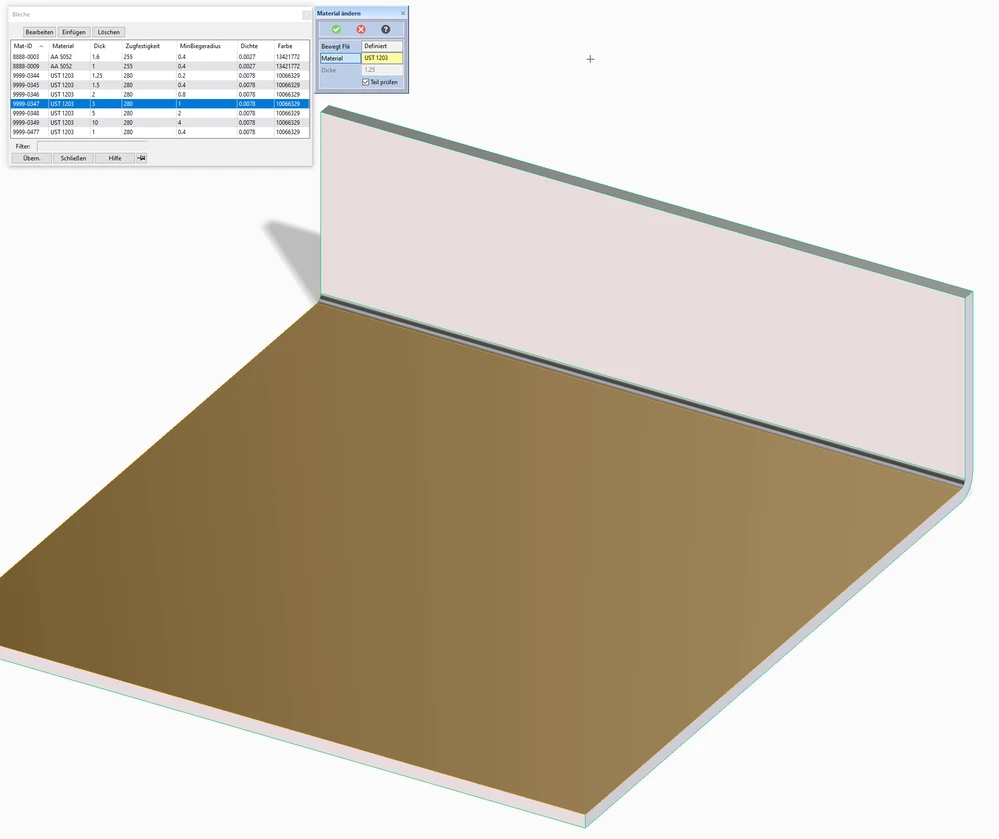
From my point of view, it would make sense to expand the function so that the radius of the bends that are below the new minimum bend radius are automatically adapted to it. This could for example be implemented by a checkbox so that this extension is optional and the user can decide whether he wants this automatic adjustment or not.