Mar 9, 2016 3:18 PM UTC
Solved

Wrapping Image on Surface

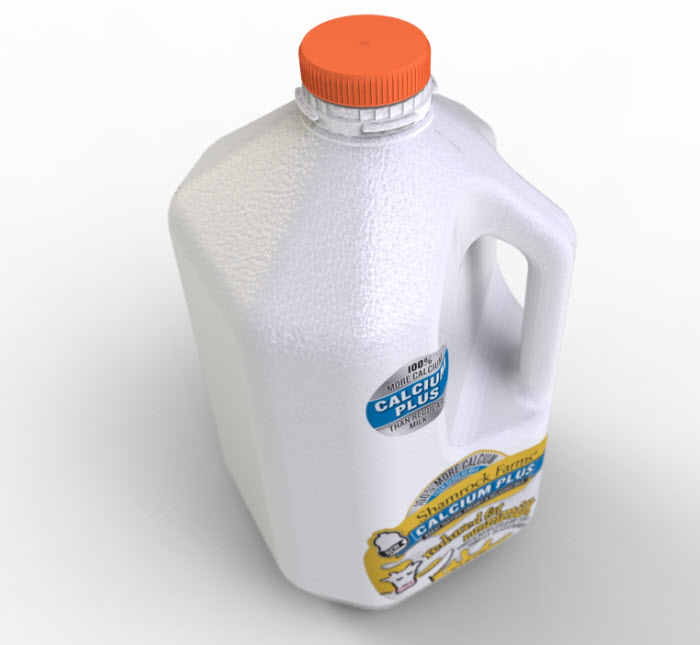
I would like to be able to wrap an image onto a surface.  I'm currently using Creo Parametric 3.0 (M080), shown in Figure 1.  Figure 2 is a SolidWorks model with the labels wrapped.
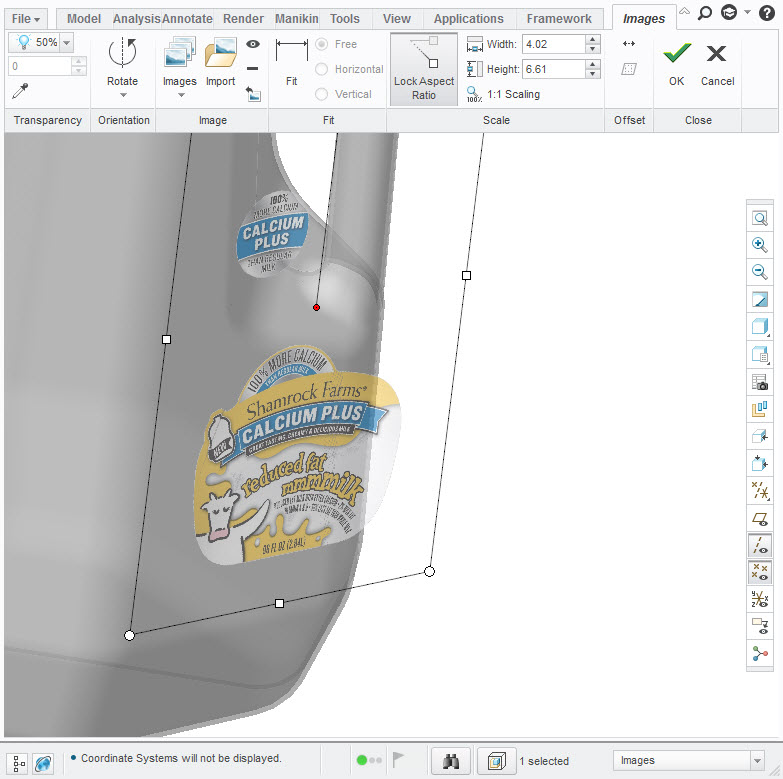
wrap_image_on_surface.jpg

Figure 1

wrap_image_on_surface_sw.jpg

Figure 2

    Mar 17, 2016 11:23 PM UTC

    Hello,

    The video shows you the answer.

    12 replies

    Mar 9, 2016 4:01 PM UTC

    I don't think you would use "images" for this.  I think the more likely process would be to use appearances and use a decal to apply an image to a surface.

    Mar 10, 2016 12:38 PM UTC

    Could you be more specific?  Thanks.

    Mar 17, 2016 8:29 PM UTC

    In render, use the decal option and apply it to the full model; Edit the placement and select parametric; remove duplication; scale to size; and locate.

    Tip: have your model in an orthographic orientation so you can use the drag handles of the image to help place it.

    Tip2: You cannot manipulate the decal until you apply it and then edit it.  This will highlight (in green) the manipulation option on the decal image UI.

    Crum!   Okay, I am seeing the issue in Creo 2.0.

    I now remember that this is similar to projecting text onto multiple surfaces.  You need a decal that you can attach correctly from one orientation.  That means you need a master to project this from.  Short of having an already distorted image, you will have to assign a texture and match up each surface individually.  Any new features in Creo 3.0?

    Mar 21, 2016 4:18 AM UTC

    To apply decals? No, is the same pain... Same buttons, controls and options.

    Mar 17, 2016 11:23 PM UTC

    Hello,

    The video shows you the answer.

    Mar 17, 2016 11:41 PM UTC

    He's trying to wrap it across multiple surfaces.

    The video is helpful in the UI though.  Thanks.

    Mar 18, 2016 1:38 AM UTC

    No problem, let me know when you need more graphics explanations

    Mar 21, 2016 3:40 PM UTC

    https://www.youtube.com/watch?v=D_obWoUnDd8

    This is a great youtube video on how to apply the decals to a model and how to play with it a bit, including making it wrap on surfaces.

    When you finish the modeling, make sure you go into your config options and change SAVE_TEXTURE_WITH_MODEL to Yes, this will allow the pic to be taken along with the model and you don't have to save it in every machine, or re-add it.

    If you are using the models on drawings, make sure ENABLE_SHADED_VIEW_IN_DRAWINGS is set to Yes so that you can see your artwork on the drawing.