
Question
Re: Sketch plane not turning parallel to the screen
Hi Hector,
If you want your sketcher to always be normal to your view, or 2d, you can set this up in your config.pro file with:
sketcher_starts_in_2d
By default, Creo will use the iso view for sketching as shown in Figure 1. Set your config.pro file as shown in Figure 2, and your sketch will always orient to Figure 3. Some people like the default iso view, and if they want to switch to 2D, they just select the Sketch View icon.
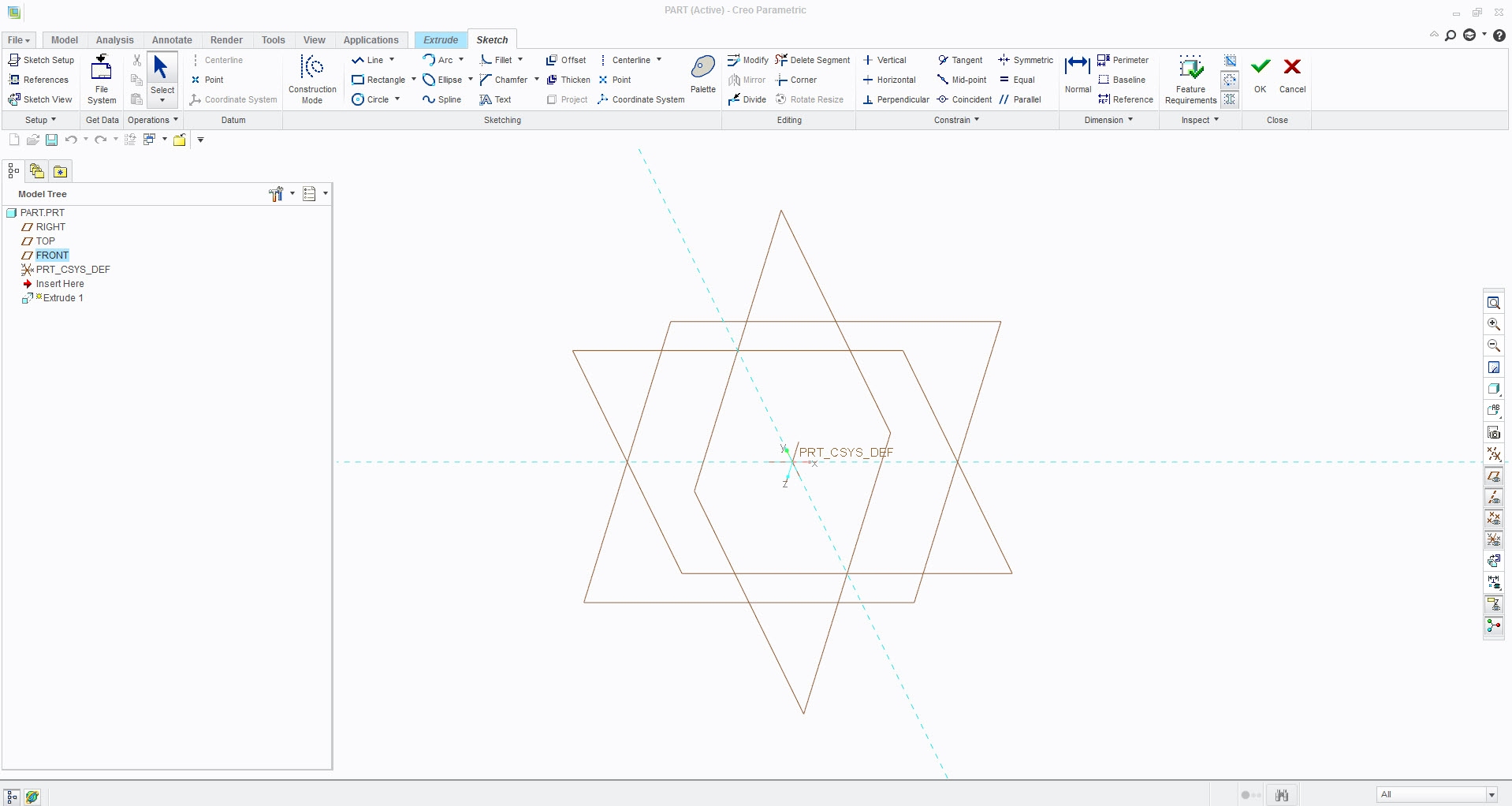
Figure 1: Default View
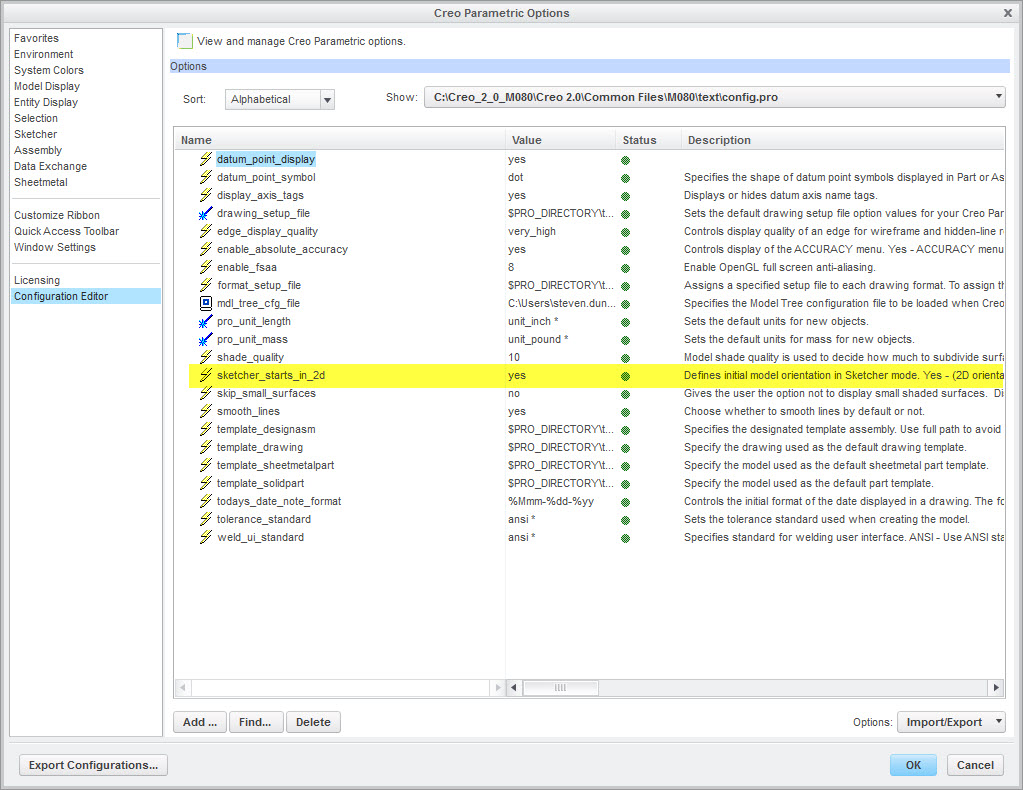
Figure 2: Config.pro File
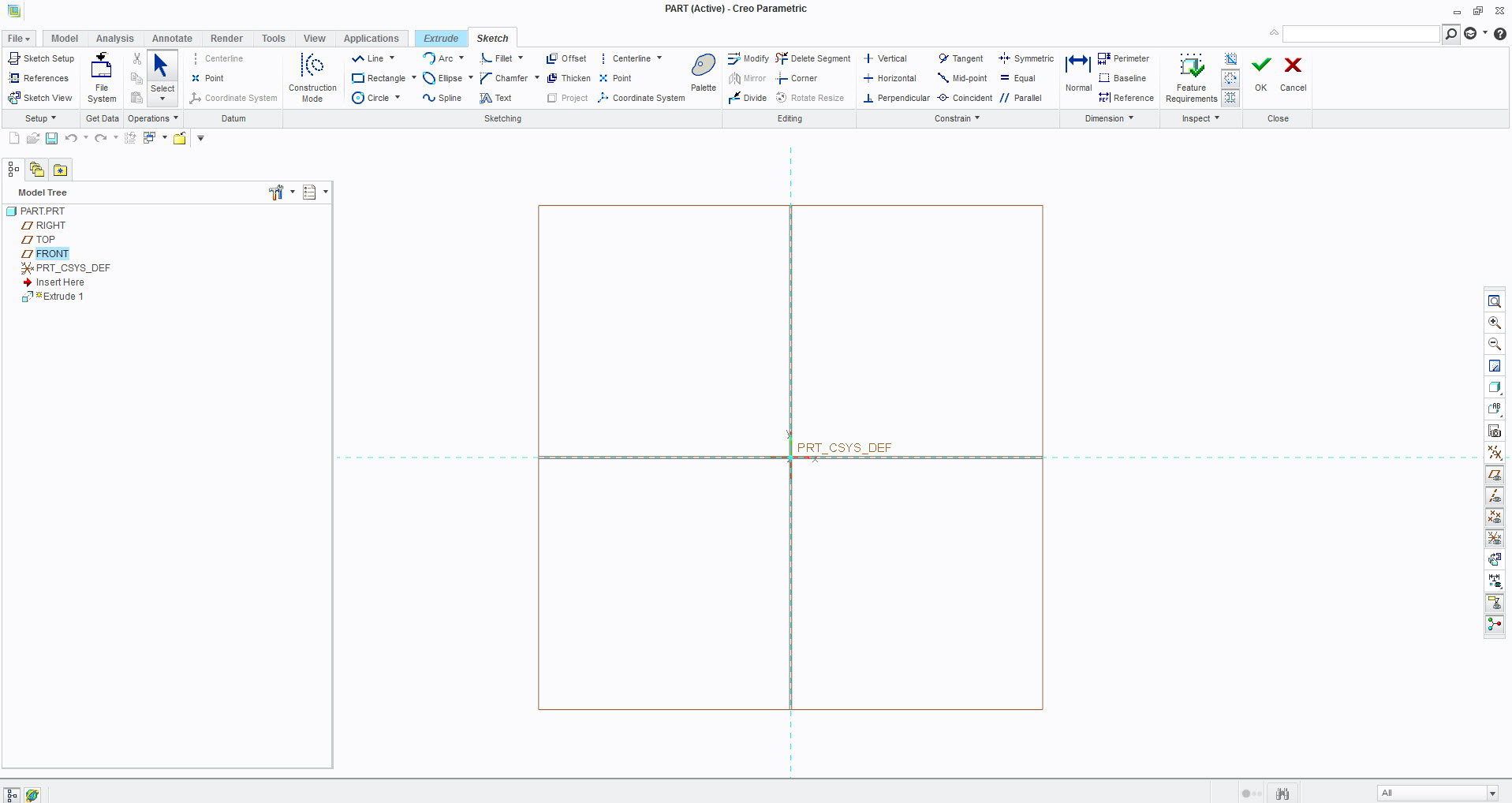
Figure 3: 2D View