
Re: Planar wall thickness side allways wrong
Daniel,
In your attached model image, it appears that that first planar wall was flipped, which is opposite of the default direction. Once this is done, all planar walls created after this will have to be flipped. Figure 1 shows the default direction. If you keep the default direction, then the additional walls will look like Figure 2, and no flipping is necessary. It's not just creating a planar wall, but even an extrusion, as shown in Figure 3, the default direction will be towards the operator, providing the sketch is on the brown side of the datum plane. If the datum plane is rotated to the backside, the datum plane line will be black (these are default datum plane colors). Why Creo wants that default direction is beyond me, but you can avoid a lot of flipping by keeping the first planar wall in the default. I don't like it either, and I prefer to extrude features away from my view.
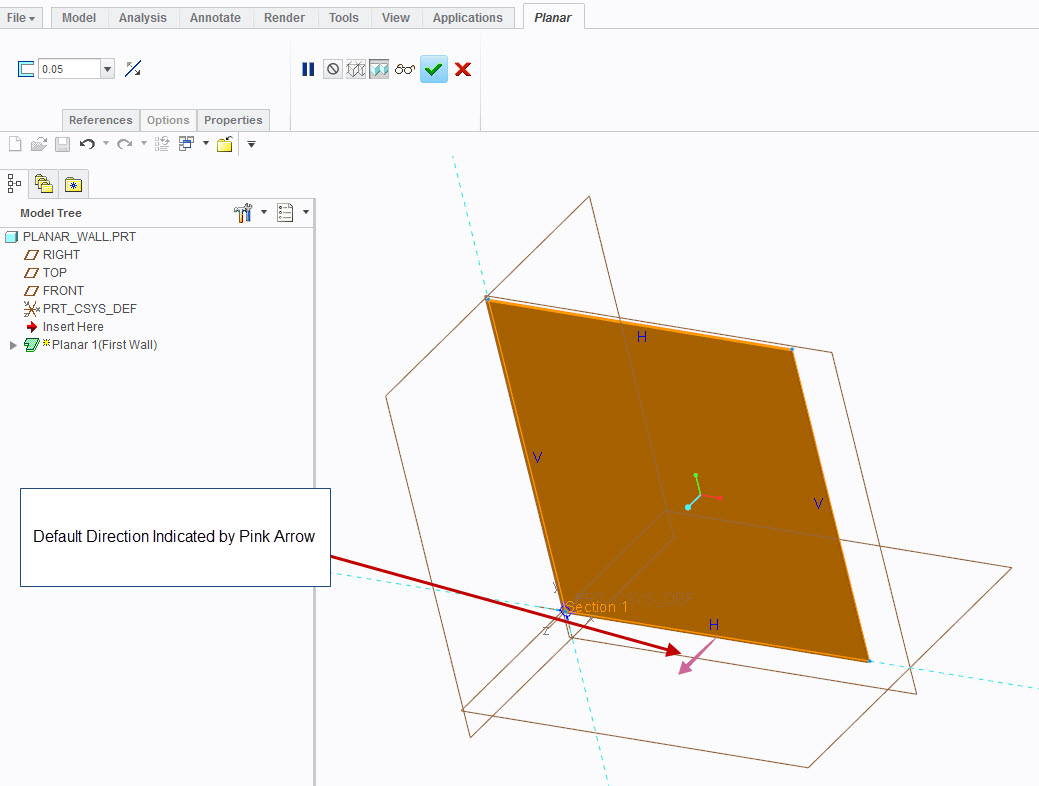
Figure 1: Default Direction
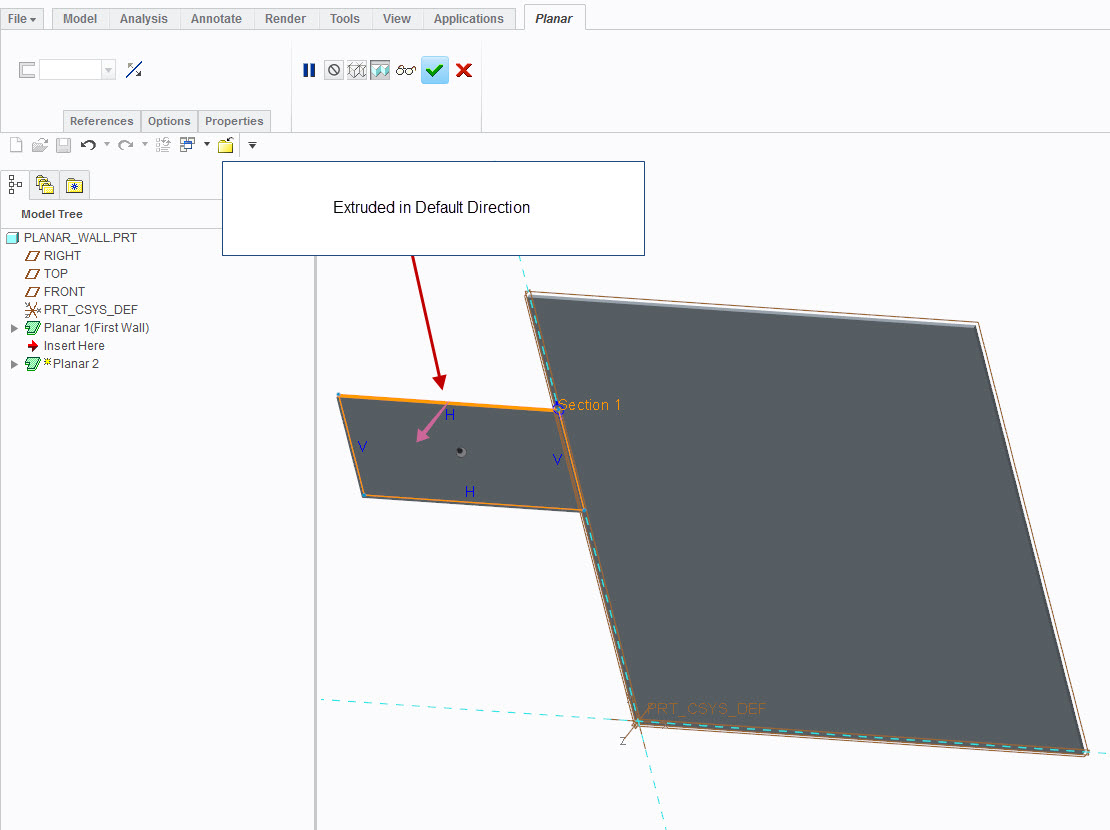
Figure 2: Adding a Planar Wall in Default Direction
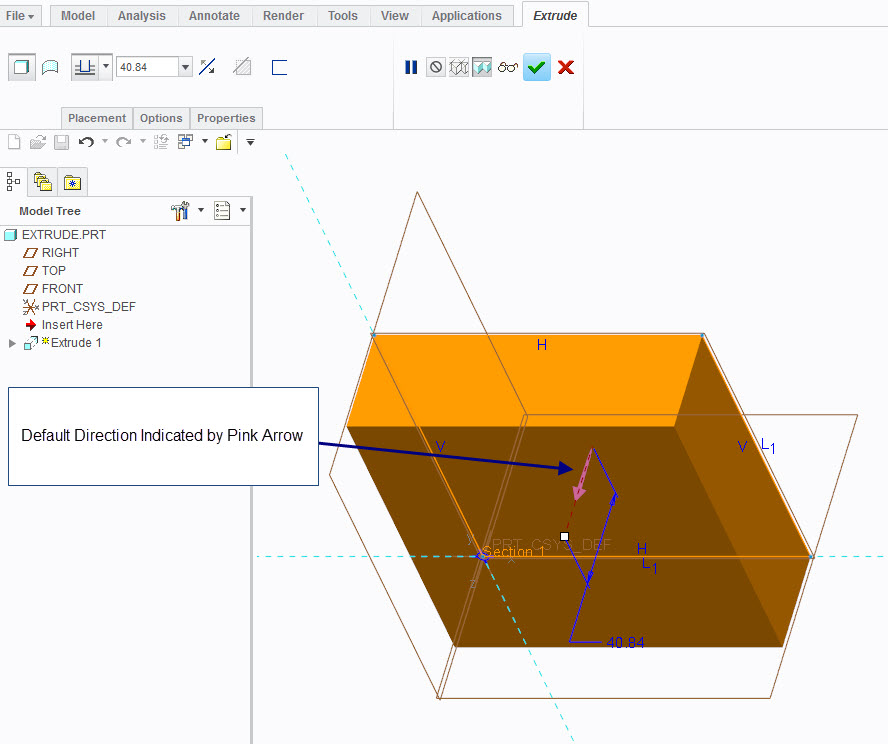
Figure 3: Default Direction for an Extrusion