Question
Re: Missing planes in model tree
Here's how to turn on your Datum Planes in the model tree (and keep them turned on):
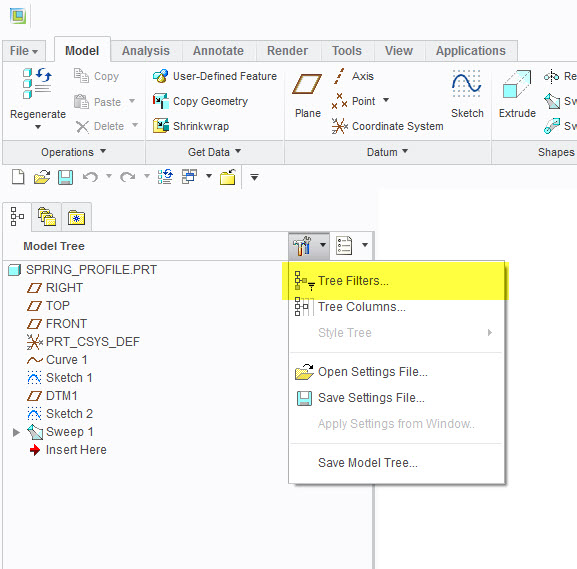
Select Tree Filters:
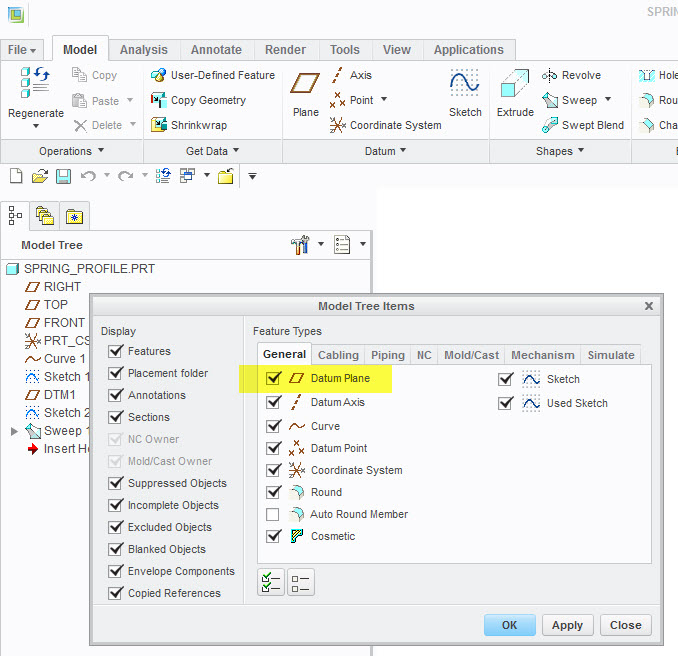
Select Datum Planes and anything else you want:
After you make the selections, you will want to save them:
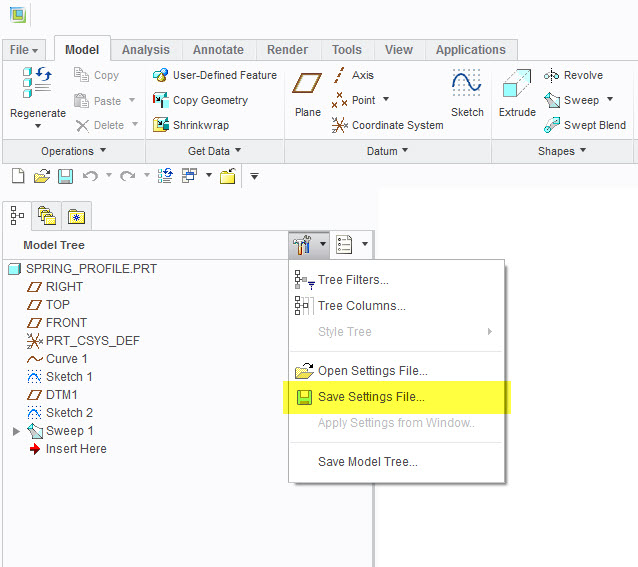
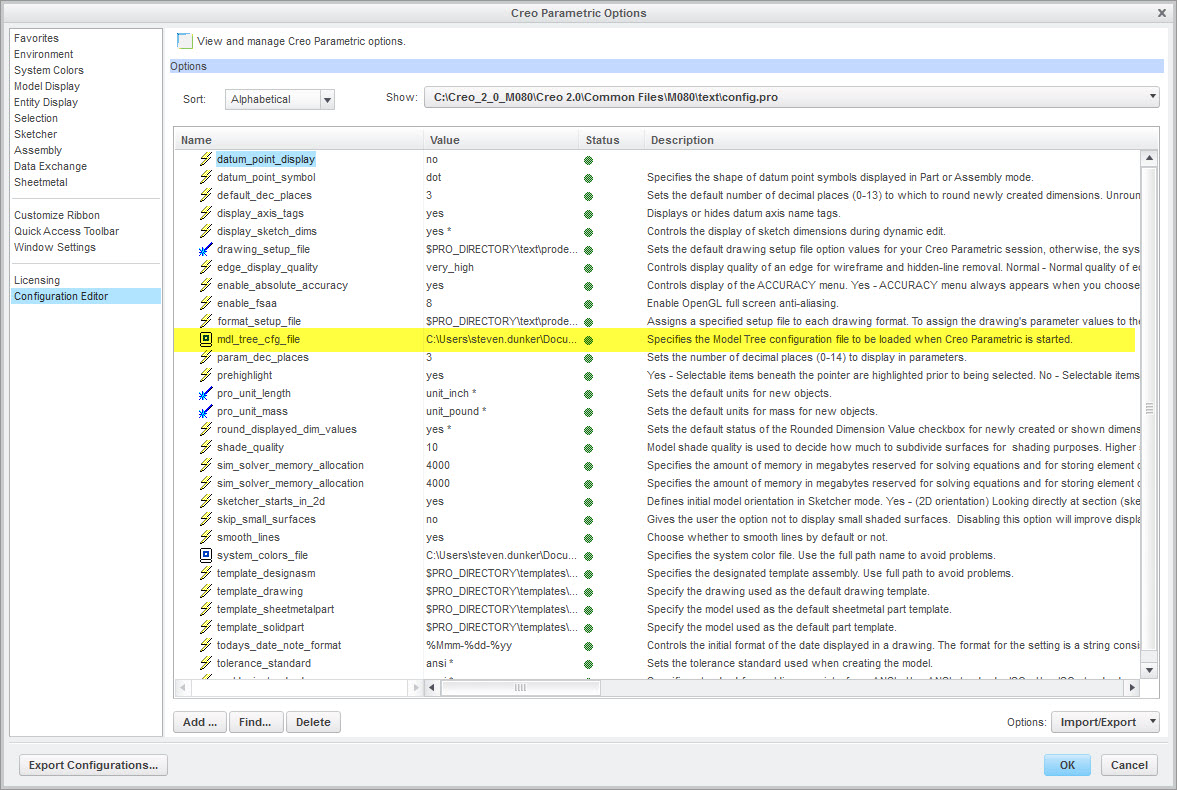
Save your model tree configuration file, and then you will have to map to it under Options using mdl_tree_cfg_file: