
Re: Mirror Parts don't seem to use a Start Part
Here's how you can make a mirror part in WF5:
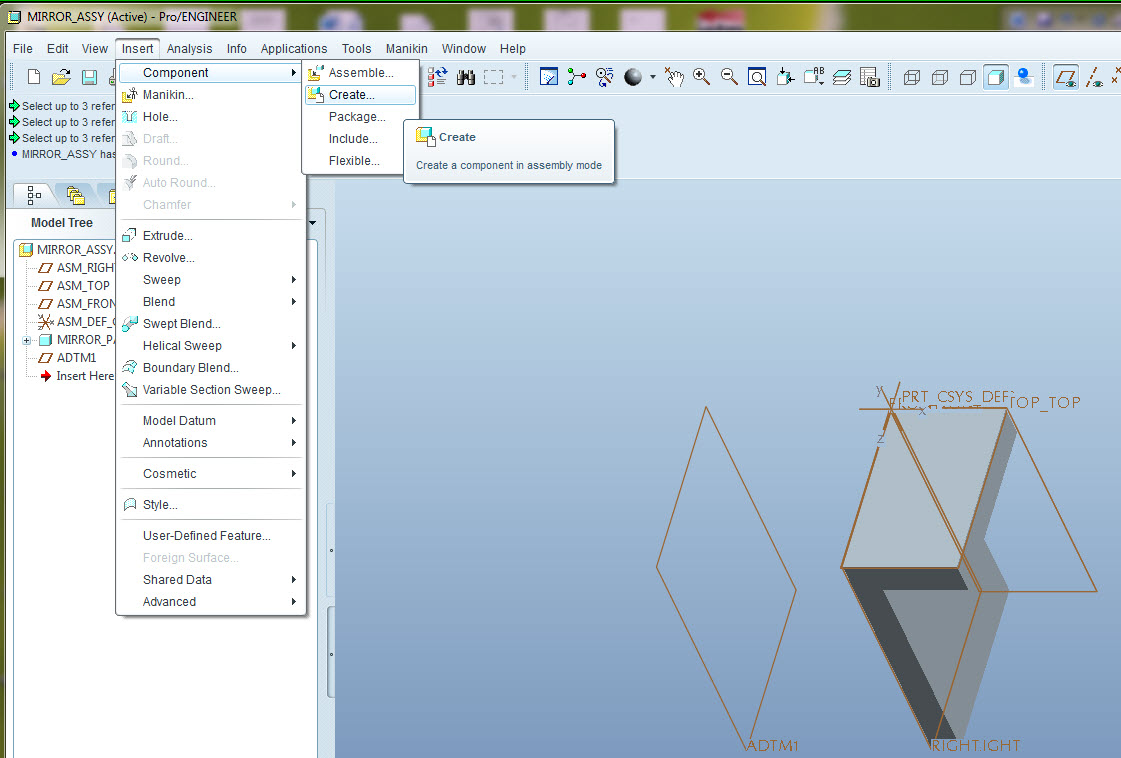
1. Make the assy and assemble your source part
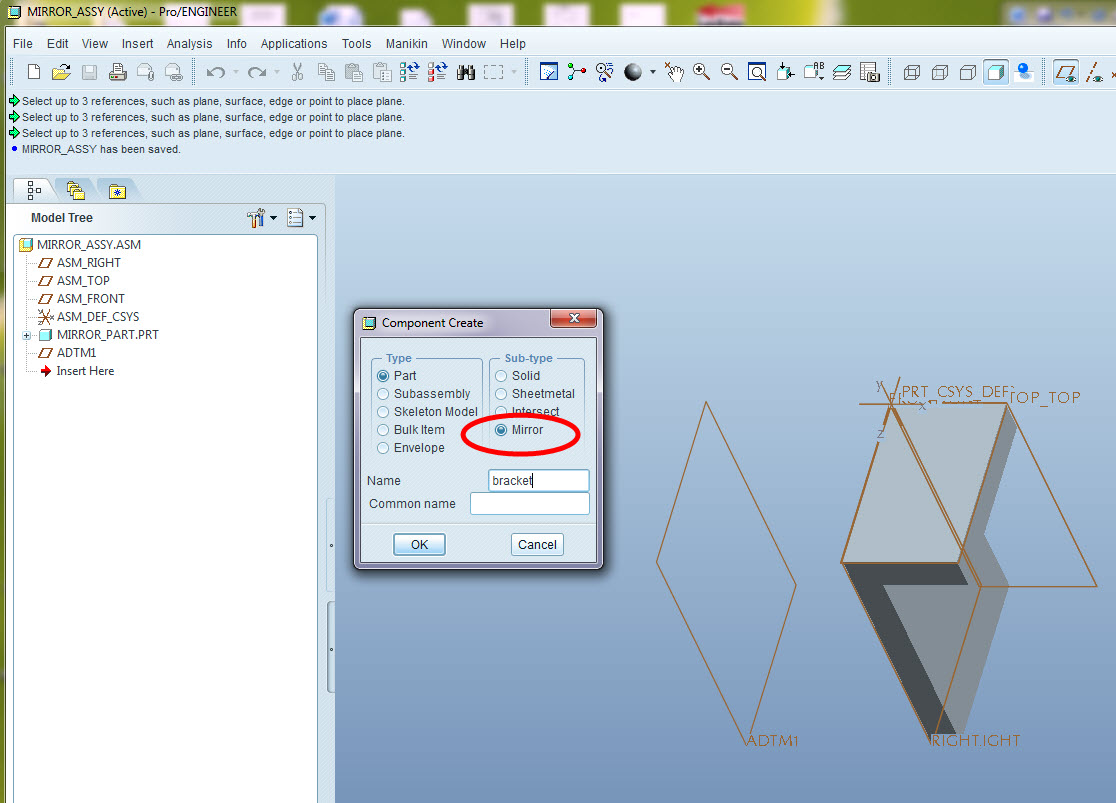
2. Select "Component Create" and "part" as the type, "mirror" as the Sub-type
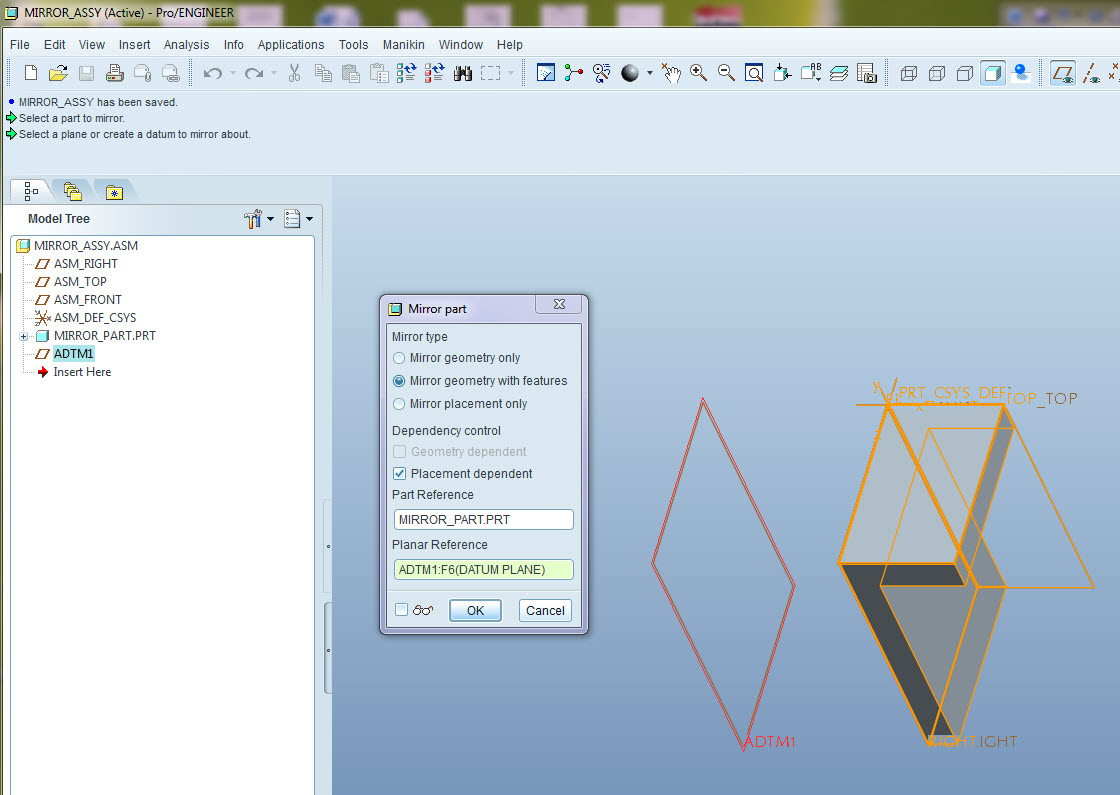
3. In the "Mirror Part" dialog, select the mirror type and uncheck "Placement Dependent" to avoid making the mirrored part a child of the assy.
4. Pick the part you want to mirror
5. Pick a plane to mirror about. If you pick a plane in the target part itself then the new mirrored part will not be a child of the assy and the assy will not be needed to keep it up to date.
6. Select OK to create the part
7. Open the mirrored part and save it.
8. Discard the temp assy.
Please see the images below on how to make a mirror part:
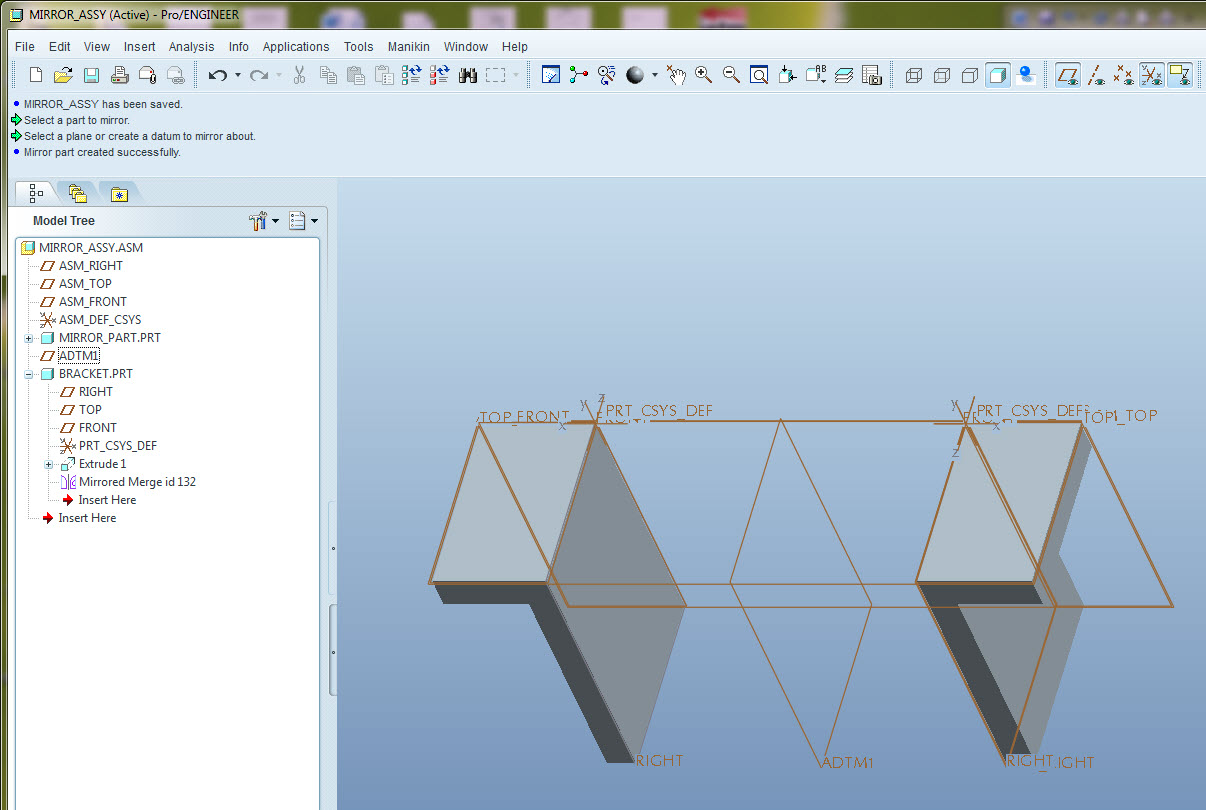
After this last figure, you can open the mirrored part and save it with a different name. Hope this helps.