Apr 6, 2015 4:46 PM UTC
Question

Re: importing iges/step assys into creo 2.0

Terry,

I imported the same part, and it came in as a solid (see below image).
iges_import.jpg

    6 replies

    Apr 6, 2015 6:04 PM UTC

    Cattura.PNG

    If i don't click on solid cube it imports as a quilt.

    Apr 8, 2015 3:57 PM UTC

    actually if you look INSIDE the small end, there is probably a little part that is not solid (it appears to be a crimp pin) (see the green)
    Capture.PNG


    I've tried adjusting the accuracy by creating a start part with accuracy already adjusted,


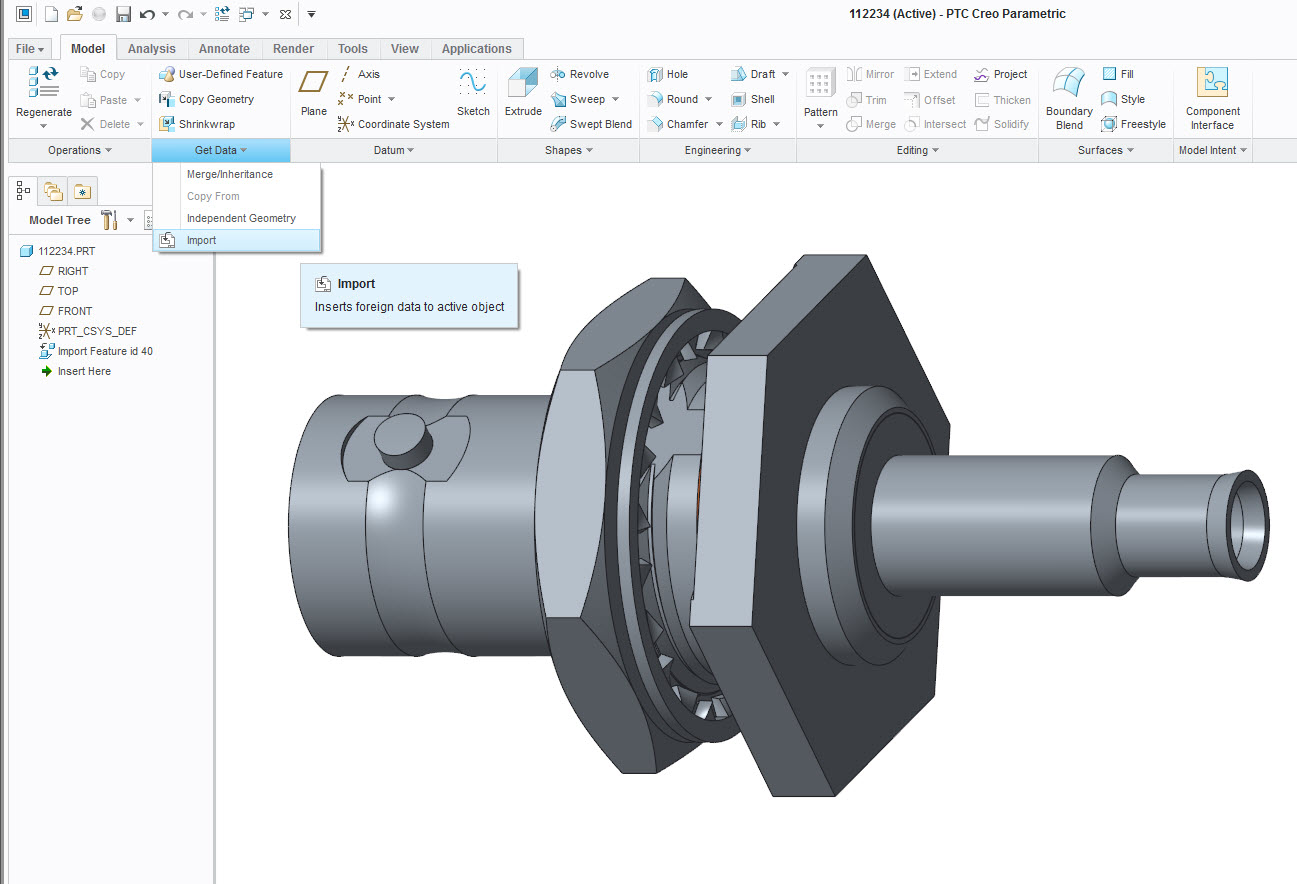
    if I do GET DATA, IMPORT,  IGES isn't an option?? am I missing something??  all I can find to do is FILE OPEN

    Capture2.PNG


    and under details I have this


    capture3.PNG

    Apr 8, 2015 6:07 PM UTC

    Terry,

    when you are importing IGES into existing part, turn off Use templates option in Import New Model dialog box.

    And ... what color is assigned to Hidden lines in your session configuration? It looks like it is magenta (see your first picture in ) ...

    Martin Hanak

    Apr 9, 2015 4:56 PM UTC


    that only works doing file open, and only removes the start part info? I don't see where it helped with anything
