Aug 11, 2016 3:14 PM UTC
Question

Re: Igs format

Ketan,

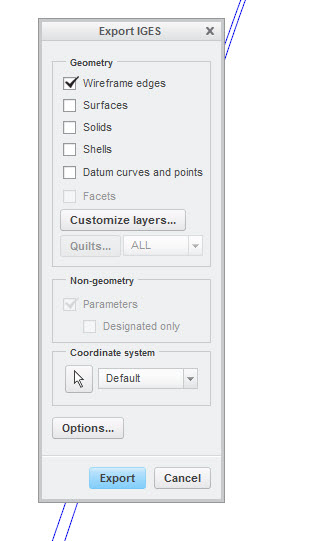
Try this.  I created an IGES file from your test part simply by selecting the following geometry option in the export IGES dialog.  This is the simplest and quickest way.  You don't need to use Copy/Paste to achieve this.
copy_7.jpg

    10 replies

    Aug 11, 2016 3:21 PM UTC

    Correct. This (wireframe edges and datum curves) option will allow me to get curve in IGS file even without copy/paste. But, It will not give me only outer curves in case there are two surfaces in part file. See image below for reference. I do not need in between edges:

    Thanks and Regards

    Ketan

    Aug 11, 2016 3:23 PM UTC

    Find attached part for which I need IGES file and do not need inner curves. Only outer curve is required..

    Aug 11, 2016 3:44 PM UTC

    Cannot delete surface. In this case, bottom most surfaces are lying within first surface. I can have a model in which two surfaces (A and B) are adjacent to each other. What I need is outer curve from A and B. In any case, delete should not be used from model tree to get details.

    Refer attached dummy part attached as UPDATEDB.prt...

    Thanks and Regards

    Ketan
