
Re: Igs format
Ketan,
You should be able to achieve a wireframe model by following the below instructions and images. This is a demonstration on a simple boundary blend.
1. Copy/Paste the edges of your boundary blends in the original model. You may have to set the smart filter to Geometry. Notice in the model tree there are four copied curves from the boundary blend. Save the model.
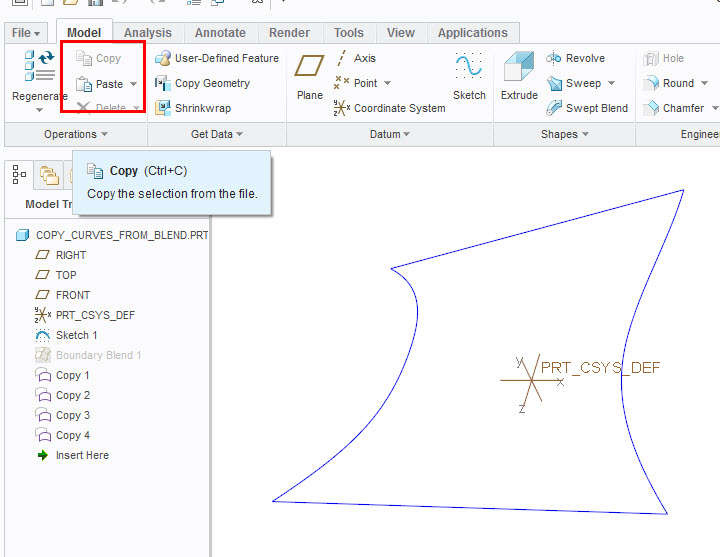
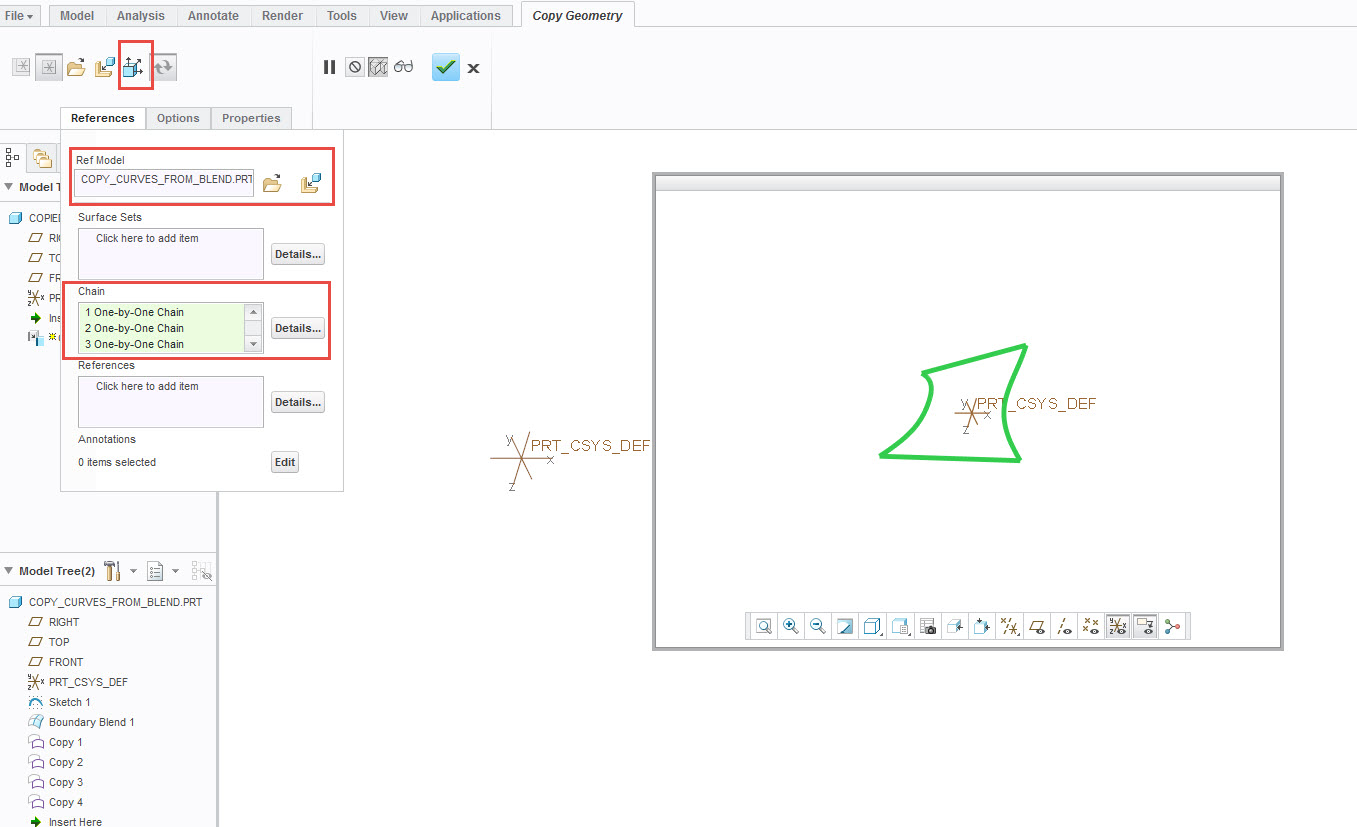
2. Start a new model and use Copy Geometry. Turn publisher off. Look for the reference model and copy the chains (curves) from the reference model. Select Ok.
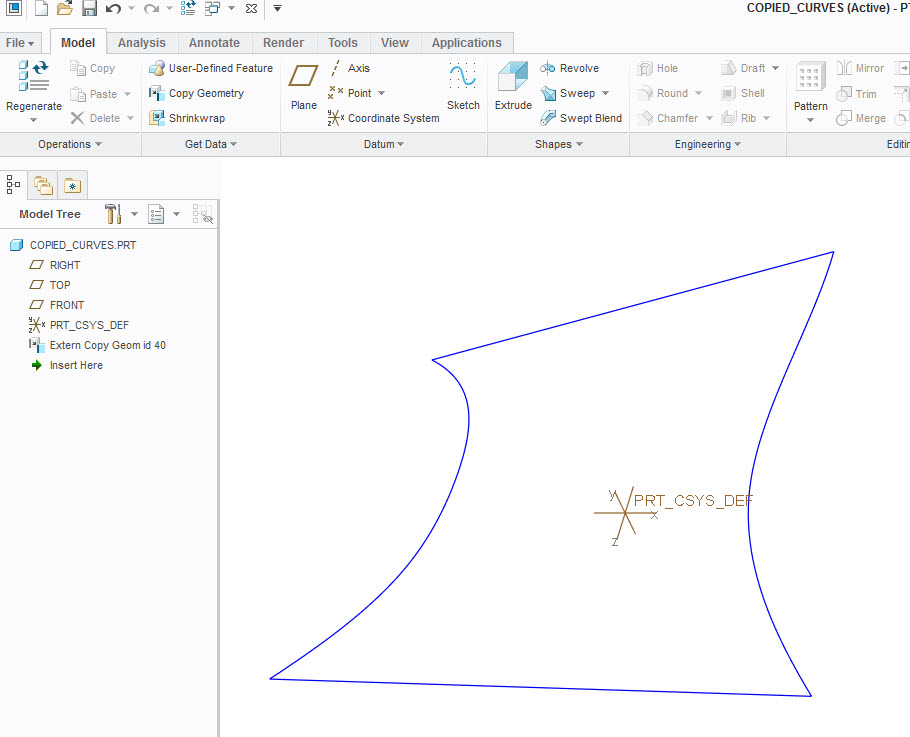
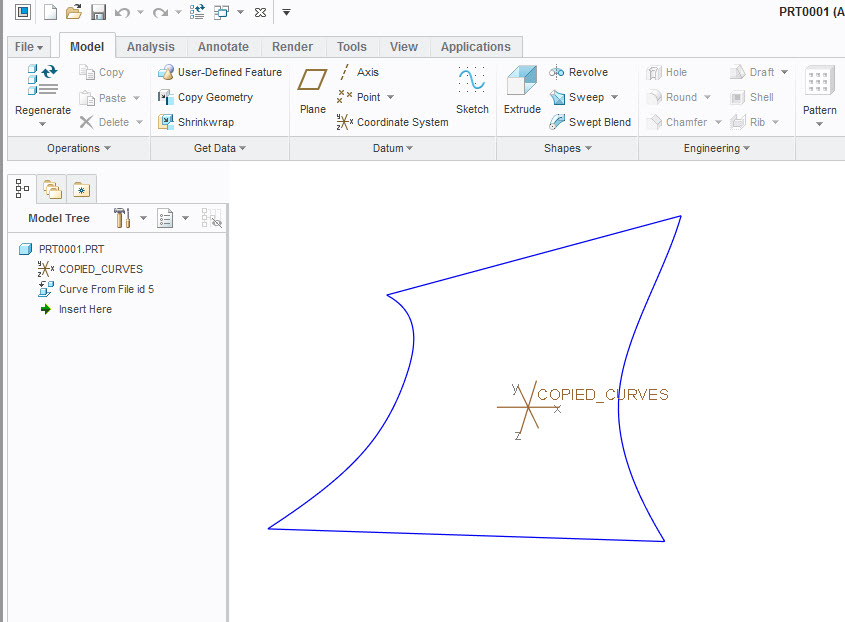
3. Notice in the model tree there is a external copied id. This model can be saved as an IGES.
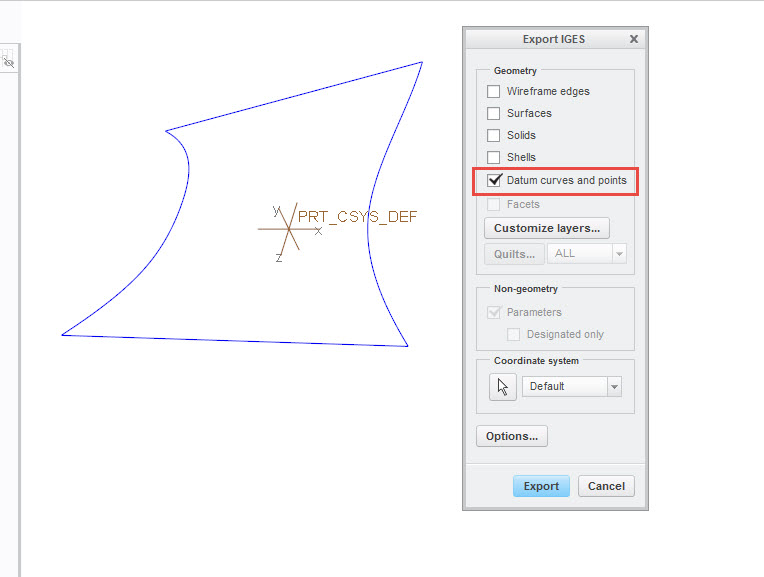
4. In the Export IGES dialog, select Datum curves and points.
5. Import the IGES file. You should get an exact wireframe model as the original.
Let me know if this works for you, as it should. Just apply the same methods for your model.