Question
Re: How to wrap a "Fill" (2D) surface over a cylinder?
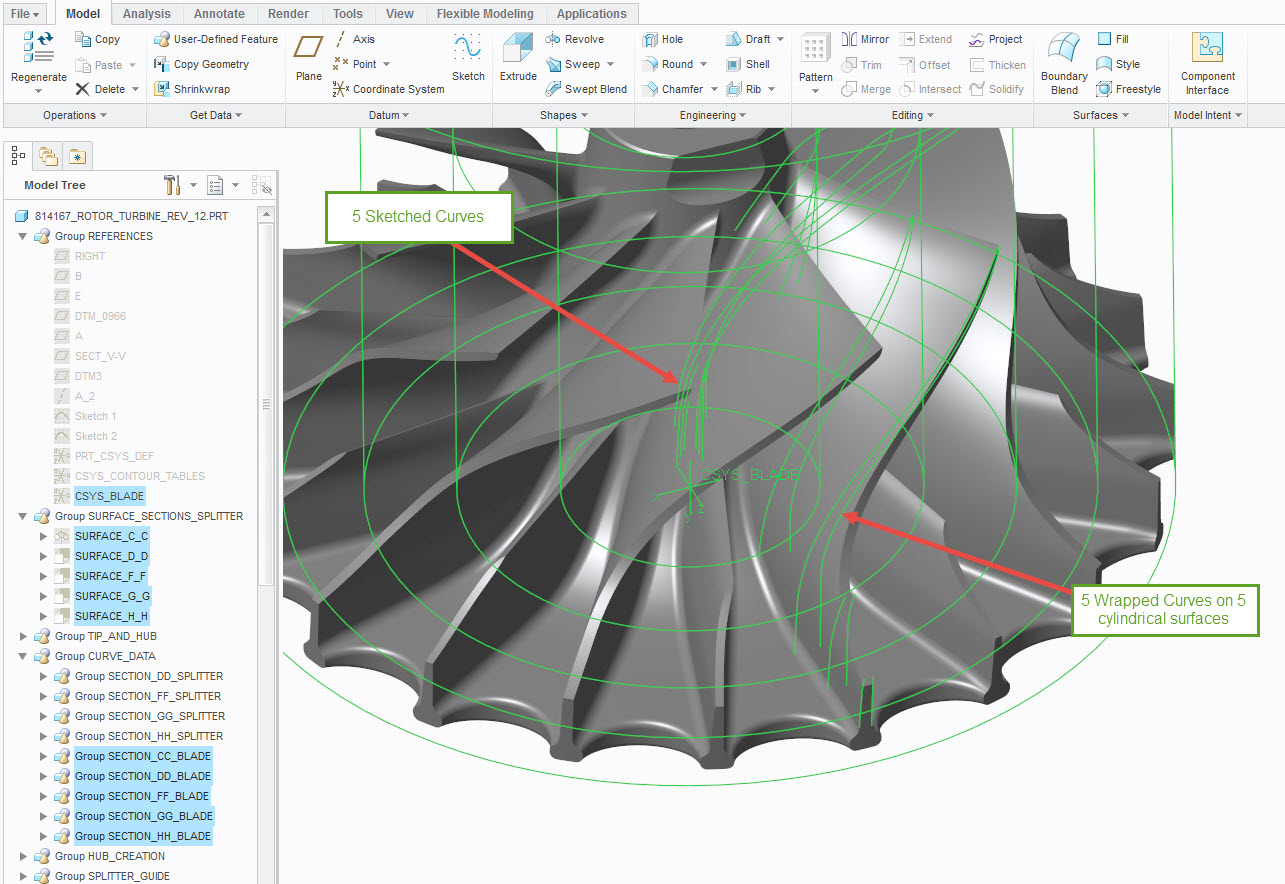
When using the Wrap feature for curves in sketcher mode, you have to make a csys in sketcher, otherwise, it won't work. It appears that you are trying to make a blade for a rotor turbine, then pattern the blade. On the last rotor turbine I made, I sketched 5 profiles at the csys, and then I had to wrap those 5 profiles on 5 different cylindrical surfaces. After that, I used the boundary blend tool to connect the curves that made up the blade, as shown below. Then I make a 360° cut to trim the outside. If I am reading your post correctly, the "wrapped streamlines" are similar to my wrapped curves on cylindrical surfaces before using the boundary blend and solidifying.