Question
Re: how to turn off lines
Hi Troy,
You can turn this off (and back on) with the config option prehighlight. This option will turn off everything from being highlighted. You can add this option to your configuration file as shown below.

Hi Troy,
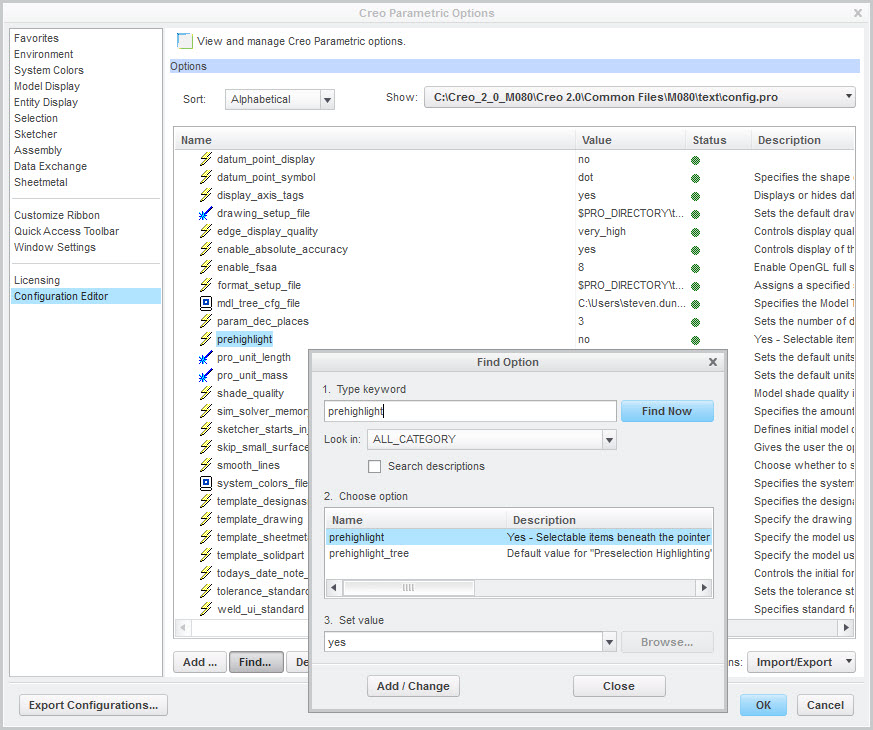
You can turn this off (and back on) with the config option prehighlight. This option will turn off everything from being highlighted. You can add this option to your configuration file as shown below.
Enter your E-mail address. We'll send you an e-mail with instructions to reset your password.