Question
Re: How to hide notes
Hi Tomas,
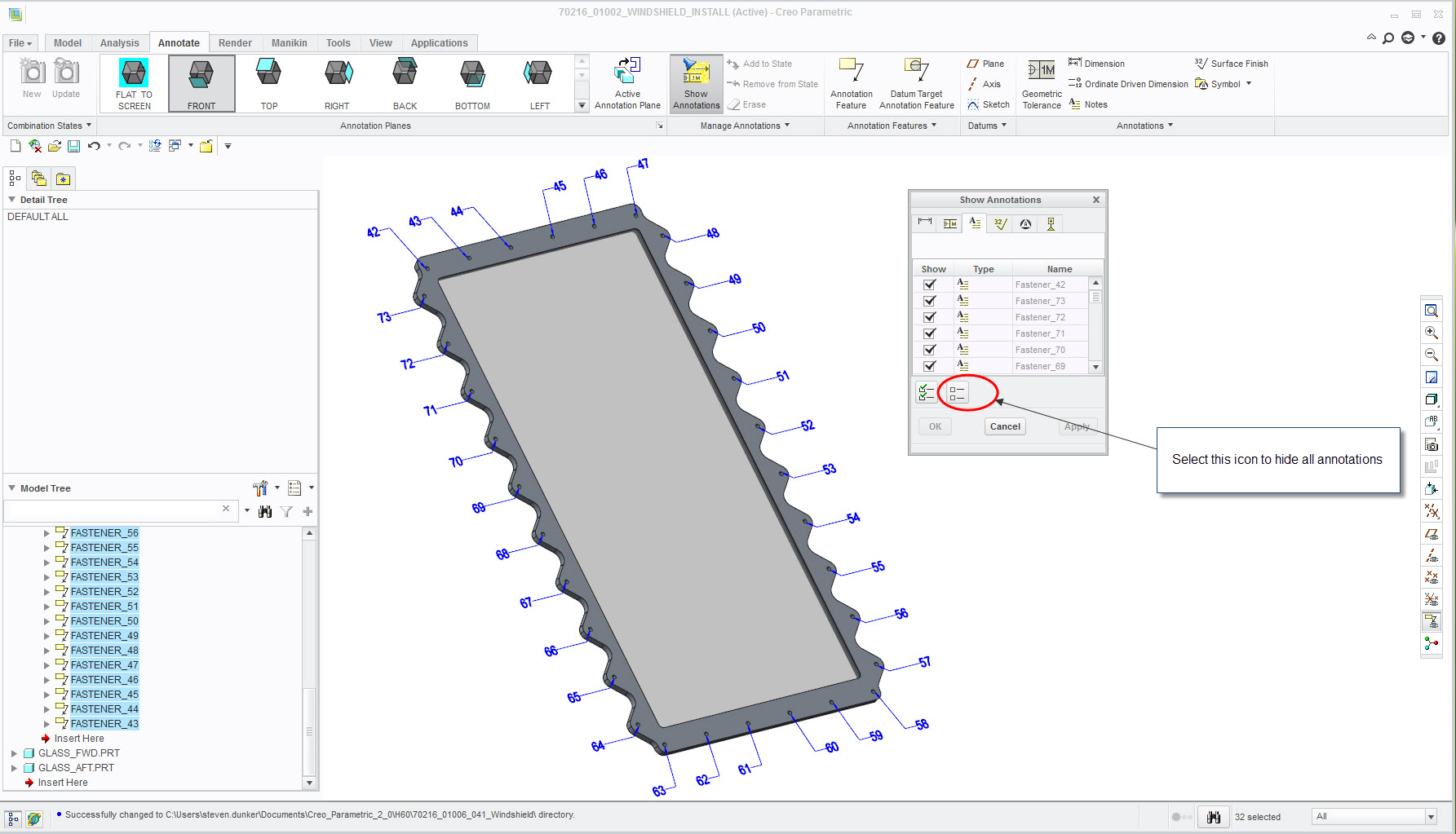
You can hide all of the annotations or part of them using the Show Annotations tool. In the below example, I have all of the notes unhidden, but I can hide all of them with the encircled icon, or I can go down the list and select whatever ones I desire. Notice the six tabs below the Show Annotations text. You have to select the right type of annotation before you can hide/unhide.