Oct 7, 2014 7:05 PM UTC
Question

Re: How to change a reference?

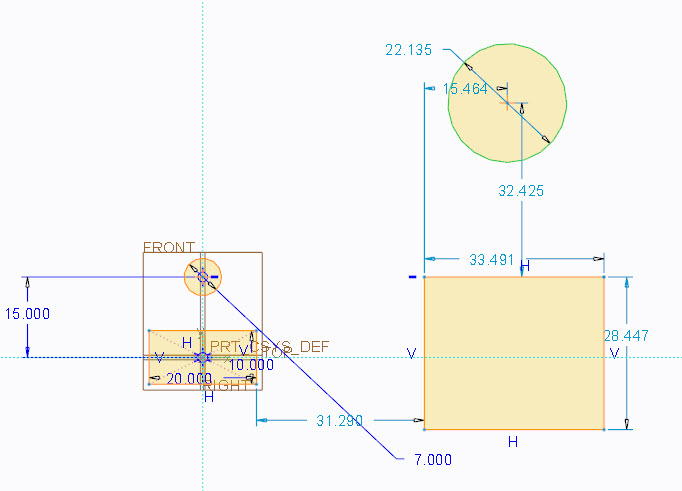
Yes...they change colors as shown below...from light blue to dark blue.extrude_05.jpg
    3 replies

    Oct 7, 2014 7:07 PM UTC

    Someone Withaquickquestion,

    Does all this answer said question?

    Thanks, Dale

    Oct 7, 2014 9:58 PM UTC

    I want to do what is suggested above, but I don't know how.

    What button do I press to change the dimension to the centerline?
    I'm a complete novice, I have literally been using that program for 3 hours


    My dimensions are a strange shade of blue if that helps? Not really dark nor light...

    Oct 7, 2014 10:50 PM UTC

    The gray dimensions are just suggestions (Dale's images). Simple create a new dimension where you want it. If your new dimension resolved the sketch, the gray dimension will go away on its own.
