Feb 17, 2017 6:46 PM UTC
Question

Re: How is Creo 4 transition going?

Thomas,

What's new in Creo 4.0 is listed in the Help Center CD, as shown below after installing.
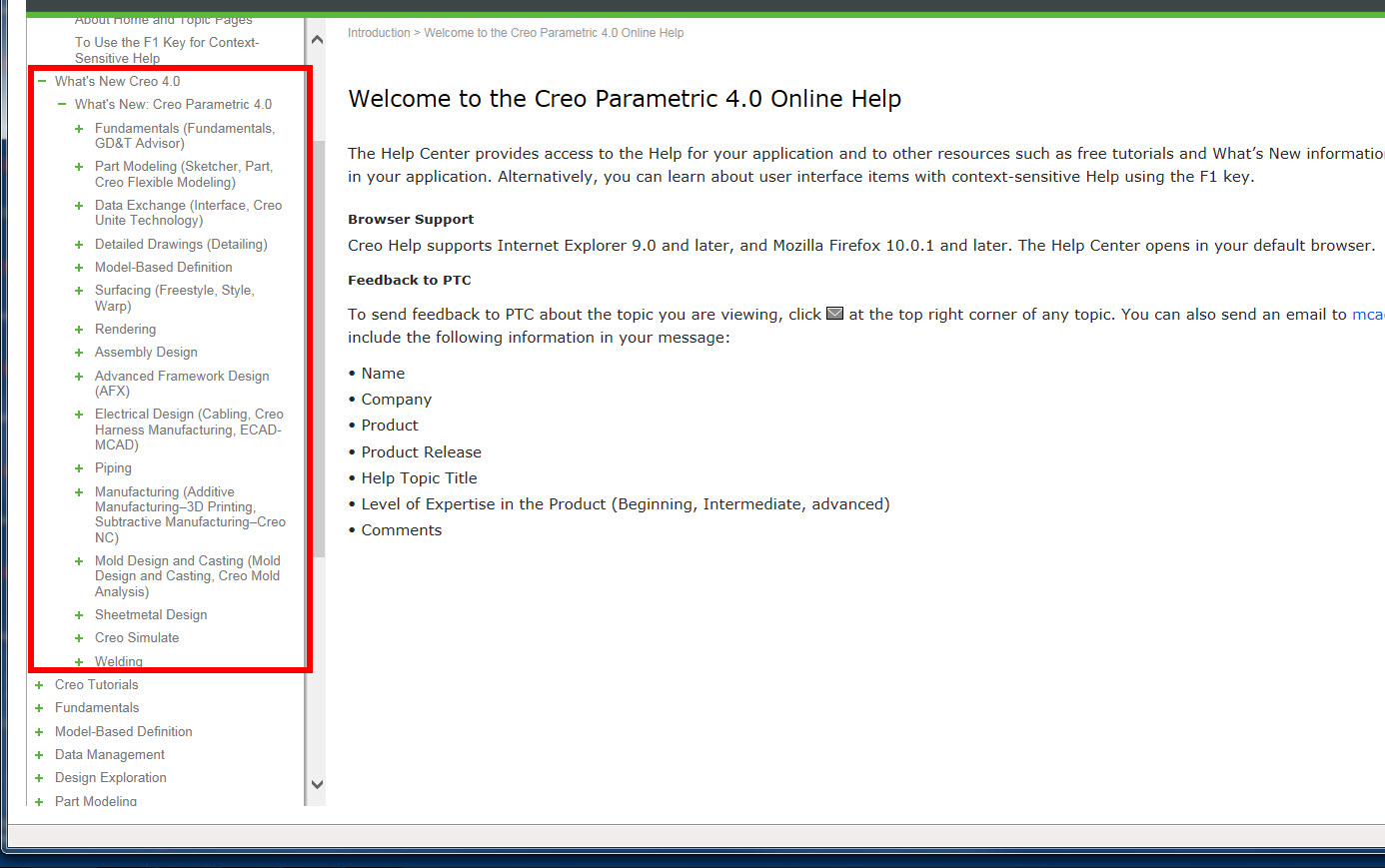
new.jpg

    4 replies

    Feb 17, 2017 9:33 PM UTC

    Hello Steven,

         That makes it hard to evnaluate the need to update, and with the issues I have seen installing, it would be helpful to have this available wihtout the need to install.

    Feb 18, 2017 11:46 AM UTC

    The help center is also online. Same info there.

    Creo Parametric Help Center

    Feb 20, 2017 10:59 AM UTC

    Hello all, installed Creo 4 last week. I plan to stick with Creo 3 for a while yet, but when i can will have a play around with 4 to 'test the water' so to speak. One thing i did notice which i don't like much, is the removal of the 'traffic light system'. I liked seeing the green light in the bottom right hand corner of my screen. I saw that, & all was ok with the world, it was just reassuring some how. Now its gone, it just feels a little weird somehow. If a change is made to your model then a small 'regen' icon appears where once the traffic lights were, regenerate the model & it disappears. I personally don't like what Ptc have done here, they give us the long over due 'plane slice' in sketcher, a great enhancement, one that will serve me well in the future, then they do what they always do,which is make a change for the sake of making a change. I dearly hope that there aren't too many of these 'changes, for changes sake' in this release. If it ain't broke, don't try to fix it!!! Has anyone else noticed this? I don't suppose there is a config option to bring back the 'Traffic Lights'?

    Edit: just realized something, the 'Traffic light system' appears functional in drawing mode, its just not there in part or assembly mode, can that be right? Sounds like a bug to me.

    Regards

    John
