
Question
Re: How can I create a shell for my part?
Kay,
If I'm reading your task correctly, all you have to do is copy the desired external surfaces and thicken it 2.5 mm. Here are some images that may help you.
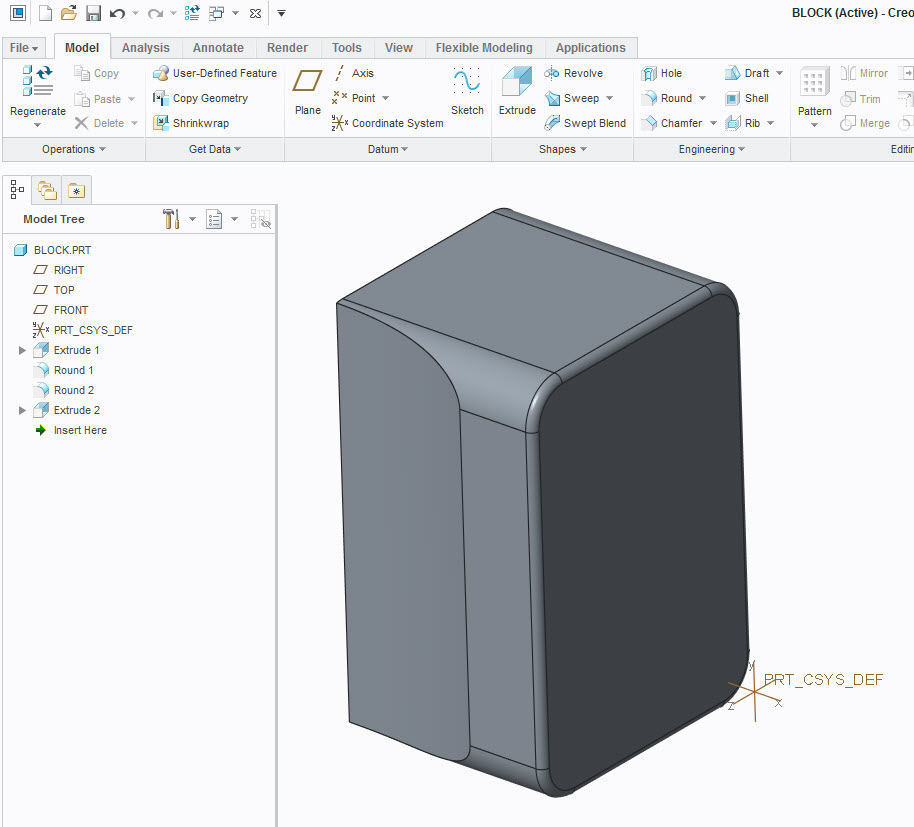
Figure 1: Original model to copy surfaces from
Close model in a known directory.
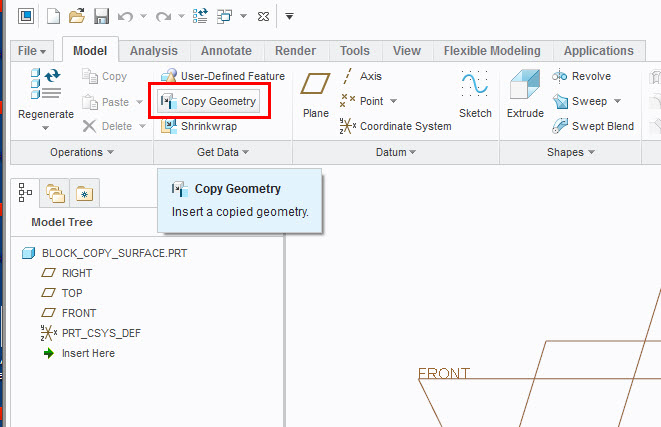
Figure 2: Copy geometry from original model
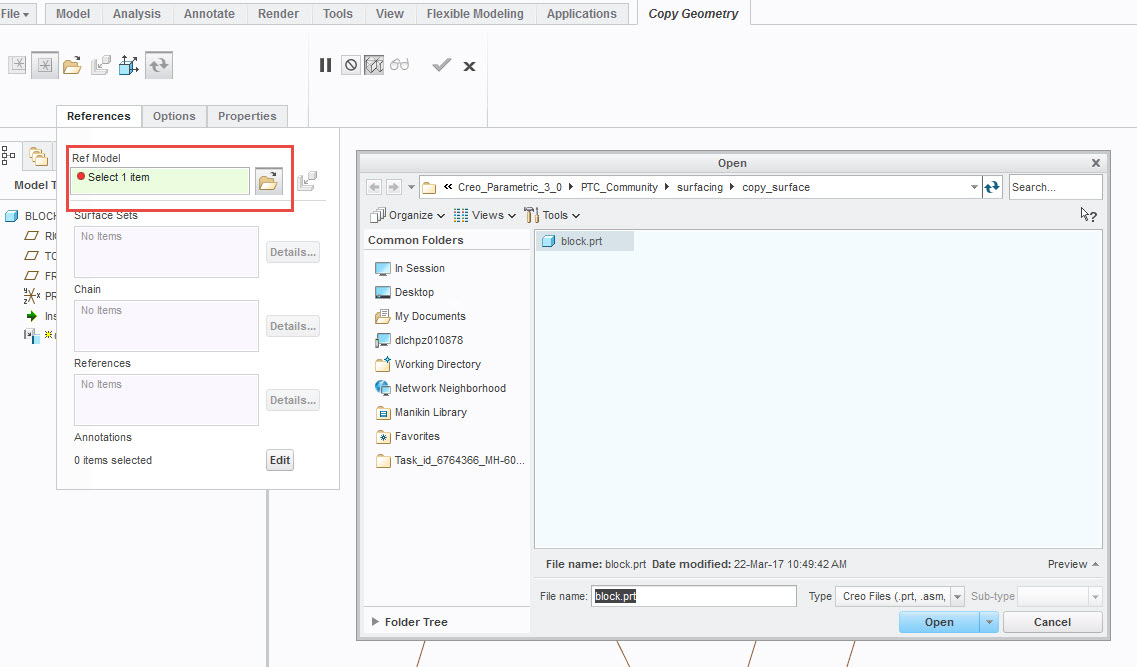
Figure 3: Open the reference model to copy surfaces
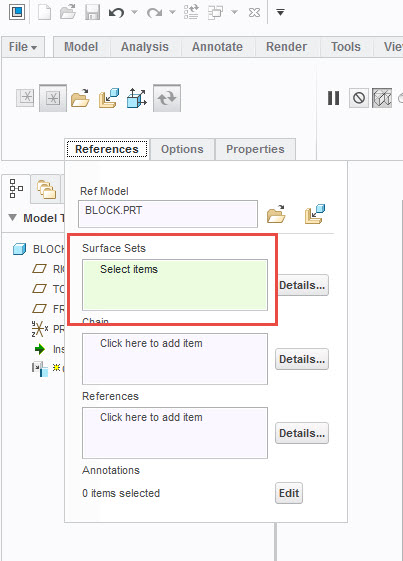
Figure 4: Activate surface sets collector
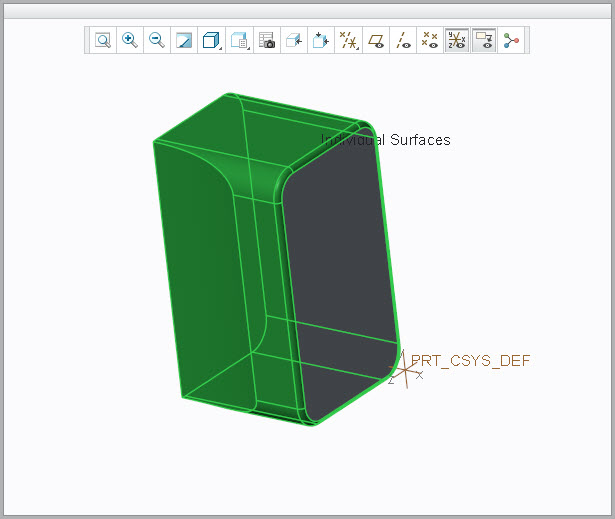
Figure 5: Select desired surfaces
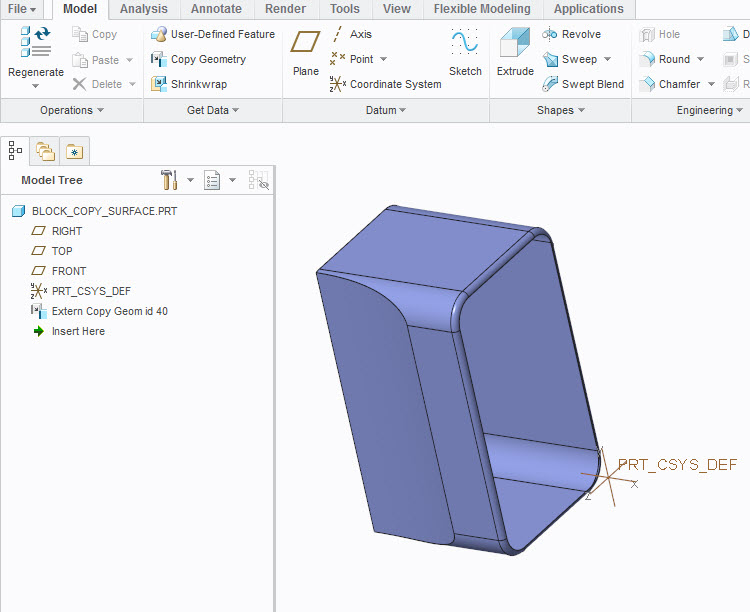
Figure 6: Copied surfaces
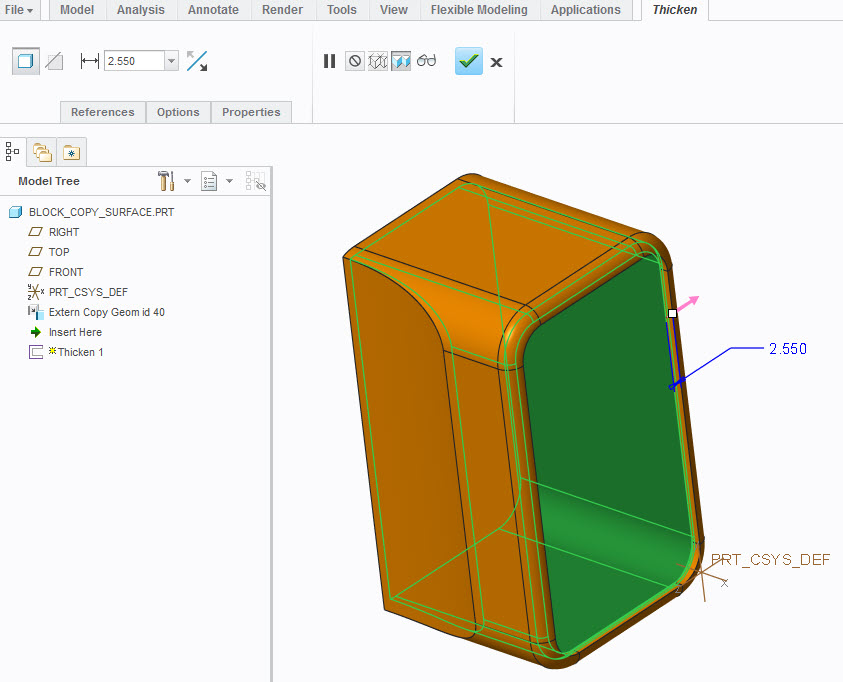
Figure 7: Thicken surface outward