
Question
Re: Hatch Marks in Section Views - Trouble Changing Colors
Matthew,
I found that the easiest way to change all the hatch marks at once is to change the system color as shown below. The path is:
File>Options>System Colors>Graphics>Letter
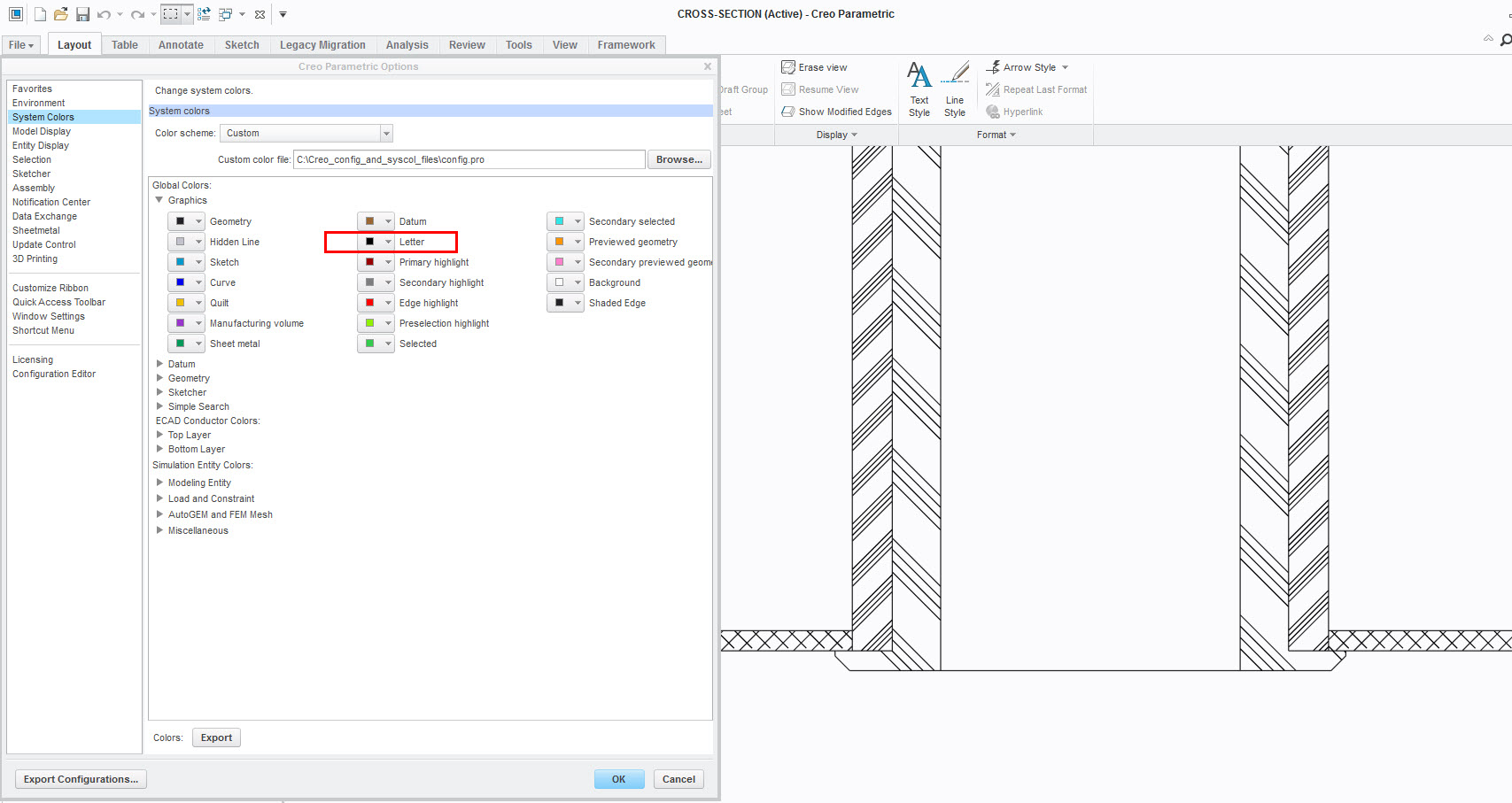
Selecting black will change all the hatch marks to black. The reason I wanted to do it this way is to put images in a technical publication, because everything in the pub is black.