
Jan 6, 2016 12:29 PM UTC
Question

Re: Drawings: hidden line question

Ramon,

You can hide the lines under Drawing View properties.  LMB the section drawing, then RMB and select Properties and the Drawing View dialog window will appear as shown below.  Select View Display and Display Style the No Hidden.  See if this will help.
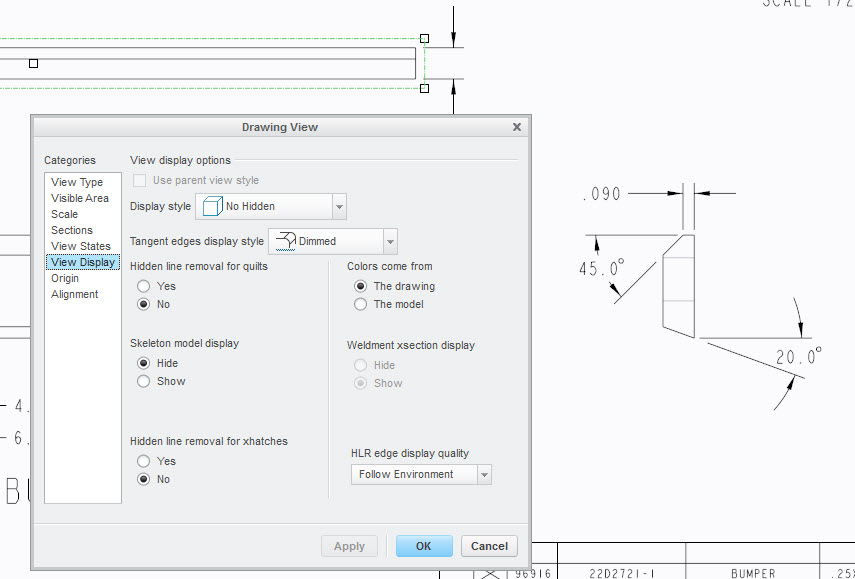
drawing_view.jpg

    2 replies

    Jan 6, 2016 1:17 PM UTC

    Ray, yes you can turn on & off hidden lines for individual parts in an assembly drawing view. Under the Layout tab, select Component Display, then HLR Display, query select the part you wish to turn off hidden lines, select No Hidden.

    hidden_line.JPG

    Regards

    John

    Jan 6, 2016 7:17 PM UTC

    John,

    That works! Thanks for the info.

    Best regards,

    Ray Aviles