
Jan 21, 2014 2:10 PM UTC
Question

Re: Datums and Names

Hi Brian,

In your model, it looks like the name A is being locked by Extrude 1. Deleting the Extrude 1 feature in the model will allow you access to the name A. You will also need to delete the gp0 and gp1 annotations. You will have to rebuild some of your model, but that will be easy since it's a simple model. It should only take you a few minutes. I was able to make a datum with the name A as shown below. This may not be what you wanted to hear, but this will fix it.
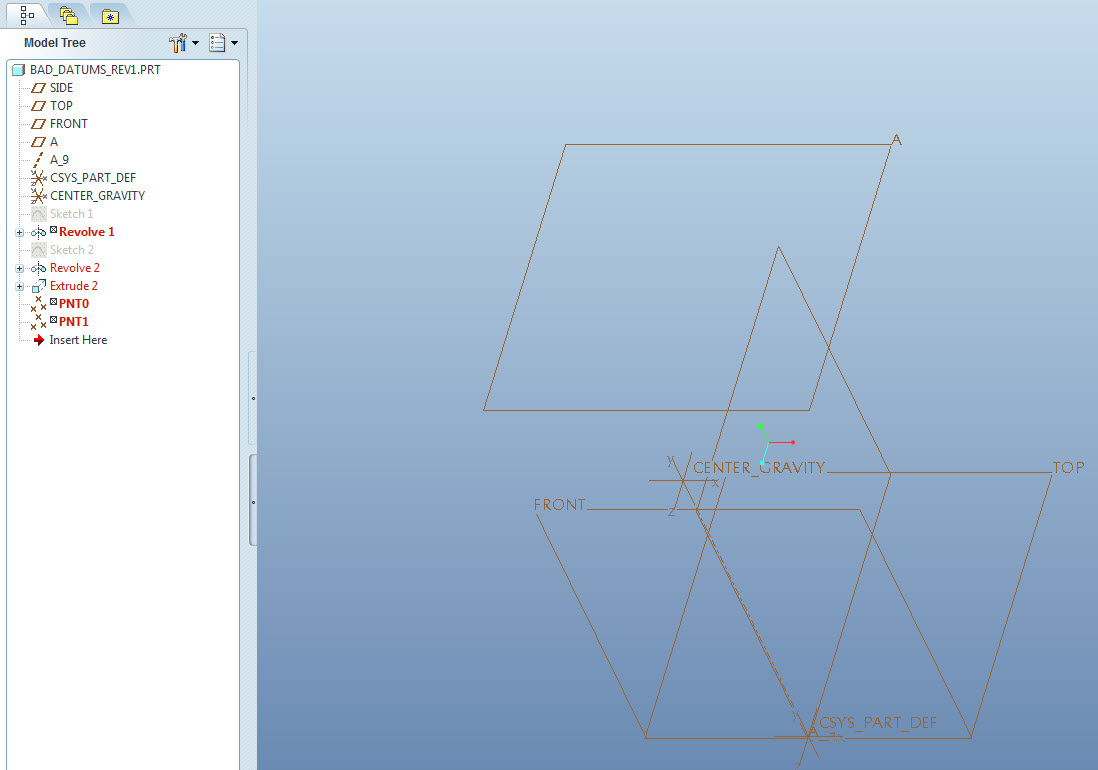
bad_datums.jpg

    5 replies

    Jan 21, 2014 2:39 PM UTC

    Is it only me that thinks this is a major problem?

    Fine, he's used the datum name 'A' somewhere in his model and, when he tries to use it again, the software complains. That's all OK. However, it is decidedly not OK that it takes 3 days of 5 different people looking at his model to find out where he has used 'A'.

    It has to be simple to do this kind of fault-finding. If it isn't, then 99% of users (the same 99% that don't have a login to this forum) simply won't use half the available functionality (such as Datums On The Fly), because it causes them too much grief when they try. Once they have been bitten in the backside by this kind of silly problem, they won't even try again.

    It should, indeed it must be trivial to find problems like this, otherwise users will be put off trying new things. In practice, problems like this mean that what may very well be the best 3D CAD software available for general use is time and time again effectively limited to being a 3D drawing board for 99% of users.

    I feel strongly that this apparent inability to find basic relationships like where 'A' is used, whilst it may be intended functionality, is a serious deficiency in the software.

    These are the sort of usability issues that directly and drastically affect the success and user-image of the software, not arcane stuff about how to render realistic glass and how to model complex curves. That stuff matters too, but not for everybody. The silliness under discussion here affects us all, from new user to veteran.

    Brian,

    If I were you, I would definitely report this and try your hardest to get a case going.

    In addition, create an Idea on this forum explaining the proposed 'enhancement' that turns a 3-day search into a 5-second job. I'll vote for it.

    Regards,

    John

    Jan 21, 2014 6:55 PM UTC

    I'm with you on this, John. At one time... in an errand revision, PTC left a full history trail available inside the file. This was quickly removed. Even that would help in finding a fault like this. PTC CS has access to these kinds of features.

    As for datums on the fly, they do show up in the model tree. This is a datum from a feature that was later manipulated. Something to be written into the corporate rules as "don't do that". Unfortunate but now you (we) can see how feature generated datum axes can be problematic.

    I have similar issues with annotating default datum planes. They don't "behave" and like to hide or otherwise remain visible regardless of plane visibility status. It is always better to create a plane specifically for the datum tag or better yet, a surface which gets an axis or datum plane assigned automatically. In my book, the whole datum tag annotation implementation is poorly thought out and implemented.

    We have had this discussion before. And yes, I avoid it like a plague. I have symbols to manage drawings with ISO datum flags due the the very real problems that are still evident in Creo 2.0.

    Jan 21, 2014 7:42 PM UTC

    Just a note the datum on-the-fly behavior I was refering to was pre-WF, these didn't show up in the model tree from what I remember. I'll see if I can find it in one PTC tutorial files; I seem to remember one their files because I remember the first time I saw it I couldn't figure out exactly how the feature was created. I believe this was one of the changes made, having the datums created on-the-fly show in the model tree.

    Jan 21, 2014 8:44 PM UTC

    Steven.

    Thanks for the info.

    I did narrow it down to the Extrude 1 as I stated in the initial post.

    I ended up deleting everything and just rebuilding it.