
Question
Re: Datum names on model
Hi Eric,
Try this first:
File>Options>Entity Display>Show Datum Plane Tags
as shown in Figure 1 below.
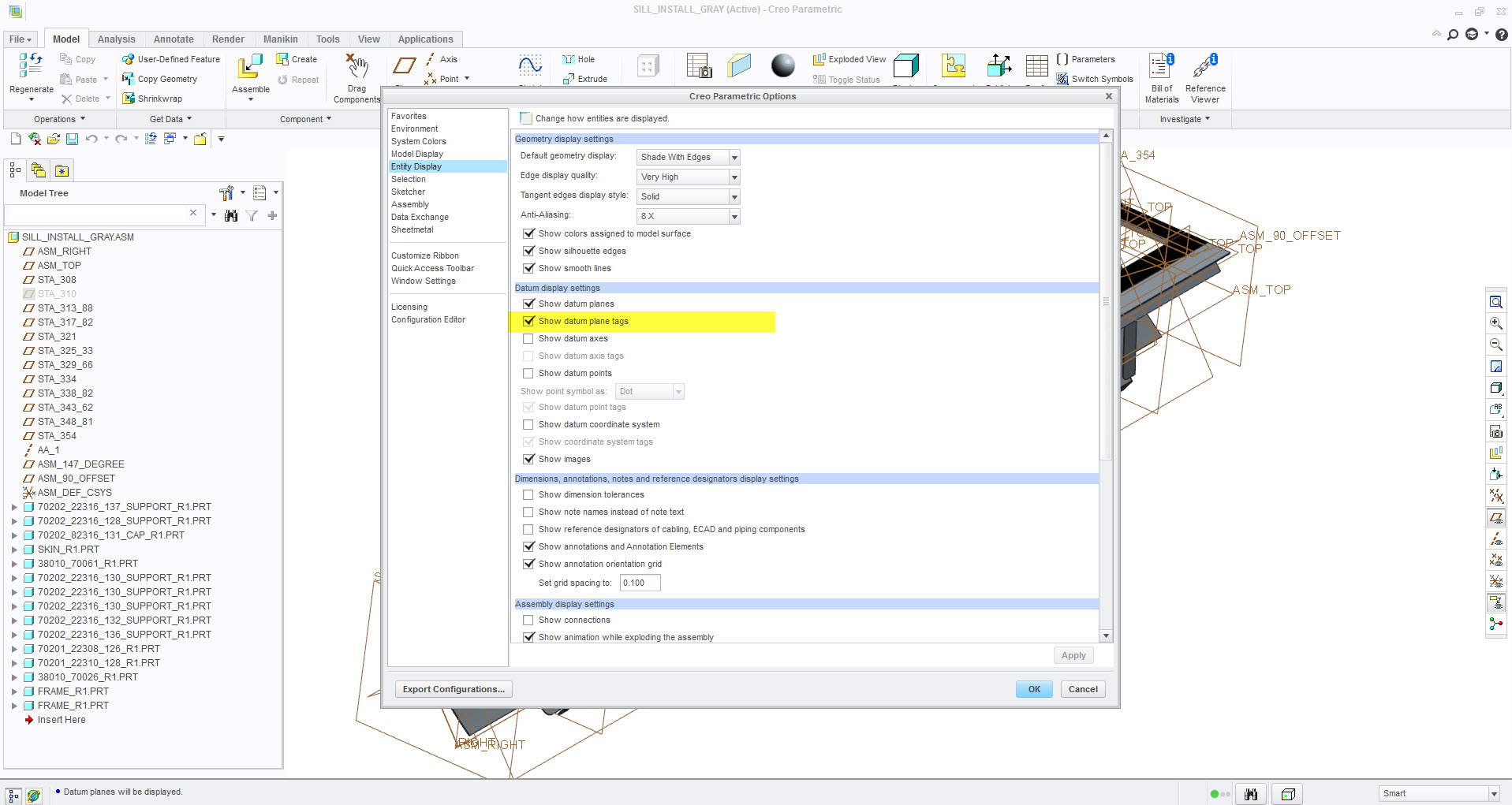
Figure 1
After you open the model, make sure the Plane Display icon is selected, as shown in Figure 2 below.
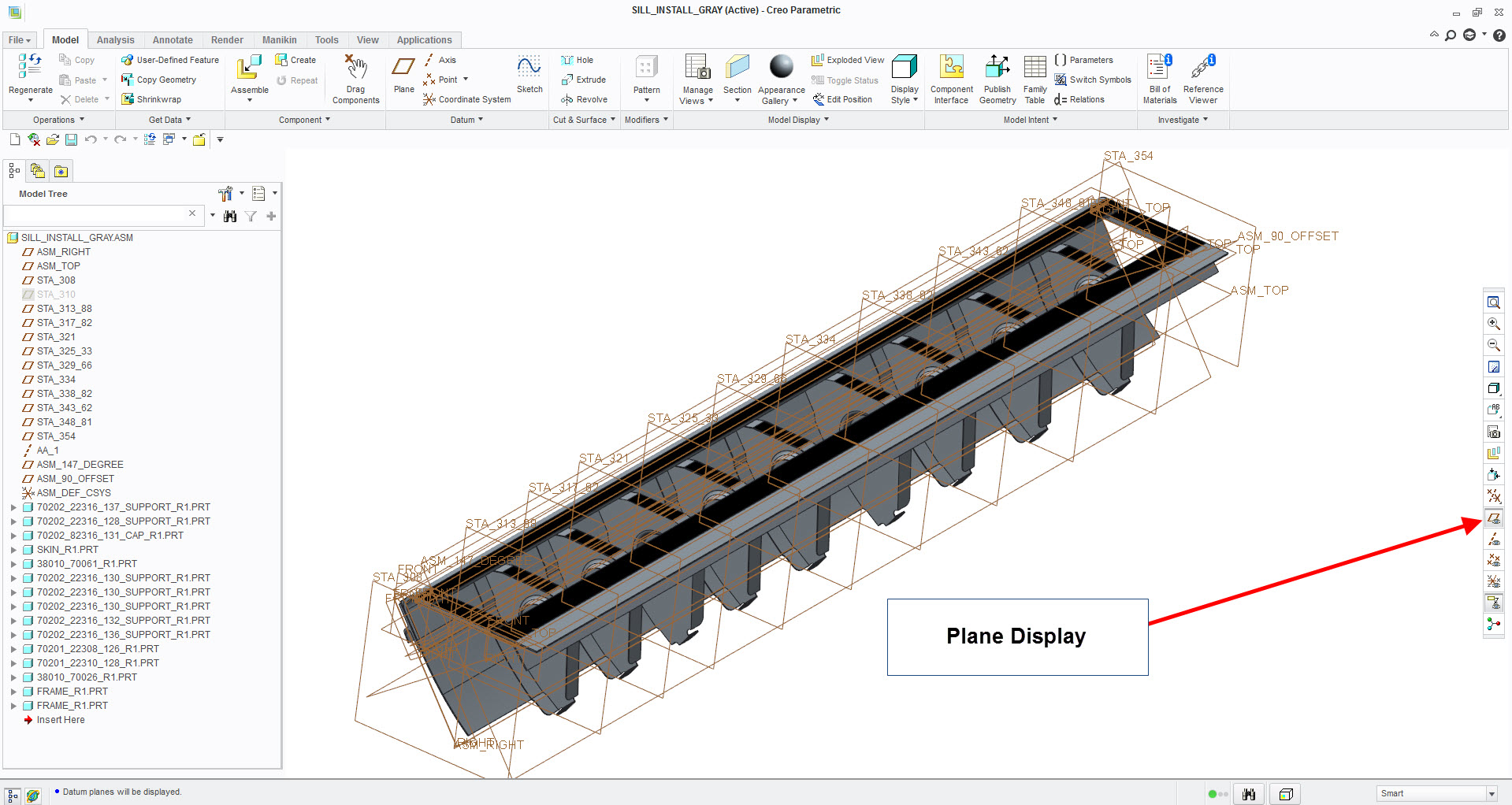
Figure 2
If this does not work, then implement the method shown by Praveen. Welcome to the forum.