Jan 28, 2014 12:57 PM UTC
Question

Re: Creo Simulate Result Window template with legend values: bug?!

Laurens,

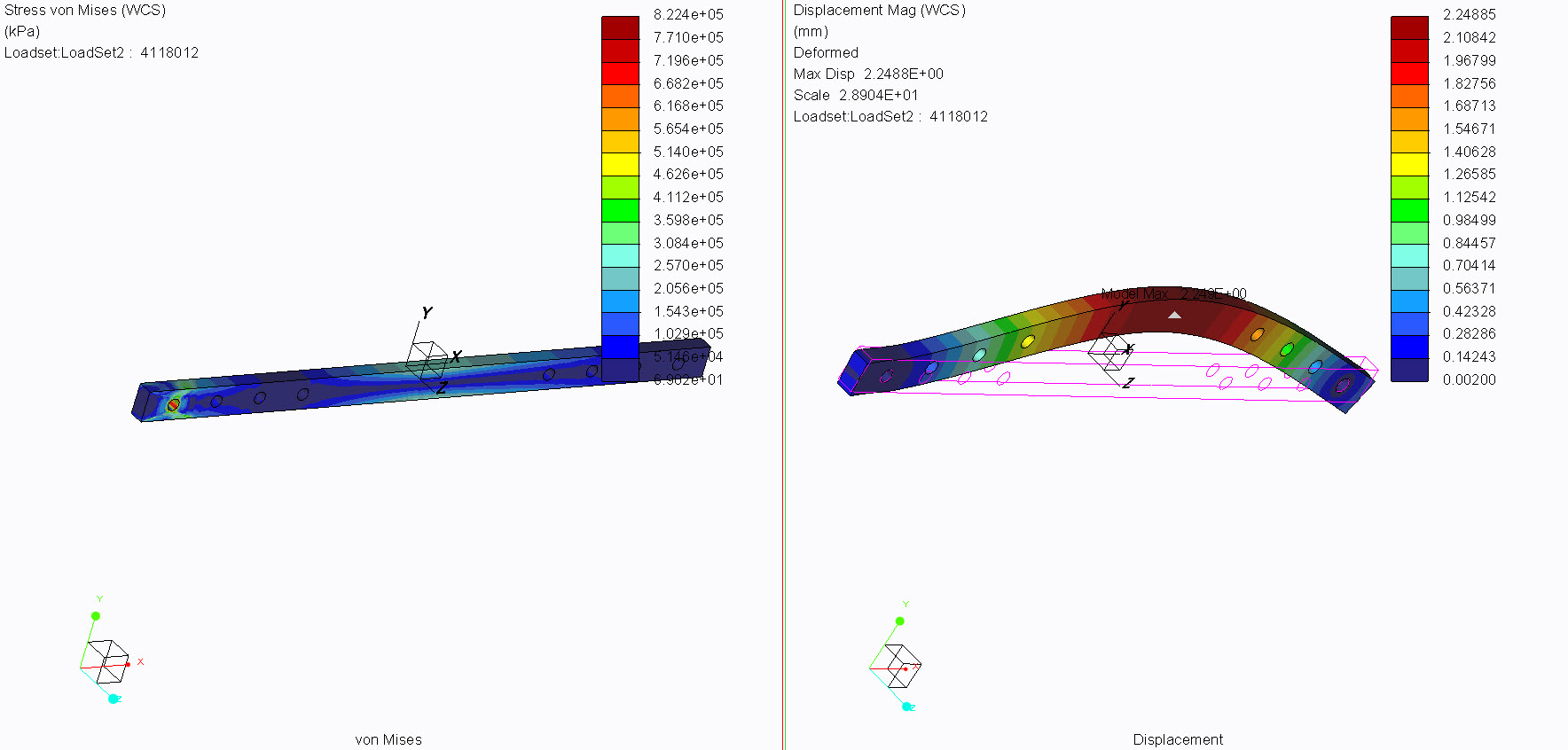
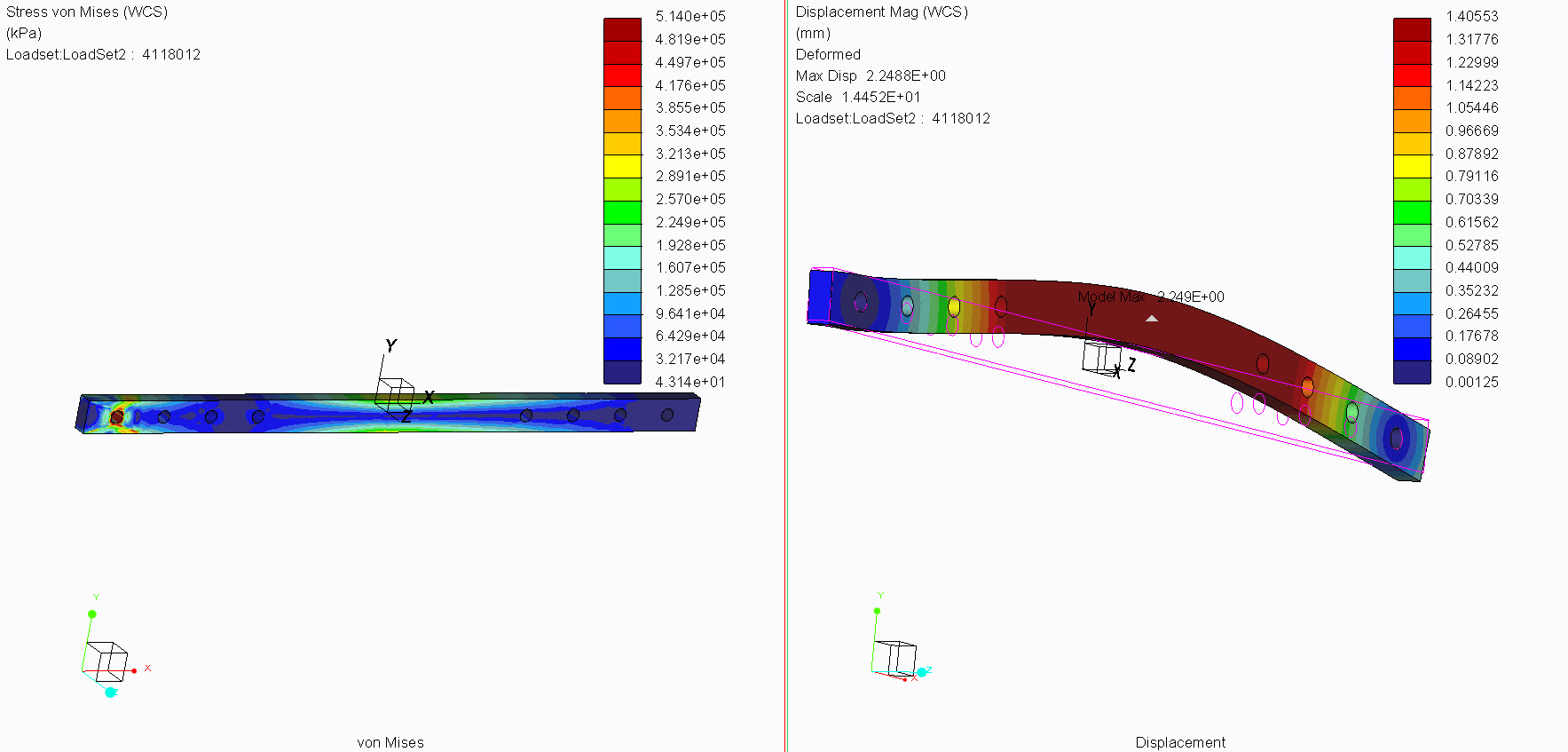
I replicated your "problem", and I think the reason the displacement won't update is because you selected Legend Values in your template. This will lock in the max value. I ran two cases, as shown below. Figure 1 is using the settings you showed, and Figure 2 is running the model over again with 8000 N and I selected just Units for the template, and it updated the displacement fringe.
usd_temp_01.jpg

Figure 1

usd_temp_02.jpg

Figure 2

    2 replies

    Jan 28, 2014 1:07 PM UTC

    Steven,

    If you change the name of the analysis and re-run it again and use the templete for the results.
    Does the analysis name at the bottom update or does it use the orginal name of the orginal analysis that was used to create the templete?

    I'm seeing where it won't update the analysis name either at the bottom.

    Thanks

    Don Anderson

    Jan 28, 2014 3:19 PM UTC

    The displacement_stress.rwt file (which is a template created by me) should be placed in you analysis directory. After doing so, you can select it in the dropdown list.

    But now you replicated the problem, there's no need anymore to use my .rwt file 🙂

    I know that selecting the 'legend values' option plays a role. But I want to have the legend values in the template. I want to compare various designs with the same color code.

    I would expect that the max value gets updated. Now it is just dead text from the origal result. That is stupid... That's why I think it is a bug.

    Laurens